

Technology is frustrating enough on its own. But trying to help someone who knows absolutely nothing about computers? That’s a whole different nightmare. These tech support disasters are so ridiculous, they sound made up.
1. White Knight Moment
I spent five years doing IT consulting in a rural town about an hour from Portland, OR. I'd periodically involve myself in the more interesting and complex cases we'd see from our walk-in customers. One day we had a woman come in. She caught my eye because she was in her late 30s or early 40s, and actually quite attractive.
She had short, platinum blonde hair and bright red lips, and was dressed and styled like she was transplanted right out of a 1950s era magazine ad. One of our bench techs greets her and starts talking to her. Right out of the gate I can tell this is going to go badly.
She is panicked and, by the sound of it, tin-foil hat levels of crazy. Well, there goes any desire I had to flirt with her and maybe see if I could buy her a drink. I listen in on the conversation anyways, because it's at least a change of pace from the monotony of my day-to-day.
After a few minutes of her going on about how her husband is spying on her through all manner of devices, my bench tech looks back at me with a can-you-please-come-help-me-and-make-her-go-away look on his face.
I oblige, as I appreciated that the front-line guys respected me enough to ask for my help on these things. I walked up front, introduced myself as the supervisor, and told her that since her issue was so unique and serious, it'd probably be best if our more senior staff handled it. Now that I was seeing her up close, I could tell that under her classy outfit and Marilyn Monroe-esque makeup was a deeply distraught woman.
Her eyes looked baggy and tired. Like she had been up too late crying. Obviously, at this point I'm just playing along. This isn't my first rodeo, and generally what happens is the client claims some individual or agency is monitoring their computer. We tell them our hourly rate for forensics, and suddenly the men in black suits watching them aren't that big of a deal anymore.
Now, to be fair, we actually did specialize in computer forensics and data recovery, working extensively with the local department and a handful of firms on a number of cases where they needed expert help. We even had a guy on staff full-time who wore that hat most days.
The local officers were pretty small-time and farmed out at least some of their computer-related work to us on contract. In the cases where people did want to pay, we would do our due diligence, and prepare a professional report of our findings accordingly. We would meet with attorneys and testify in court, as necessary.
Generally it was fairly benign stuff like gathering chat logs and browser history for a divorce proceeding where one spouse accused the other of cheating or something similar, and wanted evidence to back that up. Back to the client at hand. She insists her husband is monitoring her every move, tracking her vehicle, monitoring her computer, and recording her in her own home. Here's where it gets interesting.
She claims that she knows all of this because he has told her about it. In fact, he has gone so far as to threaten her life if she tries to tamper with any of it. She says she has tried to apply for a protective order against him, but ostensibly without some sort of evidence of his behavior, nobody would take her seriously.
I give her the crazy litmus test and tell her that in order to gather evidence discreetly, we would need two of our senior consultants to investigate. $300 an hour, four-hour minimum. She pulls out her wallet. Well darn, she's serious. We agree to start with her vehicle to check for signs of the GPS tracker.
She says she is parked several blocks away so her husband won't know she came to a computer store (we were in a downtown area surrounded by retail stores). I grab my tool bag and holler at one of my colleagues to join me. The lady, myself, my colleague, and BOTH of our now intensely curious bench techs (all of us in matching company polos) follow this lady down the street to her car.
What a motley crew we must have been. We get to her minivan and begin our process of looking for this GPS device. Now, because of the way GPS trackers work, there really aren't that many places they can really be mounted that are both effective and discreet. We spend some time looking around the undercarriage, rocker panels, and even bits of the interior.
Nothing. Just as I'm starting to lose faith that this may not be quite as exciting as I had perhaps hoped, I make the big discovery. I find the thing. It was tiny, not much bigger than a flash drive, and mounted behind the front grill. But there was something odd.
It wasn't an active device. This device did not provide real-time tracking, rather it used some internal memory and a couple AAA batteries to log GPS data for days at a time. At some point, when the van was not in use, the guy would grab the GPS device, upload the data to his laptop, maybe swap batteries, then remount it to the car.
Good god, this lady was very much indeed Paranoid And Rightfully So. Now that we've established that she isn't insane but that she actually is being tracked by her husband, the tone amongst our team became drastically more serious. Obviously, something sinister is going on, and we aren't sure what, but by the sound of things this lady really is fearful for her life.
She has entrusted us to gather evidence and help her get a protective order against him, which is something I think all of us took quite seriously. We show her the tracker and she breaks down into tears because it's the first evidence she has physically seen. We take photos of it, and carefully install it back where it belongs. I sort of assumed that a GPS tracker on your freaking car would be proof enough for a judge to issue at least a temporary protective order, but she seemed insistent that she would need more evidence to make it stick.
Our next moves have to be conducted very deliberately. She claims that her home is bugged, and so is her computer. We will need to go onsite to investigate accordingly, but it will have to be at a time when both her husband isn't home and when we will be able to quickly create a report for her, leaving her enough time to get a protective order before the day's end.
We couldn't chance him coming home later, reviewing whatever it was he was recording, and finding out that she had taken action to have him investigated. It wasn't going to be for at least a week before there was a time that was just right. We made arrangements with her back at the office and I offered to walk her back to her car.
She accepted, and on the way she confided in me many of the personal details of her life and her obviously horrible relationship with her husband. In the interest of protecting her privacy I'll simply say that it sounded like she finally figured out how manipulative he was, and when she said she wanted out he wasn't about to let that happen.
I asked her again if she really was afraid for her life. Her reply broke my heart. The sincerity of her "yes" was both scary and hard for me to hear. I asked her if she had thought about getting any protection like a weapon, and she said she had, but that he would notice the large sum of money needed to purchase one missing from their joint account.
As the gravity of the situation weighed on me, I offered to let her borrow one of mine. She was awestruck, but I assured her that it was completely okay. At the time, I had several, and I couldn't think of a more appropriate situation for someone to have one. My car was parked close by, and we walked over to it.
I tried to gather some idea of her familiarity with them as the thought of giving one to more or less a complete stranger, especially one that might not know what to do with it, was unsettling to me. It sounded like she had at least a basic understanding of their function. In my mind the pros of her having at least some means to protect herself outweighed the cons, so I moved forward.
We went over the basics of how to use it safely. She was crying, and frankly at this point I pretty much was, too. I gave her my cell phone number and told her to call me if she needed someone to talk to. We hugged for a while before parting ways. It wasn't a romantic hug or anything, it was that kind of hug that's exchanged when someone needs to be held.
Like, when your best friend tells you his mom passed or something. She needed the comfort of knowing that she wasn't alone, that at least one person took her seriously, and I'd like to think that I gave her some hope that things would be okay. The next week was tense as we prepared for our investigation.
My co-workers and I spent considerable time discussing and researching ways to triage her computer to look for evidence, as well as how to approach the search of the house. When the day finally came, we arrived onsite at the specified time armed with our forensics tools, flashlights, laptops...anything we might need.
I set to work immediately on her computers (a home desktop and a personal laptop) while two of my colleagues began their search of the house. I removed the drives from her PCs and I made a clone of both drives. Once cloned, I put the PCs back the way they were and began mounting the cloned volumes and investigating. At first, nothing. Then, I found it.
It was hiding in plain sight, and it was a tag registered to SpectorSoft Corporation. Guess what they sell? Yup. Surveillance software. The PC was running something called SpectorPro, which was capable of monitoring all of the users’ activities, browsing history, keylogging, even sending remote screen captures to a mobile phone or email based on target keywords. It was the full nine yards for monitoring.
I screen capped everything for my logs, shut the system down, and swapped the clones for the original disks to put everything back the way it was. Not too long after, our other two guys found some evidence of their own. Two separate (and frankly, rather rudimentary) cameras hidden in the master bedroom.
One in the closet in a shoebox, one in the smoke detector in the ceiling. All things considered, they were pretty low tech. The contents of the memory cards would have had to be moved off at least once a day, and the battery probably changed at least as often. We didn't touch anything. Lots of photographs were taken.
We went back to the office and compiled all of the evidence into a document for her, and I passed the disk images onto our forensics guy for further evaluation. I met with the client later that day to present her the report so she could furnish it to the court. The gratitude she had for us was absolutely immeasurable. We didn't charge her for our services.
Getting to play a role in stopping her sick husband from engaging in whatever it is he was doing was payment enough. I'd like to tell you that I know how this story ends. I'd like to say that the guy was put away forever, and my supreme IT prowess and white-knightery wooed her into my arms and we lived happily ever after. But frankly, I don't really know what happened. But there was one development.
What I can tell you is that about a week after we gave her our report, I met her for coffee at a place across the street. She looked visibly better. Her puffy, tired eyes were gone, replaced instead by ones that seemed to glisten with warmth. Her skin was radiant and beautiful. She was smiling, for the first time I'd seen. An immense weight had been lifted off of her, and it showed.
She told me that she was temporarily living with her mom and dad, that a restraining order was in place on her estranged husband, and that she was finally filing for divorce. She told me that for the first time in a very long time she felt safe, and that she felt happy.
In the parking lot, she hugged me, both of us teary-eyed, and we parted ways. For me, it proved to be one of the most emotionally rewarding experiences of my career.

2. An Analog Solution
I'm not IT, I just happen to be one of the few in our office who knows his way around the computer, so I often get asked for help. Usually it's just “My MSWord doesn't work” or something, but this one really stuck with me.
Co-Worker: Help me, I have to complete this doc in 20 minutes but I can't type anything
Me: What is it?
Co-Worker: Whenever I hit a button, Word just starts putting infinite spaces between letters
Me: Huh.
I go up to her computer. I notice at once that something is off. I look her in the eye, and without breaking eye contact, I move her phone away from the space button on her keyboard. She asks me never to speak of it again. 10 minutes later the whole office knows about it, of course.

3. Oh, Vladimir
When I started working for my current company, there was a customer who was already infamous. He was one of those people who was known only by his first name. Everyone knew exactly who you were talking about when you said you'd had to take a call from Vladimir.
They tried to protect me, as the newbie, from Vladimir as long as possible, but one day when I'd been at the company for maybe six months it just couldn't be avoided. No one else was available but me, and he was in a royal fury. The operator called me up, apologized to me (even she knew who he was) and told me that she had no one else to take him.
I reluctantly agreed to take the call. Unbeknownst to me at the time, this is the exchange the operator had with him immediately before she passed him to me.
Operator: I'm going to pass you to our newest tech.
Vladimir: (shouts) I don't want somebody new! I want somebody who knows something!
Operator: (shouts back) She knows a lot, Vladimir!! (slams down receiver, passing him to me)
Vladimir's a fairly intelligent guy, but he gets frustrated super quick, and has a very hot temper. I swear, sometimes when he calls us he doesn't want his issue to be fixed, he just wants to let us know the torment our product is putting him through.
He calls us to be a martyr on the line and shout at us about how terrible the product is. And my first call with him was one of those. Luckily, the operator was right. I knew a lot. I had picked up on our products super quick, and the issue he called me about was a piece of cake. The hard part was getting him to shut up long enough to tell him the solution to his issue.
I managed to calm him down and fix his problem. But this backfired on me, hugely. Not long after that I had become his favorite tech. It had very quickly gone from, "I don't want to talk to her!!!" to, "Get me her! Nobody else can solve my problems, nobody!!"
I learned to read his moods like a medium reading tea leaves. Sometimes it was best to meet his fire with the cool exterior of a nurse at a mental hospital explaining why we don't hit other patients, and other times I could only get his attention by spitting flames back in his face.
Other techs could always tell when I was talking to Vladimir because they'd hear a one-sided conversation that went something like this:
Me: Vladimir. Pause. Vladimir. Pause. Vladimir. Pause. Vladimir. Pause. VLADIMIR!! Pause. You know I'm trying to help you, right? Do you want me to get this working for you, or not? Pause. Okay, then let me explain what's happening here...
Many times in my career I've compared what I do to the TV show House. Tech support is a lot like diagnosing a patient. I frequently tell my techs, "Customers lie," (playing on House's "Patients lie") and every time I say it I'm thinking of Vladimir. This is why I swear sometimes he'd call up just to try to prove to me that our product is bad, because he'd frequently lie to me about what did and didn't work.
He'd tell me whatever would mean he needed to be in a panicked state, up against a deadline that he could not possibly meet, all because our products suck. One time he called me up with an issue where I knew exactly what it was. I'd just solved it for another customer the day before. We were on a remote meeting and I could see his screen.
Vladimir: I tried everything and nothing works!
Me: Oh, I know what this is. You need to do .
Vladimir: I told you! I tried that and it didn't work!
Me: (thinks) That's impossible, it has to work when you do that.
Me: What exactly did you do?
Vladimir: I did and it didn't work! Nothing works! I told you!
Me: Can you do it again so I can see the steps you took?
Vladimir: I TOLD YOU I DID IT AND IT DIDN'T WORK!
Me: Vladimir, calm down. Can you do it one more time? Do it for me?
Vladimir: (calmer) Fine. I'll do it again for you. See, I do this, and I click here, and I don't see—Oh, it's working this time! You're the best! I always know when I call you up that you'll fix it for me!
A few years later, Vladimir's favorite support grunt (me) was promoted to manager. I was a working manager for a while, trying to manage my team and take calls at the same time, but that proved to not be very efficient, and after years of that I reduced the calls I directly took down to almost nothing. Vladimir was not pleased.
One day he was having a hissy fit and was demanding to speak to no one but me, even though he'd been told many times that I was now a manager and didn't take direct calls. This particular day I was in and out of meetings about another customer who was legitimately having serious issues, and I couldn't make time for Vladimir.
There were times when the operator literally couldn't find me because I was bouncing between conference rooms and upper management offices. At one point the operator came and found me physically. She was crying. She told me about how upset Vladimir was, and how he was demanding to speak to me and wouldn't let her pass him to anyone else on the team, and she didn't know what to do.
I was livid. I still didn't have time to call him back because that other customer's issue was far from over and there were political ramifications I had to juggle, but I knew just what to do. I took a few minutes to write Vladimir a scathing email. I told him that it was not the operator's fault that I wasn't available, shouting at her wouldn't make me come to the phone any faster, and that he was sabotaging his own attempts to get a solution by refusing to speak with the available qualified techs who were happy to help him with his issue.
I made sure he knew the operator's name, and that he'd made her cry. Then I went back to trying to keep my other customer from hemorrhaging blood. Not long after I sent that email, the operator found me again, and told me that this had happened...
Operator: Thank you for calling, how may I direct your call?
Vladimir: Is this ?
Operator: (recognizes his voice, tenses up) Yes, it is.
Vladimir: This is Vladimir. I just wanted to apologize. I did not mean to yell at you. That was completely unacceptable of me.
Operator: Wow... t-thank you! That means a lot to me. Pause. Do you want to talk to tech support?
Vladimir: No, thanks, I just called to apologize. Have a nice day. Click.
That was one of my proudest moments as a manager, making Vladimir call back just to apologize.
He still calls us up every once in a while. I haven't talked to him in years. He's found another favorite, but every once in a while he still tells her about the way I used to do things, and tells her to go ask me for answers. He still lies to her. Sometimes she comes to me and says:
Tech: Vladimir says the last time this happened you told him to do this.
Me: I absolutely did not.
Tech: I figured.
And sometimes I still hear from someone else's cube...
Vladimir... Vladimir... VLADIMIR! Listen to me!...

4. Trust Me
I'm not tech support, but am tech support for my family.
Grandpa: My computer won't work and I keep getting this error message.
Me: I'll have a look at it for you.
Does a Google Search of error message
Me: You have some virus software. I'll install Malwarebytes and remove it for you.
Grandpa: I don't want you installing anything on my computer.
Me: But this will help.
Grandpa: No, I don't trust you, I'll take it to Best Buy.
Me: They're not IT, they're salesmen.
Grandpa: You don't know what you're talking about.
Surprise, surprise, it was never fixed, more malware was downloaded and now it won’t even boot up. He still won't let me wipe and reinstall.

5. Going Above And Beyond
Pro tip: You don’t do any work on Friday in IT. If it goes wrong, you’ll be there all weekend fixing it. So, in the spirit of being careful, Friday afternoon drinks were a tradition. 4 pm Friday was happy hour, and the responsibility for arranging the drinks fell to me. No big deal right? Except that this was the day that I finally got an unlimited account with the local drinks store that would be billed to the company automatically. I wasn’t going to waste it.
I did not waste it. Our small 10-person company got rip-roaringly tipsy. There were cans stacked to the ceiling. Chips had fallen liberally to the floor. Someone couldn’t find a bin and filed a chicken wing in the file cabinet, under “C”, for chicken. It was one of /those/ sessions where everyone is just a total mess.
Around 9 pm, after five solid hours of partying, we broke off and headed into the night. I wandered down to a nearby bar and watched some bands play for an hour, downed another pitcher, and smiled to myself that the week had ended. Fate, it seems, is not without a sense of irony. The next event made my stomach churn.
My phone buzzed in my pocket. I ran outside, tripping up the stairs as I went, managed to steady myself against a signpost, and answered. It was the CEO. The primary and secondary route servers were down. I stood frozen in time for an instant, the same way a deer looks at the headlights of an oncoming car, and then asked him to repeat himself.
CEO: YES BOTH THE ROUTE SERVERS ARE DOWN THE ENTIRE STATE IS OFFLINE GET IN THERE NOW FIX IT DO WHATEVER IT TAKES
I cannot stress enough that these two servers were the most important thing our company had. They, in and of themselves, were the primary thing around which our business existed, and all other things were secondary to them. My state was by far the biggest, with some of the biggest content providers in the country attached.
And this was the first full network outage we’d ever had. And it was my problem. And I’d consumed enough drinks that my blood could have been used as a fire accelerant. I yelled…something, and ran off in the direction of work. It was only when I bumped into the glass front doors before they opened that I started to realize how far gone I was.
When the elevator arrived at my floor, and I bumped into both sides of the hallway before making it to the door, I knew I was in trouble. That hallway was only 20 feet long. But it didn’t matter. My wallet hit the card reader. I’d made it.
Habit’s a funny thing. You get so used to the noises, clicks, beeps and responses that you realize something’s wrong in an instant. Something had gone wrong in this instant. There was no response from the card reader. An error, surely? Interference, something new in my wallet? I dug the card out, throwing my wallet on the ground, and badged it on its own.
Nothing. Not an “Access Denied” six beeps, or a “Card Format Unrecognized” five beeps. Nothing. The lights were on, but no one was home. A few feet away, the keypad for the alarm was lit up like a headlight convention. All the lights were on, the screen totally blacked out. No beeps for keypresses. Just…nothing.
The blood drained from my face. The route servers were inside, suffering some unknown fate, our customers probably getting more furious by the minute, and I could not open the door. AGAIN. No, sod it. I wasn’t taking any more of this security system’s issues. I was getting into this datacentre, security system be darned.
You all know what I’d tried before, and I knew as well, so I didn’t bother trying again. My tools, once again, were behind the locked door, and then the light went on over my head. I can’t…go through the door…I can’t…go AROUND the door…I can’t go…UNDER it…but can I go OVER it!? This is the logic of an in-his-cups engineer: Try all the dimensions!
There was a chair that we left outside for people working outside, so in my infinite wisdom, I dragged the chair over to the wall and lifted a ceiling tile. I then hoisted myself up into the ceiling. This did not work as well as I’d hoped because I was not very strong. I kicked and pushed off the wall, scrambling to push myself up onto what I now realized was a very thin wall.
For those not familiar with a suspended ceiling, metal rods are drilled into the concrete block above, and a grid pattern hangs below it. Inside those grids are weak, light tiles basically made of a combination of cardboard and plaster. Looking at the predicament I’d gotten myself into, it became apparent that the only things that were going to support my weight up here were the tie-rods into the concrete.
So I’d hold onto the rods with my hands, and lying prone in the ceiling, then distribute the rest of my weight along the horizontal connectors. I’d drop down onto the file cabinet at the far end of the room, about 15 feet away. This plan was flawless. And it worked…for about six of the required 15 feet, upon which point my hands slipped and I fell through the centre of the ceiling tile, towards the floor below.
By some insane miracle, I landed mostly on my feet, scrambling ungracefully to regain balance, coughing up ceiling tile dust and God knows what else. Probably asbestos. When the coughing stopped, I ran over to the security panel, pulled the power, and plugged it back in. It beeped a single happy POST beep and hummed to life, making normal sounds instead of the endless buzzing it had been making before.
My access restored, I quickly found the problem: A circuit breaker had tripped, and due to a wiring error on the part of an electrician at some point, both route servers had been wired into the same circuit. With a dustpan and brush, I set about cleaning up the nightmare my dramatic entrance had caused.
It was not a small mess—ceiling tiles are about five feet by two feet, and this one had exploded. It took about an hour. After finally sweeping up all the mess, putting the ceiling tile I’d broken to get up there back together, and replacing the one I’d broken getting down, I walked out the door, feeling smug that no one would be the wiser for my ceiling entrance, and I’d have a grand story to tell. Or so I thought.
Monday morning rolled around and I was the last one in. My co-worker Aaron stared at me. Aaron: What the heck did you do to my desk?
Me: Wha?
I walked into the office and stared in horror. I don’t know what the heck I’d cleaned up but it looked like someone had hit a bag of flour with a baseball bat. It was everywhere. How gone was I? What did I spend an hour cleaning? And how in almighty did I diagnose an electrical circuit being mis-wired and split with no electrician tools of any kind? I have no idea.
But what I did know was how to break in. So I documented the procedure and added it to the Tech Support Wiki.

6. That Took A Turn
This one took shape over two weeks.
I was told I needed to cut a certain amount from IT spending before the end of the year. The company overall had to reduce spending by $3 million before the fiscal year ended, for the usual budget reasons. I was handed a list of “potential cuts” — meaning people they were recommending we let go.
The first thing I did was bring those people together. Then I gave them two lists to review: the number of phone line accounts compared to the number of employees, and the number of fax accounts that appeared inactive. For two weeks, that team worked incredibly hard. They found more than 12,000 phone accounts, each costing $22.95, still active even though they belonged to former employees.
We audited the fax system by checking who had not sent or received a fax in six months. We found more than 37,000 inactive accounts. Of those, 9,000 had never even been logged into, 12,000 belonged to former users, and most of the rest were people who had set up e-fax and never used it. A smaller group used fax only rarely as a backup and wanted to keep their accounts.
At that point, we were already looking at just under $1 million a month being spent on things nobody needed. But I wasn’t finished. I started reviewing vendor programs to look for the same kind of waste. Then came the company-wide supervisor meeting. I was ready to share what we’d found.
CEO: I’m glad everyone is here. As you know, the fiscal year is ending soon, and we need to trim expenses for year-end financials and taxes.
He continued in that tone for about 20 minutes, then went around the table asking each department to report. We weren’t supposed to say things like, “We let go of X number of employees.” Instead, we were expected to phrase it like, “We reduced salary costs by X percent.”
Accounting: Our department reduced financial responsibility, especially salary, by 12 percent, saving the company $80,000 a year.
CEO: Very good. Marketing?
Marketing: We reduced financial responsibility by 45 percent. Only 1 percent of that came from salary. The rest came from programs we had used in the past but no longer needed — though we were still paying for them.
Me: Which programs were those? I’d like to note them.
In her answer, she listed the stock program I had already removed — the one IT had been paying for, not Marketing. I let that go.
Me: If anyone else has canceled a program, please let me know so I can handle anything needed on my side.
Two more departments tried to take credit for work that had come out of my audit. But when it was finally my turn, the meeting changed quickly.
CEO: We’re just about out of time, IT, I’m sorry but—
Me: Sorry to interrupt, but what’s in my report is not only important to this meeting, it has major implications for everyone in this room and for the company.
CEO: All right. Go ahead.
Me: As supervisor over IT support, I actually increased salary responsibility by 20 percent in order to save money.
CEO: I’m sorry — what?
Me: I took the list of suggested layoffs from HR and used those exact people as a team to audit all the cost-generating systems used by IT.
Accounting: How does adding more employees save—
Me: Using that audit, we found more than 100,000 accounts across different programs, services, and paid software. These belonged to former employees, people who didn’t even know they had the accounts, people who never used them, or people who had moved to different systems.
CEO: So what does that mean in actual savings?
Me: It creates immediate savings of $2.3 million.
CEO: 2.3 million. Now that’s good news.
Me: Per month.
Yes, I made sure to pause before clarifying that the $2.3 million was monthly, not annual.
CEO: Let me get this straight. As a company, we’ve been wasting $24 million a year on unused services, accounts for former employees, and abandoned programs?
Me: Yes. And now it’s fixed.
CEO: How was this allowed to happen?
Me: Your predecessor created most of this mess, and the company inherited it. I hadn’t dug into these problems before because they weren’t directly IT issues. But I wasn’t willing to let good people go just to save money when there was another solution. No IT employees lost their jobs. In fact, we added two. Those two are now part of a team responsible for all vendor accounts. They’ll approve, deny, create, update, and manage them. The way I see it, we now have an extra $24 million to put toward growing the company.

7. Locked Out
I work on an after-hours service desk that provides general IT support for several businesses once their normal IT staff have gone home. These businesses are often hundreds of miles away, and my access to their internal systems ranges from very limited to none at all.
This call is one of my favorites, and honestly pretty typical of the kind of situations we run into.
Me: Service de—
Caller: I can’t get into the building. Open the door!
Me: I’m sorry, you’ve reached the IT emergency line. I can’t unlock a door for you, and I’m based far away from your site.
Caller: So you can’t help me? Why can’t you help me?
Me: Ma’am, this is the emergency IT line for major system failures or general after-hours IT support. As I said, I’m not on site, so I can’t physically open a door. This is for the building at [address], correct?
Caller: Yes!
Me: Okay. That building closes at 9:00 p.m., and it’s now 11:30. That’s why it’s locked.
Caller: But I’m hosting an important conference call in a meeting room!
Me: Did you arrange that with management in advance?
Caller: No!
Me: Then the building would have been locked by security as usual, since no one knew you needed access after hours.
Caller: Why won’t you just open the door? Are you not listening?
Me: As I’ve explained several times, I’m not on site, so I’m not able to unlock a door from miles away. You’ll need to contact your management team for help. This isn’t an IT issue, and we have another caller waiting, so I’ll need to end the call.
Caller: How dare you hang up on me. I’m reporting you.
Me: That’s your choice, but as I’ve said, this isn’t an IT emergency. I’m ending the call now so we can assist the people waiting who do have IT issues. Goodbye.
Caller: You—
Me: click
For anyone wondering: this particular company had never provided us with any security escalation contacts. If it isn’t IT-related, we’re completely allowed to end the call and move on, especially when other callers are waiting.

8. Well, D’oh
This happened not long after I joined my current company. I wasn’t the person directly handling it, but I was nearby and heard the best parts from my mentor.
Two days before a major holiday, we got a call from a customer in full panic mode because their equipment had failed and production had stopped completely.
I work for a company that services equipment in a country split into western and eastern halves by the sea. That matters because we’re based in the west, and this customer was on the other side. The client was a major petroleum refinery. As usual, support started with the standard troubleshooting questions.
Did you turn this on? Is that connection active? The usual checklist. But the customer kept answering “yes, yes, yes,” and nothing seemed obviously wrong. This went on for about half an hour until our boss came in. The client’s Head of Production had just called him and was furious.
By then, the machine had been down for over an hour and production had been severely disrupted. Everyone was under pressure because every hour of downtime was costing the client tens of thousands of dollars, and under the contract they could potentially seek damages from us for losses caused by equipment failure.
The Head of Production was upset that their own team couldn’t fix it and that phone support wasn’t solving it either. He demanded immediate on-site support. There were two obvious problems. First, it was the holiday season. Second, the site was across the sea, so travel was complicated. Still, he said cost didn’t matter and they would pay whatever it took to get someone there right away.
That’s when my mentor got handed the emergency assignment.
He grabbed his tools and rushed to the airport to catch the next available flight. At the same time, his wife had to pack clothes for him at home and get them to him at the airport.
Because of the holiday rush, he had very few flight options, so he ended up taking an expensive business-class ticket. When he landed, a driver picked him up, took him straight to the refinery, and he was given immediate security clearance to enter the site — which is a major deal in the petroleum industry.
By then, about six hours had passed since the original call, and it was late at night. Waiting for him at the equipment were the Head of Production, the original caller, and several senior managers, all anxious to find out what was wrong.
My mentor is a very direct person, and he had also been the one talking to the client on the phone earlier. Here’s how he described it:
Head: So, what’s the problem?
Mentor: Let me take a look.
He starts working through the same basic checklist, but almost immediately stops.
Mentor: Are you sure you checked everything I asked you to check on the phone?
Client: Yes. Everything. Exactly as you said.
Mentor: Are you absolutely sure?
Client: Yes!
Mentor: Do you remember the third thing I asked you to check?
Client: Why does that matter? Just fix it.
Mentor: The first thing we normally check is whether the PC is powered on.
He points to the CPU power light.
Mentor: The second thing we check is whether the equipment itself is powered on.
He points to the machine indicator light.
Mentor: The third thing...
He reaches over to a gas control valve, turns it, and a loud hiss fills the room as the gas line pressurizes. The equipment immediately beeps back to life.
Mentor: ...is whether the gas is on.
Client: …
Head: …
Everyone else: …
Mentor: I’d like to go get dinner now.
After a very long silence, the Head of Production thanked him and told the driver to take him somewhere to eat.
You might think that was the end of the story, but it wasn’t.
By the time my mentor finished dinner, it was after midnight, so he checked into a hotel. The next day, he went to the airport only to find that every flight was fully booked for the next four days because of holiday travel. He called my boss to explain that he was effectively stranded.
My boss simply said, “Then enjoy a free vacation, paid for by the client.”
So my mentor checked into the nicest hotel around and spent the next four days basically on holiday before heading back to work.
In total, we billed the client around US$10,000 for flights, hotel, emergency travel, and related costs — all for about ten seconds of checking indicator lights and turning a valve.
And that doesn’t even include the money they lost while production was stopped.
It’s still one of the most memorable stories we tell new hires and clients in the industry. Last I heard, the original client was moved out of that role not long after.

9. Catching On
Like a lot of people, my parents aren’t especially comfortable with technology. But over the last two years, I’ve made a real effort to help them — especially my mom — become more confident with computers and phones. I really believe in the idea that it’s better to teach someone how to solve problems than to solve every problem for them.
So instead of just fixing everything for her, I usually walk her through two questions: What do you think is wrong? And how are you going to fix it?
To be fair, this process can be very frustrating, and sometimes it takes anywhere from half an hour to a full hour to solve a simple issue. But slowly, it’s been working.
Today, my mom came to me with a problem and, as usual, made it sound dramatic.
Mom: My phone is broken.
Me: What do you mean?
Mom: The camera doesn’t work.
Me: What exactly happens?
Mom: When I open the camera app, it says “connection cannot be established.”
Me: Okay. Did you try anything?
Mom: I turned it off and back on, but that didn’t work.
Me: Uh-huh.
Mom: So then I booted the phone into recovery mode.
Me: …what?
Mom: Then I wiped the cache partition.
Me: …
Mom: But when I restarted it, it still didn’t work. So I figured the issue might be bigger than that.
Me: …
Mom: Then I checked several forums, and a lot of people with similar problems said it turned out to be a hardware issue.
Me: How on earth did you know how to do all that?
Mom: I Googled it.
Me: …So I guess your phone really is broken.
Mom: Yes. That’s what I said at the beginning.
This is the same person who, two years ago, didn’t even know how to use the volume buttons on her phone. Now she’s troubleshooting problems on her own.
Mom, I’m proud of you. You’ve earned admin privileges.

10. A Big Mouse Problem
I used to own a computer shop. At one point, we helped out a local county nature center by installing a network across their campus. The site had several one-story buildings raised a few feet off the ground on pilings. We ran the cabling, installed the networking equipment where it was needed, and configured the routers.
We learned long ago that giving something away entirely for free usually leads people to expect unlimited help forever, so we asked them to pay only the wholesale cost of the cable. That was it. All labor was donated.
About a year later, they started having random network ports fail intermittently, and the problem seemed to be getting worse. They asked us to troubleshoot it. When we got there, we eventually discovered that rodents had chewed into the cables in several places. Sometimes the bite had damaged one of the internal wires enough to cause problems, and sometimes it hadn’t, which made the issue inconsistent.
It took several hours to figure out. Because the rodents hadn’t chewed large pieces out of the cable, the damage wasn’t obvious visually. The way we found it was by running our hands along the cable, feeling for tiny nicks or distortions. Once we found one, a closer look showed the bite marks. After that, we had to replace a few cable runs and tell them they clearly had a rodent problem and needed pest control.
The diagnosis and repairs took 16 man-hours on site — two people working all day. And for all that, we charged only for the actual replacement wire.
What happened next amazed me.
About 30 days later, I got a call from the county’s accounts payable office.
AP: We have found conclusive evidence of fraudulent billing on invoice [number]. Since the amount is under $100 and this is your first issue, if you agree with our findings and promise not to do it again, we’ll ban you from doing business with the county for one year. If you agree, we’ll send the paperwork.
Me: Absolutely not. We donated our labor and only charged for the wire. We did nothing wrong. Why do you think we did?
AP: We had our IT department review the diagnosis and invoice as part of a random check. They said there was no possible way your explanation of the problem and repair could be true. You can dispute it and request a hearing, but if that goes against you, you could be permanently banned from doing business with the county and may even face charges.
Me: Then I want the hearing.
So we ended up at a hearing in front of some county board. That’s where the misunderstanding finally came out.
AP, to their IT guy: Do you remember reviewing this invoice? What was your opinion?
IT Guy: Yes. It said the network was losing connectivity to certain drops, and the problem was due to a bad mouse. I said there was no way a bad mouse could cause that, especially on other computers and ports.
Board Member, to me: Do you disagree? Can you explain how a bad mouse would do that?
Me: Yes. It bites the wires.
IT Guy: …What?
Me: Look at the invoice. It does not say a computer had a defective mouse. It says there was “a bad mouse problem.” Rodents. Bit. The. Wires. We replaced the damaged wire. We donated the labor and charged only the cost of materials.
IT Guy: That… actually makes sense.
AP: Well, all right. We’ll let this one go. But we’ll be keeping an eye on you.

11. The Phantom Hand
This happened last week:
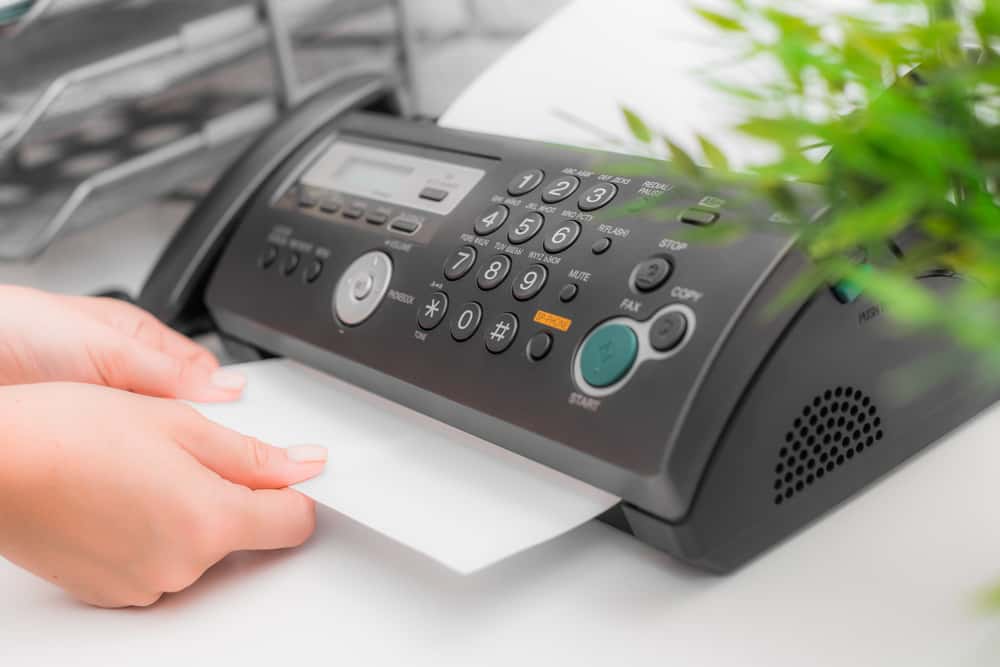
**Boss:** Hey, I didn’t know our fax machine could print too.
**Me:** Sorry? That’s not a printer, it’s just a fax machine.
**Boss:** No, it definitely prints too.
(He says this while holding pages that came out of the fax machine.)
I printed this document, and it came out of the fax machine instead of the printer. I was surprised too.
**Me:** That’s not possible. The fax machine is only a fax machine.
**Boss:** Then where did this come from?
**Me:** I have no idea, but the fax machine is not a printer.
**Boss:** I’ll prove it. I’m going to print another document.
**Me:** Go ahead.
**10 minutes later**
**Boss:** Hey, the fax machine is printing again. It took a little while, but now it’s printing the document I told you about.
**Me:** Seriously? That makes no sense. The fax machine is not a printer. Let me take a look and figure out what’s happening.
I printed the fax journal report and saw that the most recent entries were from a number in Hong Kong. I checked the number, and it belonged to our Hong Kong branch, so I gave them a call. That finally solved the mystery.
**Me:** Hey boss, I figured out what’s going on with the fax machine.
**Boss:** So you admit it’s a printer too?
**Me:** Have you been to Hong Kong recently?
**Boss:** Yes, I was there last week for meetings.
**Me:** Did you try to print anything while you were there?
**Boss:** Yes.
**Me:** How did you get your printouts to come out on their printer?
**Boss:** I had to set up their printer on my laptop.
**Me:** Did you check whether you’re still printing to the Hong Kong printer?
**Boss:** Why?
**Me:** Because that’s exactly what’s been happening. You’ve been sending your print jobs to the printer in Hong Kong. The printer is next to a secretary, and she thought the documents were important, so she faxed them to us.
12. The Old Switcheroo
This happened during my tenure at a mid-sized call center in 2001. Like most call centers, a ticket was required for any IT problem mainly because we had around 500 users online at any one time. Most of the users understood this and followed the rules pretty well. Except for the new supervisors.
Most were in their early 20s and it was usually their first time in any type of position of power. Hey, now that they have an inbox/outbox and their own stapler, they must be important. Liz lived up to this to a ridiculous degree. Every problem led to a panicked call to us followed by a dash to our office when told to open a ticket.
"This has to be fixed right now" she would wail "I'm a supervisor". Since most of her problems would be resolved with a couple of keystrokes, I decided to nip this problem in the bud. As soon as she would call, I knew I had a couple of minutes as she made a mad dash down the stairs to pound on our door to plead her case in person.
Now Liz was just a stunningly good-looking girl so most of my co-workers (also in their 20s and as awkwardly nerdy as you would imagine) would jump to help her. I, however, was in my early 40s and fortunately immune to her looks. So I took to using a remote desktop to fix her problem while I knew she was heading towards our office.
I would begrudgingly follow her upstairs to "see" the problem, which was already fixed. She would swear that it wasn't doing whatever before and that it must have fixed itself. After about the fifth time I did this, I dropped this on her. "Liz, I'm a happily married man and I just don't like you like that. If you don't stop trying to get me alone like this I'm going to have to go to HR".
Liz started using the help desk after that, and me and my co-workers shared a laugh every time one of her tickets came in.
13. No Reply
Me: Hello, Service Desk
Caller: You need to help me right now!
Me: ...
Caller: HELLO!
Me: Help you with what please...you need to explain your issue
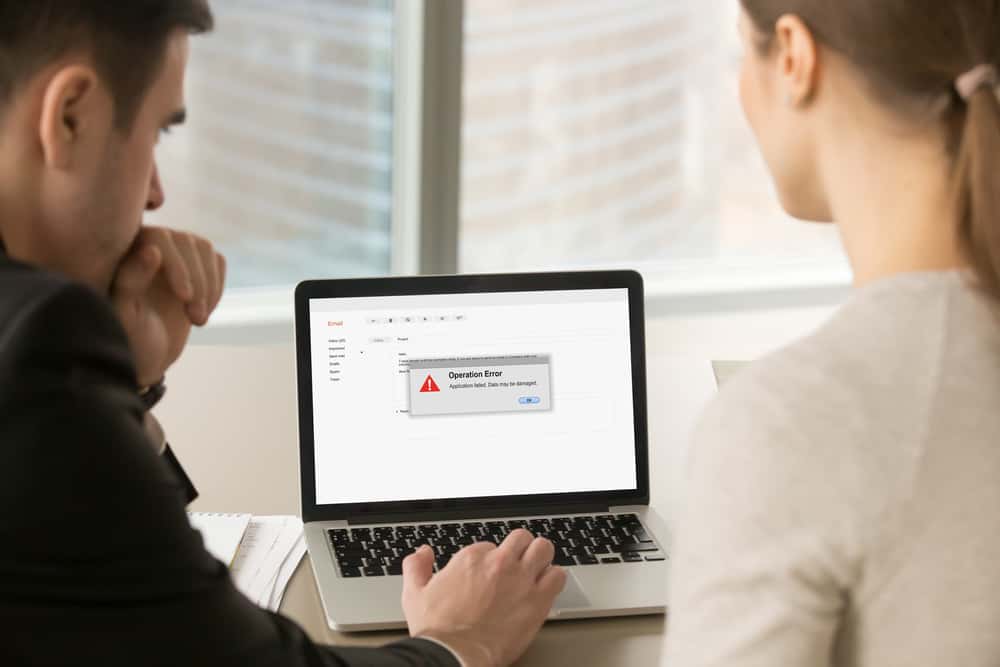
Caller: EVERY TIME I EMAIL SOMEONE FROM THIS ONE COMPANY I GET A MESSAGE TELLING ME TO NOT REPLY. WHY IS THIS HAPPENING TO ME? PLEASE FIX THIS!
Me: Well, if this is an external company I suspect there's not much we can do. May I remotely connect and take a look?
Caller: Whatever just fix it
Me: Okay please show me the messages that you've sent and received...
The caller brings up her sent box with about 50 messages sent to donotreply@.com and then her inbox with about 50 automatic replies saying she has contacted an unmonitored inbox.
Caller: SEE! YOU NEED TO GET THIS RESOLVED ASAP RIGHT NOW!
Me: You're sending emails to a do not reply address. This is why it's happening. As you can see from the multiple emails they've sent back to you. You should be using a different email to contact them.
Caller: DO YOU THINK I'M STUPID? STOP AVOIDING THE ISSUE!
Me: Can you see my mouse?
Caller: YES!
Me: Can you see this address in the "To" field?
Caller: sigh YES!
Me: What does it say?
Caller: donotrep...
Caller: oh
Caller: click
Yes, goodbye caller, you have a fantastic day now!

14. It Wasn’t Me
I used to be a shift team lead for a hosted outsourcing company that provided our own software to various financial institutions. Some of these companies were very small and only had a single box. Some were larger and had a pair of boxes. Others had more for different functions.
Some did all their own development, others paid us to do their development and bug-fixing work for them. One of the most important things we handled was physical backups. Each box had its own backup schedule, where it would back up to IBM Ultrium tapes. Each morning, one of our tasks was to remove the tape from the previous night's backup, scan the barcode and send them offsite to our secure storage facility.
Once that was done, we'd make sure that the scratch tape for the next scheduled backup was loaded and ready to go. This one company we dealt with had both a live and test environment, and had their own in-house developers. Initially, they were both backed up nightly but due to a cost-limiting exercise, the IT manager on their side submitted a change request to limit the test system to one backup per week, to be carried out on a Friday night.
No problem. Amend the backup schedules and update the documentation to reflect the change. All sorted. I wasn't there when all of this happened, but it was all included and documented on the shift handover report when our team took over, so we knew we didn't have to load tapes for this particular box until Friday.
About eight months later, we received a ticket from one of their developers. This happened on a Thursday afternoon. I bet you can see where this is going.
"Help! The library on the test system was just accidentally deleted. Please can this be restored from last night's backup urgently?"
My tech who received the ticket confirmed with me correctly that they were now on weekly backups on this particular box, and the most recent backup we had was almost a week old. My tech relays this back to the user in an email. The user calls back immediately.
"No! That's not good enough, if that's the most recent backup you have that means we've lost almost a week's worth of critical work. I need to speak to your supervisor immediately!"
I duly took over the call. "Your colleague has just informed me that you've stopped backing up this system daily! This is unacceptable”.
"As I heard my colleague explain, the backup schedules are decided by your company. This decision was taken on your side to reduce the backup frequency from daily to weekly. You need to speak to your IT department for clarity on this”.
"I'll do that, you haven't heard the last of this!"
About half an hour later, another one of my guys gets a call asking to be put straight through to me. "Yes, this is John Smith, the Systems Manager from Company XYZ. I've just had an interesting conversation with one of my developers stating that you've stopped doing our backups that we're paying you to perform. Just for your information this call is being recorded and I've got a conference call with our solicitors in 15 minutes whereby if this is not resolved satisfactorily by that time, we will be filing a lawsuit for the cost of our lost development work, and a recording of this call will be used as evidence”.
Wow, talk about aggressive. I explain to the guy that eight months ago, someone at their company submitted a change request that we reduce the backup frequency on this system from daily to weekly, and this was carried out as requested. It escalated from there.
"Well that's just insane. Nobody here would have done that. I need the name of the person who submitted the request as well as the person on your side who actioned the request without verifying that the request was received from an authorized member!"
"OK, well I wasn't on-shift when that change was made but it will have all been documented on our ticketing system, bear with me a second. Ah, here we go. So the request was made on April 12th this year by a John Smith, Systems Manager. That's you, right?"
"Uhm, that's not right, there must be another person here with that name”.
"You've got two John Smiths, both working as Systems Managers? Does that not get confusing?"
"No, erm. I don't recall asking you to do this”.
"Well, we have the email saved to the original ticket, along with several emails back and forth where we asked you to clarify a couple of points, and also a scanned copy of the signed change form where you've written your name and signature. Did you want me to forward these over for your solicitors? Although I suspect you might already have copies of them if you check your sent items folder”.
"Erm, no that's fine thanks. I'll let the developers know that you can't recover the file”.
"That'd be great thanks, is there anything else I can help you with today Mr Smith?"
He hung up. I printed off the ticket and dug out a copy of the call recording to forward around to the team, and I added this to my training guides for new hires as an example of why documenting everything is critical.

15. Unicorns Do Exist
Some time ago, I got possibly the best bug report ticket ever filed. A piece of software I'd written would completely mess up under extremely specific circumstances, upon encountering web pages written in a way I thought completely insane. What I naively didn't realize is that a lot of web pages are written in a completely insane way.
So, one user happened to run the software on one of these little HTML monstrosities, and it broke. An average user, if they would even consider such extreme measures as reporting the bug, would write something like: Expected behavior: It works. Actual behavior: It doesn't Reproduction steps: Visit a website.
I've seen way too many tickets like this. This user wasn't an "average" user though. This guy was a unicorn. The bug report included a link to a tiny page hosted on a VPS of his that would cause the bug to occur. He had enough knowledge and did enough testing on his own to write a minimal example that still triggered it. I still have that ticket printed out and pinned to the wall right above my desk.
16. Everyday Excellence
Early this morning, an irritated executive dropped a laptop on my desk and complained that it had frozen up again. Normally, we have a ticketing system for all tech issues, but when an executive wants something handled, they usually skip the process because they can.
So I started my usual troubleshooting routine, and it quickly became clear that the problem was faulty memory. I replaced the memory and brought the laptop back to him. That’s when the situation went from frustrating to really aggravating. He told me he would not take the laptop back unless I was 100 percent sure that every issue with it had been fixed.
I really had to keep my composure, but I did. I simply asked what other problems he had been noticing and pulled out a notepad. He listed a bunch of issues that all sounded like “you need to clear out old applications,” so I took the laptop back to my desk.
While cleaning out programs that had clearly been used once and forgotten, along with a lot of junk data, I noticed a hidden folder in his roaming profile taking up 12GB. I logged in with my credentials, enabled hidden and protected files, and saw that the folder dated back to 2014.
It turned out to be a collection of pictures, probably stored temporarily by some old photo management program I had just removed. Technically, when we find personal pictures on a work machine, we are supposed to delete them right away. In reality, nobody in our IT department actually does that. We are not trying to be harsh about it. And since this was an executive’s machine, I decided to move the pictures to his desktop in a folder I labeled Old Pics.
I brought the laptop back and let him know about the photos, telling him I had left them there so he could decide whether to keep or delete them. He thanked me, and I went back to work. I had no idea what would happen next.
About an hour later, he came over to my desk with his wife, who had joined him for lunch. He looked unusually cheerful, and she was crying.
Usually, if I am sitting down and a manager or executive comes over, I stand up to greet them. It is just how I was raised. I was completely unprepared for what happened next. His wife thanked me for finding the photos, and the executive reached out to shake my hand. Then, after thanking me over and over, he pulled me into a hug in front of the entire IT department.
I awkwardly hugged him back, completely stunned. This was so unlike him that I could barely process it. His wife, trying to hold back tears, explained that the photos I had found were believed to be gone forever. In 2012, their four-year-old son had passed away from leukemia, and the photos I recovered had been taken shortly before his diagnosis, when he was three.
A house fire a few years later had destroyed what they thought were all the remaining pictures of their son. Apparently, these were the missing photos. His wife hugged me too, and everyone in the IT department suddenly became very interested in their screens while quietly trying not to get emotional.
My boss came out of his office to thank me personally. He even forwarded me an email chain before a company-wide message from the CEO went out. The CEO basically retold the whole story, mentioned me by name, and added some remarks about striving for excellence and how small acts of everyday care can have unexpected results.
I eventually had to turn off Skype for Business because the messages kept pouring in one after another. My boss finally told me to take lunch early because all the congratulations were making it hard to get any actual work done.

17. Opening Up The World
I work in a retail store that provides tech support for consumer devices. A few days ago, an older gentleman came in. We’ll call him Pete. Our receptionist had made him a walk-in appointment earlier that day, and I ended up taking it. When I opened the ticket, the only notes I saw were: “Third-party software, hard of hearing.”
I walked over to Pete and greeted him. I noticed he was watching my lips as I spoke, so I asked whether he knew American Sign Language. I’ve been learning ASL as a hobby for a few months now. Pete signed “yes,” and from there, we continued the conversation in sign language. It turned out that Skype kept crashing on his roughly five-year-old tablet, which was making it hard for him to video call his wife, who is Deaf.
She lives on another continent. She had gone there for a temporary work opportunity and would be away for two years. They were now at the halfway point, which meant Pete had not seen his wife in a full year. Skype was the only long-distance communication method they were both comfortable using, since neither of them liked email or other text-based options.
As I worked through the basics, checking that he knew his password and making sure the device was backed up, Pete and I kept signing back and forth. His whole face lit up. It felt really good to communicate with him, even slowly, in his own language and give him the patience and attention he deserved, even though the issue itself was only partly related to our actual products.
Once I confirmed everything was backed up, I uninstalled Skype, reinstalled it, had Pete sign back in, and used Skype’s test call feature to make sure it no longer crashed. Before this, the app would fail as soon as a call started. This time, the test call worked perfectly.
Then something special happened.
I looked down to write a few extra notes and heard a few quiet coughs. I looked up and saw Pete crying and waving at his wife through Skype. He had called her, and she answered. He introduced me to her and explained that they had not been able to talk for three weeks. I quietly stepped away to give him some privacy.
Moments like that are what keep me going as a technician. I barely did anything to his tablet, but fixing it made me feel like I had done something truly important. It has been a few days now, and I still remember his smile.
Just wanted to share. Thanks for reading.

18. Let Me Upgrade You
I work as an Executive Support Technician for a large company. I manage a team of eight people, and we support senior executives and their administrative assistants. Because of the nature of our work, we can often get things done that the standard help desk cannot.
We can push through upgrades that would normally be denied, speed up requests, bypass standard procedures, and contact the people who can fix problems directly. Even within executive support, though, there are levels. If the CEO is in town, one of us is basically stationed nearby in case anything goes wrong.
For people lower down the chain, we still move quickly, but it is not always a drop-everything situation. When the new iPhones were about to launch, we got ready for the usual wave of “I need one immediately” requests. We put in orders right away for the people at the very top, then worked our way down. In some cases, we had to explain that their current phone was still too new to justify replacing.
On Monday, the assistant to a lower-level executive submitted a request for both herself and the executive to get new 256GB iPhone Xs devices. The executive was added to the approval list, though with a wait. The assistant was denied. She had just received an iPhone 7 a few months earlier, and she started making a scene, insisting that because she supported the executive, she needed to have the exact same phone.
Still denied.
Then on Tuesday, I received a ticket from that same assistant saying her iPhone would not power on and that she needed a replacement. Attached was another request for an iPhone X. I sent one of my team members to check it out, but almost immediately I got a text saying I needed to come out there myself.
When I arrived, the phone was wet. Not slightly wet, but dripping, like it had just been pulled out of a glass of water. The screen was also badly cracked. The assistant said, “I was using it and it fell into my water bottle.” We took the phone back to our area and showed it to my manager.
It was pretty obvious what had happened. We dried it off, and when we turned it over, water actually ran out through the cracked screen. Fortunately, we had spare devices. So I selected a clean 64GB rose gold iPhone 6s that had been returned when a previous employee left the company. I had the SIM reprovisioned, reassigned the phone in AirWatch, and sent it back to her.
Ten minutes later, the assistant stormed into our area, yelling that she could not work with this phone, that she needed a new one, and that if we did not give her one, the executive would force us to. I stepped in and explained, “The permanent replacement process has only just started. This phone is a loaner so you can continue working until a permanent replacement is sourced.” She did not like that answer.
By Wednesday, the approval had come back denied. The loaner was now her permanent phone. When this was communicated to her, she was furious. There were plenty of comments about how the executive would hear about this and how she was supposed to do her job under these conditions.
Then Wednesday afternoon, we got another ticket from her: iPhone broken, need replacement.
This time I went myself. The phone looked like it had been dragged behind a truck. The screen was destroyed, a large piece was missing near the camera, and the back was full of dents.
I calmly asked, “What happened? This phone was in perfect condition this morning.”
She replied, “Since you gave me an old phone, my case didn’t fit, and it slipped out of my hands and fell down the stairs.”
I said, “All right. Can you tell me when that happened and which stairwell it was?”
She did. So I took the damaged phone, got my manager, and headed straight to security. We pulled the camera footage.
The video was very clear.
We watched her walk up the stairwell, which had concrete steps and a metal handrail, just like any standard non-public building stairwell. At the top, she threw the phone down the stairs the way someone might skip a stone across water. It dropped from the sixth floor to the landing in between.
Then she walked down, stepped on it, kicked it into the fifth-floor fire door, picked it up, looked at it, and threw it again toward the fourth floor. It bounced off several steps before landing on the next lower landing.
She picked it up again, pulled off a large piece from the top, which we assumed was the missing section by the camera, and then went back upstairs while scraping the phone against the cinder block wall.
That was enough.
We copied the footage and went directly to HR. We sat down with the personnel director, showed her the video, the two damaged iPhones, the ticket history, and explained that the assistant had demanded an iPhone X and had now destroyed company property twice in an effort to get one.
Termination was approved, but she had already gone home for the day. Her accounts were disabled, and her security badge was flagged.
At 7:30 the next morning, she tried to enter the building, but her badge would not work. She had to go to the security office, where the officer took her badge and escorted her to HR.
At 8:00, the same officer and two HR staff members escorted her out of the building. She alternated between yelling, crying, and insisting that the executive be called because she was being framed.
As she passed through the main lobby, I happened to be standing on the second-floor balcony overlooking the entrance. She looked up at me, shouted something unpleasant, and then she was gone. Both phones, along with her laptop and other equipment, were turned over to the company’s legal team just to be safe.
I may buy my team pizza for lunch today. It feels appropriate.

19. Turn A Blind Eye
The repair company I work for is a small business with two locations, one of which is in a particularly unusual part of town. Because of that, we meet a lot of interesting people. Yesterday, this man came in.
Customer: “Hi, can you show me how to access someone’s text messages? I found some tutorials on YouTube, but they didn’t work.”
At first, I assumed he meant backing up his own messages, so I started explaining how to sync his phone.
Customer: “No, no. I want someone else’s messages.”
Me: “Wait, this is not a device you own?”
Customer: “No.”
Me: “Do you have permission from the owner to read their messages?”
Customer: “No. That’s why I need you to show me how to see them.”
Me: “Sir, if you do not have the owner’s permission, I cannot access those messages, and I can’t show you how to do that here.”
Customer: “Well, do you know anywhere else that can?”
Me: “No, sir. I’m not aware of any repair shops that would help with that. It would be a federal crime. If you’d like, I can even pull up the laws about unauthorized access to someone else’s personal device.”
At that point, he launched into the usual speech about how “you people are supposed to be the experts,” while I stared into the distance and quietly lost a little more faith in humanity.

20. The Bing
Another story from my after-hours IT desk.
Me: “Hi, Service Desk.”
Caller: “GOOGLE BING ISN’T WORKING. IS THE SYSTEM DOWN? I NEED THE BING.”
Yes, the caller actually said “the Bing.”
Me: “I’m sorry. Can you confirm which system you mean? I’m not familiar with that one.”
Caller: “Google Bing. Really, how do you not know this?”
Me: “Google Bing isn’t a system we support, either after hours or during normal business hours. It sounds like a mix of two different search engines. What exactly is happening?”
Caller: “I need Google Bing to do my job. This is unacceptable. I can’t find Google Bing anywhere on my PC. How dare you remove this. I need you to fix Google Bing right now.”
Me: “May I remote in and take a look?”
It turned out the caller had a desktop shortcut called “Google Bing.” It simply opened the Bing search page in Google Chrome. At some point, she had accidentally renamed the shortcut to something else, so now she could not find it.
Me: “Okay, I’ve renamed it back, so you should be all set.”
Caller: “Next time, don’t mess with my computer. I know you people changed this. I’m not stupid. I have a certificate of proficiency in computering.”
Me: “All right, thanks for calling.”
Click.

21. Pay It Forward
My story starts on what seemed like an ordinary day answering calls on the front lines for a big cable company. The pay is good, and for the most part, the people I talk to are pretty pleasant. A lot of the calls we get—especially in the mornings—are from older customers having equipment problems, like “snow on the screen” or “no signal” on TVs connected to our digital boxes.
I really do feel for a lot of them, because until fairly recently we provided straight analog cable to many homes. These days, in most of the cities we serve, customers need our digital equipment to get their channels. That change has been frustrating for some older people who aren’t comfortable using the new setup. So we often hear from repeat callers with long histories of the same kinds of problems.
One day I got a call from an older man who was bitter and rude from the very start. He hated that I asked for his address and phone number to verify the account, hated that he had to go through an automated system before getting to a person, and so on. I’d handled plenty of customers like that before. But this call turned out very differently.
I spent more than 45 minutes with him—we’ll call him Mr. Smith—trying to walk him through reconnecting his TV to the digital box so he could get a picture again. No luck. He was getting more and more frustrated and started blaming me, saying I didn’t know how to do my job, that I was useless, and more.
Honestly, I’d dealt with that before, so I tried not to take it personally. But eventually I had to ask if we could schedule a service technician to come out and fix it in person. Unfortunately, the first available appointment was three days away. That’s when he said this:
“Don’t bother sending a technician, because I’ll be dead by then. I’m 94, and TV is the only thing I have left. Are you really going to make me wait that long?”
That hit me hard. I’d heard every kind of complaint about waiting for a tech, but this one really stayed with me. I was in my mid-20s at the time, and I honestly couldn’t imagine what it must feel like to say something like that and mean it.
I spoke to my supervisor, who said we’d try to get someone there sooner, but we couldn’t guarantee anything. I passed that along to Mr. Smith, and he was, understandably, not happy. Then he started talking about how he had no family left and no friends who came to see him. That came after I asked if there was anyone in his building who might be able to help.
I felt awful. And I knew what I wanted to do. I asked Mr. Smith if he’d be comfortable with me coming by myself. He lived in a nearby town, not far from where I worked. He sounded surprised that I’d offer, but also deeply grateful.
So I drove over and met him at his place. Within about 30 seconds, I had the TV working again—it was just set to the wrong input. I’d also brought him a simplified remote for the cable box to help prevent the same problem in the future. That’s when he started crying. He told me he hadn’t really spoken to or spent time with anyone in years.
He hugged me and thanked me over and over for coming to help, and apologized for how harsh he’d been on the phone. I told him it was okay and that I was glad I could help. Then I left.
About three weeks later, my supervisor came to my desk and asked me to come speak with her about an account under the name “Mr. Smith.”
It turned out he had sent the cable company a letter describing how thankful he was that I helped him, and how it had “made an old man happy again for once in a very long time.” They framed the letter and put it up near the front entrance of our retail area.
I guess the lesson I took from that is this: no matter how unpleasant someone may be on the phone, they aren’t always a bad person. Sometimes they’re just carrying more than you realize.
I still think about Mr. Smith now and then when I get difficult customers, and it always helps me keep things in perspective.

22. Down To The Last Cent
I once had a customer call me in mobile tech support because his data hadn’t been working for about 20 minutes. It didn’t take long to figure out the problem: he had accidentally turned off mobile data in his phone’s settings. That happens all the time, and usually the customer just says, “Oops, my mistake.” Not this guy. He immediately started demanding compensation for the time he’d been without service and was very rude about it.
After a few minutes, it was obvious he wasn’t going to accept that this wasn’t something we normally compensated for. So I got an idea. I told him I was going to speak with my manager. I went over, explained the situation, and my manager agreed the customer was being unreasonable.
I said, “I have an idea—are you okay with it?” and explained what I wanted to do.
My manager said, “Are you serious? Let me listen in when you go back—I want to hear this.”
So I returned to the call. My manager gave me a thumbs-up to show he was listening, and I started.
“Right, sir, I spoke with my manager and I’ve managed to work something out for you. Let’s break it down. You pay us 39.99 a month for three services: calls, texts, and data. So if we divide your bill by three, that gives us 13.33. Then if we divide that by 30 days, your daily data cost comes to about 44 cents. Now, your data was off for 20 minutes, but to keep things simple, I’ll round that up to a full hour. So we divide 44 cents by 24 hours, which means your compensation comes to 1.8 cents. Let’s call it 2 cents.”
I looked over at my manager, and he was trying not to laugh. The customer said, “Are you joking?”
I replied, “No, sir. The math is right there.”
After a pause, he said, “...Fine then, I’ll take it.”

23. I’m Your Man
This happened to a coworker of a coworker, who I’ll call Hero.
Hero was driving a little too fast, running a few yellow lights because he was late. Eventually, a police officer pulled him over. The conversation went something like this:
Officer: “Can I see your driver’s license, please?”
Hero, with a confident grin: “Of course. Here you go, officer.”
The officer took the license back to his motorcycle and spoke into his radio.
Hero said, “It’s probably not going to help you, though.”
Officer: “What do you mean?”
Hero: “The server you need to check it is down.”
Officer: “And why do you say that?”
Hero: “Because I’m the guy they called to come fix it.”
Hero did not get a ticket that day.

24. Start Em While They’re Young
I spent three miserable years working in a call center. For two of those years, I somehow got pulled into doing tech support even though I was originally hired to sell insurance. Some of the calls I took genuinely made me lose faith in people. After my son was born, I decided not to come back after maternity leave.
I just couldn’t imagine staying up all night with a crying newborn, then coming into work and calmly explaining to adults why they couldn’t find the giant red “CREATE AN ACCOUNT” button in the middle of the page—but somehow could find our phone number in tiny print at the top corner so they could call and demand that we do it for them.
Well, my baby is a toddler now, and I recently had one of those emotional, hand-on-heart parenting moments people always talk about. My son was playing with his little toy laptop, which is basically a bright plastic shell that plays music when he presses the keys.
Then suddenly the music stopped. He looked confused. Pressing more buttons didn’t help. I watched from the couch as he frowned and tried hitting the keys harder. Then, to my amazement and absolute pride, he turned it off and back on again.
“Welcome!” the toy announced as the screen lit up.
My son happily went back to pressing buttons, and I nearly shed a proud tear.
Sure, other kids might say “mommy” and “daddy” or know how to use a spoon. Mine can troubleshoot.

25. Pay Up
One interesting thing about being a consultant is that you get to see how offices really work from the outside. Since you’re an independent contractor, companies treat you differently than employees. And because contract jobs are usually short-term, you often end up like part of the background—someone people stop noticing. That can lead to some very interesting observations, including watching disasters unfold in real time.
This is one of those stories.
As a consultant, you quickly learn that no matter what your actual specialty is, every company assumes you’re “the IT guy.” Whether you like it or not, if there’s a computer involved, people think you can handle it. Sometimes that’s actually useful, especially when work is slow and you just need a paying job.
About 10 years ago, I got an inquiry through my website asking for help deploying some workstations and handling a few other routine tasks. Normally I would have passed on that kind of work, but it was winter, business was slow, and bills still had to be paid. So I followed up, and by the next day the project was booked.
It was supposed to be easy. The company already had its own IT department—they just needed extra help. I was one of three outside contractors brought in to deploy workstations, do some server administration, and set up equipment for a new department. The pay wasn’t amazing, but I had the time, and the work was all on swing shift, which meant no traffic and more sleep in the morning. Not bad.
On the first day, I showed up around 3 p.m. and met our contact, a Senior Engineer who oversaw part of the IT department. He said they were swamped and only had time for a quick introduction before leaving us to it. The three of us divided up the work based on our strengths.
Everyone knew this was a simple job and wanted to finish quickly since we were being paid a flat rate. I took the server-related work and went to find the Systems Administrator. I expected him to be gone by then since it was already evening, but to my surprise, he was still at his desk. That gave me a bad feeling right away.
In fact, most of the IT department was still there. I didn’t think much of it at first. I just assumed it was an unusually busy place and that people were putting in extra hours. The Sysadmin got me started, and I went to work.
Around midnight, we were wrapping up for the night and reviewing the remaining work with the Senior Engineer—who was still there. The plan was to wait until Friday night to roll out the workstations so we wouldn’t get in people’s way. He casually mentioned that most of his team would probably be there all weekend anyway.
I left thinking, “This place must be incredibly busy. These people must be earning a fortune in overtime.”
Soon enough, I found out what was really going on.
Friday night I came in a little early, thinking that if we pushed through a long shift, we could probably finish everything and still have the rest of the weekend free. Things were going well, and we were ahead of schedule, so the Senior Engineer offered to take us to a nearby diner while we waited for the office to empty out before deploying the workstations.
At the diner, he thanked us for the help and said everyone in their department was overworked, and the team had been excited when they got approval to bring in contractors.
I said, “Glad to help. You all seem incredibly busy. Is everyone working extra shifts and weekends just to keep up?”
He said, “We’re understaffed, so yes, everyone works extra.”
I said, “That’s rough, but I guess the overtime checks must be nice.”
He said, “Overtime? Not really. We’re salaried. There’s some loophole or something. We just put in the time because people need the job.”
That stuck with me. In that state, most IT workers were legally entitled to overtime. The “loophole” explanation didn’t sound right at all.
Later, back at the office, I was in the network closet with the Systems Administrator finishing some server work and patching network ports. He was friendly, so I started asking questions.
I said, “I was talking to your coworker, and it sounds like you all work insane hours.”
He said, “Oh yeah. It’s been like this for about a year. Sixty hours is a light week.”
I asked, “And you really don’t get overtime?”
He laughed and said, “That’s what the boss tells us. Let me show you something.”
He pulled up an email exchange with his manager from about 10 months earlier. In it, he had pointed out exactly what I was thinking—that the entire department should legally be getting overtime. His boss’s reply, in bold all-caps, was: “IT IS COMPANY POLICY TO NOT PAY ANY OVERTIME. WORKING MORE THAN 40 HOURS IS PART OF THE JOB. DEAL WITH IT OR FIND ANOTHER PLACE TO WORK.”
Then the Sysadmin smirked and showed me his reply: “Sure. OK. Whatever.”
I assumed that was the end of the story, but it definitely wasn’t.
I said, “I’m not a lawyer, but you might want to contact the labor department. I’m pretty sure this is illegal.”
To my surprise, he opened another email, this one from his personal account. “Oh, it’s absolutely illegal,” he said. “I already asked a lawyer.” He showed me a memo explaining the law and saying they would most likely win if they filed a claim. That message was from about nine months earlier.
I said, confused, “So all of you know you should be getting overtime, but nobody has done anything?”
He replied, “We all keep track of every hour we work.”
I said, “But you’re still not actually being paid for it?”
He said, “Not yet. But we will be. The lawyer told us the labor department can go back 12 months and award retroactive overtime. So we’ve all been documenting everything, and in about a month we’re planning to file together. The company will owe all of us back pay, and they won’t legally be able to fire us for reporting it.”
Then he delivered the real twist.
“We figured that if we pushed back too early, management would find a way to retaliate or hide it. So we stayed quiet, worked the hours they demanded, and kept records. If the claim works, it’ll be like getting a huge bonus check all at once.”
That was some very cold, very careful planning.
I asked, “How much do you think they owe you all?”
He said, “Hard to say exactly. Everyone keeps their own paper logs so it stays quiet. We don’t talk about it much at work. But the last time we compared notes outside the office, it was a huge amount. For me alone, they probably owe 13 or 14 months of salary in overtime. Once you add damages, penalties, and interest, it could end up being close to two years of pay.”
I just said, “Wow.”
He said, “So if everyone seems weirdly calm about these insane hours, now you know why.”
We finished the job that night. I exchanged contact information with a few of them and said to let me know if they ever needed contract help again. That was the end of it—at least for a while.
Then, about three months later, I got an email from the Systems Administrator with the subject line: “Overtime Claim.”
He wrote:
“Hope you’re doing well. We all filed a major overtime claim with the state, and the company fired us, saying we falsified our timesheets. The lawyer is handling it, but I wanted to ask whether I could give your name to an investigator who’s looking for witnesses to confirm some of the extra hours we worked.”
I agreed, and about a week later an investigator called me. He asked basic questions about dates, times, and the work I had done there, and I sent over proof of my contract. Then he started sharing more about the case.
He said, “We’ve probably got them for around a million dollars in overtime and damages across the department. And since the firings appear to be retaliatory, that could add several hundred thousand more. Their insurance company wants to settle, and once the review is done, these guys are probably going to come out of this very well.”
I didn’t hear anything else for a while. Then another email came in from the Systems Administrator, again with the subject line “RE: Overtime Claim.”
It said:
“Just wanted to let you know we settled. The company backed down pretty quickly once it became clear that we had kept accurate records and that local management had violated parent company rules just to make their site budget look better. I can’t share details, but we all received substantial checks—enough to pay off debt and even go back to school. I’ll need to find a new job, but after I finish my graduate degree, I should be fine. Thanks again for speaking to the investigators.”
And that was that.

26. Calling All Angels
This happened a few days ago.
**Me:** Service Desk.
**Caller:** THE SERVER IS DOWN. YOU NEED TO FIX IT RIGHT NOW.
**Me:** Which server are you talking about?
**Caller:** THE SERVER!
**Me:** Okay... what are you trying to do?
**Caller:** I’M TRYING TO ACCESS THE SERVER.
(And yes, she was yelling the whole time.)
**Me:** Please stop yelling and tell me which server you mean, or what you’re trying to do. We have a lot of different servers for different things, so I need to know exactly what isn’t working.
**Caller:** OH MY GOD, THE SERVER ISN’T WORKING. THE. SERVER. ISN’T. WORKING. YOU’RE WASTING MY TIME.
(Meanwhile, I had already opened our monitoring tools. No alerts anywhere.)
**Me:** I’ve checked our monitoring, and I’m not seeing any servers offline. Which department are you calling from?
**Caller:** IRRELEVANT. JUST FIX THE SERVER.
**Me:** Can I get your staff ID, please?
**Caller:** IRRELEVANT. *click*
Ten minutes later...
**Me:** Service Desk.
**Caller:** THE SERVER IS STILL DOWN! WHAT ARE YOU DOING ABOUT IT?
**Me:** Nothing.
**Caller:** EXCUSE ME? NOTHING?
**Me:** You still haven’t told me which server is down or what exactly isn’t working.
**Caller:** YOU PEOPLE! OBVIOUSLY MY PHONE ISN’T WORKING. I CAN’T MAKE CALLS. THE SERVER IS DOWN, SO YOU NEED TO CALL YOUR PEOPLE AND FIX IT.
**Me:** Ma’am, I can see you’re calling me from your desk phone. Is that right?
**Caller:** YES.
**Me:** And this is the phone you say you can’t make calls from?
**Caller:** YES.
**Me:** ...
**Me:** Do you see why I’m having trouble understanding the issue?
**Caller:** THE SERVER IS DOWN. I CAN’T CALL .
**Me:** Ma’am, that number is missing three digits. That’s why the call isn’t going through.
**Caller:** LISTEN, THE SERVER IS OBVIOUSLY DOWN. I’LL HAVE MY PEOPLE CALL YOUR PEOPLE ABOUT THIS. *click*
I love my job. I love my job. I love my job.

27. Arcane Knowledge
I’m the one who everyone in my family calls when they need help. So I get a call from my grandpa, who is 89 years old, about a new Windows 10 laptop he just got and he needs help setting it up.
Now keep in mind he is the kind of person to blame the machinery if he clicks on the wrong thing, so I already knew this would not end in a phone call. I drove to his place expecting to see it still in the box. That was not the case. When I arrive, I see him already in his desktop, after he somehow managed to install Windows correctly on his own accord—and he’s waiting for me while playing Minesweeper.
As he greets me, he freaking ALT+F4's to close the game and then tells me he cannot connect to the Internet. Not sure what happened in the week I wasn't there, I ask if he could show me the problem. He then OPENS CMD AND PINGS HIS OWN CELLPHONE and then points at the 0 packets text to show me there is no connection.
At this point I’d probably look less surprised if I see an alien invasion. So after showing him that you need to enter the password to connect to his home Wi-Fi, he then asks me how to see his email account again. Still completely stunned, I show him how to access his Outlook account and how to delete some messages.
And the craziest part: When I asked him how did he know about CMD, his answer was: "I learned it from grandma".

28. Surprise Freebie
This happened a while ago. I own my own computer repair business and a customer called me up asking me to build them a computer. They had all the parts and just wanted someone to put it together as they didn't trust themselves. It was a fairly high-end computer, and they spent probably $2,000+ on parts.
I put it together with no issues and they were very happy. When they picked it up, they asked if I could fix up one of their older computers so their kids could play together. The computer they brought in was maybe 2-3 years old but for the time was top-of-the line parts and probably cost $2,000-$2,500. They told me that it needs a hard drive and some extra fans.
I picked up a $100 hard drive, installed the fans, and it ran like a dream. I called them and told them it was ready. They were again really pleased and said they would be by later in the day. Three days later I call them again and ask when they want it and they say they will be in on the weekend.
Seven days later they say they will be by at the end of the day. Two weeks later I call and get no answer so I leave a message and send them an email explaining that starting at the beginning of next month there will be a $20/week storage fee since it's been over 30 days since it was completed. I call them in the middle of the week to again confirm when they wanted it and explain the fee, but no answer so I leave a message and text them.
The week after, I call and no answer so I leave another message, email, and text. On week three there was still no answer. However, they called me back two days later explaining there was a family emergency and they were out of town and they would be by within two days to pick it up. Guess what happened. Three days go by and they don't show up or call.
On week four I call one last time and explain that this will be the last message they will get from me and I will hold on to the computer for 90 days, at which point I will assume you don't want it and I will take ownership. So we are over day 100 and I now have a very good gaming computer for the low investment of $100.

29. Reduce, Reuse, Recycle
My friend who works with me in IT saw a ticket had come in one day. It said: "You deleted all my files! I need them to do my job”! He called the woman to see what was going on because we don't delete personal files off of people's computers unless there is a good reason for it and we have the user's permission.
While he was on the phone, he remotes into her computer and noticed everything but the recycling bin was missing on her desktop. He noticed that there were files in the recycling bin, so he opened it and all her files are there.
Him: Here are all your files, did you move them into here?
Her: Yes I did, I moved them in here to recycle them so they will be clean for me to work on them.
Him: .....Excuse me?
Her: Yes, I moved them to the recycling bin to make them new again so I can reuse the files.
Him: This is the trash bin, you would move files here to delete them off of your computer.
Her: IT IS NOT A TRASH CAN, IT IS A RECYCLING BIN! IT SAYS SO RIGHT UNDER THE ICON!
So for the next half hour, my buddy had to teach her how to use the “recycling bin”.

30. Your Time Is Mine
This one goes back to 1999 or so. I was working in the corporate headquarters of a very large company. We were responsible for the email system for HQ—about 1,100 users at the time. Like all the systems admins at HQ, I was a contractor. My boss was a guy I'll call Sam. Sam was the site manager.
The customer contact was a guy I'll call Jay. Jay was what they called an IT planner—basically a systems architect. He had dotted-line responsibility over all the systems admins, including me.
I also had a backup there, who I'll call Ben. Ben was a competent systems admin, capable of handling most day-to-day stuff.
We normally kept staff in the office from 8-6 on workdays, with an on-call rotation for certain specialty areas, including email. Back then, we carried a pager (yes, an old school beeper) for on-call duty. My on-call rotation was one week on, one week off. This story happened in my "off" week, when Ben carried the pager.
One Saturday night, at around 3:30 am, my home phone rang. My wife answered, and it was Jay calling. She grumpily handed the phone to me. Now, my wife and I had just gotten home, having been out for much of the night with our neighbors.
I was, for lack of a more refined term, positively hammered at this point. The news I got was utterly disturbing. Jay informed me that there was an email outage, and that I needed to remote in and get it back up immediately, and then drive to the office to start a root cause analysis.
I informed him that I was in no condition to drive (let alone touch a production rig) and asked what Ben told him when he called the on-call pager. Jay told me that he didn't call the on-call pager because this was way too serious of a problem to trust the backup systems admin. He wanted me working on this, and said that if I can't be relied upon to do my job when I was needed, he'd find someone else who could.
Then he hung up the phone. I went back to sleep. The next morning, I had an email from Ben telling me that Jay had called him at home rather than paging the on-call rotation. It was a very simple issue—our backup software went screwy and started writing out hundreds of temp files, which filled up a critical volume on our production email server.
Temp files deleted, email services restarted, problem solved. Total downtime after Ben got the call was about 15 minutes. The next day, I arrived at the office to a note from Sam, my manager, asking me to come see him ASAP. I went to his office, and sitting there was Jay, who was in the process of demanding that I be fired immediately for "drinking at work”.
From there, the conversation went something like this:
Sam: But he wasn't at work. He was at home and wasn't in the on-call rotation this weekend.
Jay: I don't want to hear it about the on-call rotation. He needs to be ready to work when I tell him to. I can't rely on an alcoholic, and I want him gone.
Sam: If he's not on call, he's free to do whatever he wants with his time.
Jay: Not as long as he works for me.
Jay then demands that I hand my office badge to him, and calls security from Sam's phone to have me escorted out of the building. I'm in absolute disbelief at this point. Sam gets up and goes off to points unknown, just as security arrives to see me out to the parking lot. As I'm driving off, I see Jay's boss, I'll call her Mary. Mary is running across the street to the parking lot.
Strange, but I was more focused on how the heck I was going to explain this to my wife when I got home.
I got home, and my wife was sitting on the couch, just absolutely livid. Now this was getting REALLY weird. I hadn't told her what happened yet. "Those jerks fired you”!? I'm confused as heck at this point. My wife told me that Mary called her, and that I need to call her back as soon as possible. Come to find out, when Sam had went off, he was going to Mary's office to explain the situation and keep Jay from firing me.
Mary freaked the heck out. When I saw her running across the street, she was trying to catch me in the parking lot before I left to tell me to come back in. When Mary couldn't find my car, she went back into the office and called the house, intending to leave me a voicemail, but got my wife instead. Mary told my wife what had happened, promised to rein Jay in, and asked her to tell me to come back into the office to sort it out.
So I let them stew for a while. Mary called about 20 minutes after I got home. We let her go to the machine. Sam called as well, just as my wife and I went out to get some lunch. Over lunch, my wife and I talked about how we would handle this, and (largely for financial reasons) we decided to talk to them to see if we could work this out.
We got back home to three more voicemails from Mary and Sam. About 30 seconds after we walked in the door, the phone rang again. This time it was Jay, obviously on speakerphone. Jay apologized to me and asked me to come back to work the next day. I agreed, but as he hung up, I could hear Mary say to him: "J, you're a complete idiot”.

31. It’s All Downhill From Here
I got a support ticket from a company we handled IT infrastructure and support for. They were a marketing company with a specific setup and budget, so tower PCs were the only practical option. One day, I received a request from their department manager asking me to remove the “ugly boxes” because, in their view, they weren’t needed.
I decided to call and explain what those boxes actually were.
**Me (on the phone):** Hello, this is IT Support.
**Department Manager:** Oh good, you’re calling to arrange pickup. I’d like the boxes collected in exactly one hour because we’re leaving for a conference later.
They were talking about disconnecting around 40 PCs.
**Me:** I’m not calling to schedule collection. I’m calling to explain that if we remove those boxes, your computers will stop working.
**Department Manager:** Do you think I’m an idiot?
**Me:** No, I’m just saying that you can’t use the computer if the actual computer isn’t connected to the monitor.
**Department Manager:** What are you even talking about? I don’t look under my desk to use my computer. You clearly don’t know what you’re talking about. I want to speak to someone who actually understands IT. And I want your full name so I can file a complaint.
**Me:** I’m not giving out my surname, and I do know what I’m talking about. If you remove the tower, which is the box you mean, the computer will not work.
**Department Manager:** *hangs up*
I closed the ticket and documented the whole conversation.
About a week later, we got an emergency call saying none of their computers were working. When we arrived, all the towers had been cut out of their security cages and removed.
**Me:** What happened to all the towers?
**Department Manager:** I hired a professional team to remove the boxes. So yes, it can be done.
**Me:** That’s not the point. Now the computers can’t be used.
**Department Manager:** That’s ridiculous. Just get the internet working again so we can use them.
**Me:** What happened to the computers?
**Department Manager:** Are you serious? They’re right here.
*pointing at the monitors*
**Me:** Okay... what happened to the boxes?
**Department Manager:** They took them to the dump.
**Me:** So you’re telling me you threw away leased computers worth about $1,300 each? I need to speak to your boss. Right now.
**Department Manager:** He’s in a meeting.
**Me:** Get him now. This is a serious issue.
A few minutes later:
**Boss:** First you refuse to do your job, and now you drag me out of a meeting? Also, where are all the computers?
**Me:** He threw them away, and we need to recover them immediately because they contained sensitive data.
**Boss:** Where are the computers?
**Department Manager:** You mean the boxes?
**Boss:** Yes!
**Department Manager:** They’re on the way to the dump.
We drove to the dump, but there was no record of them ever arriving. Two weeks later, the company suffered a data breach. Between that and the replacement costs, the company ended up going into administration.

32. Not My Problem
I was a student back when this story takes place and during the summer I managed to get an internship as IT Admin. The work was quite nice, I was doing helpdesk stuff but also things with servers. Anyway, support of users was one of my tasks. The company was from the automotive sector—airbags/seatbelts etc.
I was working in a production plant connected with offices, so I had to support both facilities. One time I get a call. That was unusual, as we always reminded users to write tickets, which were responded in real-time so it took like 10 minutes before I contacted this incident submitter. Call was more or less like:
“For God’s sake, what are you doing with the scanners? The whole line has stopped and we are completely blocked now, we can't do anything without them, they're not working and showing errors”. The line was about a 10 minute walk from my office so I stayed on the phone while I was walking there.
"Ok, tell me what is going on, calm down”.
"YOU ARE MESSING WITH THE SYSTEMS AGAIN, YOU SHOULD ALL BE FIRED, I AM WRITING TO YOUR MANAGER AS SOON AS IT IS FIXED"
"Please calm down, we have not been doing anything with that line for months”
"YEAH SURE, YOU NEVER ADMIT TO A SCREW UP "
At this point I was already thinking about different ways of ruining her, but still played it cool. I finally arrive at the line and ask her to hand me a scanner. All the people from production line were standing there with crossed shoulders and looked at me like "Here you go, you messed up so fix it huh" and the leader said something like "Oh here you are, now make it work”.
The scanner was nothing fancy, all you had to do to make it work usually was enter a username and password. So I take the scanner and look at the screen. Back at her. Back at the screen. I couldn’t believe my eyes.
"Were you asked to change password recently?"
"YES, WHAT KIND OF QUESTION IS THAT, WE DON'T HAVE TIME THIS”
"Because the screen says that you have typed the wrong password 5 times and you are always reminded that after this, the scanner blocks for 20 minutes. And by the way, you have three backup scanners so why you didn't use them? You messed up, not me. And it's not ok to talk like that to any employee of the company, so I will report it to YOUR manager. We have call recording enabled on our mobiles” (we didn't, but she could never know).
"Ugh....ummm, emmm”.
"Yeah, bye”.
I told the story to her manager. She apologized officially to the whole IT team, brought some of the cheapest cookies from the store, and basically pretended to be sorry.

33. Be Still My Heart
I've been out of the office for about a month so the day-to-day happenings such as construction and desk moves have not been communicated to me. This morning I get to the office at 7:30 am and one of the facilities guys comes up to me and casually says, "The electricians are cutting power to the server room sometime today”.
Enter Panic Mode Now...
I state that they can't just turn off the power to the datacenter. There is a process that needs to happen for downtime. People need to be notified, other buildings need to prepare for continued manufacturing without access to work orders, all that stuff. I start messaging management asking what the heck is happening.
Management asks if we can run on the generator while power is off. I have no answer for that so I run off to find the facilities manager and electricians to ask. The electrician informs me they did not need to turn off the electricity in the server room, they just need to do it for a portion of the office. My datacenter is safe.
If anyone needs me I will be hiding under my desk softly sobbing from this horrible experience.

34. Butterfly Effect
Since the day I started at this small company, I noticed their workstations were horribly out of date and reaching end of life for support and depreciation. I worked with a developer to get our in-house software to run on new machines. It ended up being the worst thing I could have done.
Fast forward about a year when the project is complete and the application can now finish its processing in 10-40x less time depending on difficulty. We have everyone on new systems that run like a dream and everyone is thrilled with how much more we can do in a day. The department head sends a wonderful email about the new time it takes to process.
The backlog of work is now quickly shrinking for this team, and their department head has to stop calling in per-diem workers. Slowly, we fire employees as there's not enough work for them. Fast forward another year and we've fired some 20 people (about 27% of our company). I was friends with many of them. I still feel bad five years later.

35. Take A Load Off
Here I am, another calm morning before the storm. I sip away at my Dr. Pepper and take a bite of donut. The queue is clear and the emails are quiet. Then, as is to be expected, the phone rang. I clear my throat and pick up the receiver with a cheerful "Hello, how can I help you?"
"Good morning, my computer won't connect to the internet”.
We run through some basic troubleshooting, have you restarted the computer, is the cable plugged in, are the dummy lights on, is your computer turned on. Still nothing, so I resign myself to a brisk walk down the hall to see what's going on.
As I enter the room, I begin double-checking everything we talked about over the phone. The cable is plugged into the computer, the indicator lights are on, but they keep flickering out for a second. Seeing this, I begin tracing the cable back to where it's plugged in. This room is set up terribly by the way, so the Ethernet cable is run around the room so the person can have their desk where they want it.
As I trace the cord, I find out that it goes through a closet, then out the other side and into the wall jack. I go to check the connection and notice the cable is tight, really tight, like I can't move it an inch tight. The effects of my Dr. Pepper start to take effect and the connections are forming. I open up the closet and find the culprit.
There are coats hanging from the Ethernet cable. We're talking big, heavy coats. The poor cable was under so much strain that it was being ripped apart. I quickly removed the coats and then made the person aware that Ethernet does not make for a good coat rack.
Once the weight was removed, everything started working again and I was off to finish my breakfast.

36. Where’s My Money?
I work on an after-hours service desk that supports several businesses. One of them is an educational institute, and this conversation happened between me and a student.
**Me:** Hello, Service Desk.
**Caller:** I CAN’T PRINT!
**Me:** Okay, what exactly happens?
**Caller:** I JUST TOLD YOU! I CAN’T PRINT...
By this point, the caller’s tone is already very rude, and my patience is wearing thin.
**Me:** Yes, I understand you can’t print. What actually happens? Do you get an error message? What does the printer say?
**Caller:** It says I need to top up my print credit because my balance is negative $49.
**Me:** ...
**Caller:** HELLO!
**Me:** Sorry, but I’m not seeing the issue. You’ll need to clear the $49 balance before you can print.
**Caller:** But I don’t owe you any money!
**Me:** Okay, are you saying the balance was added to your account by mistake?
**Caller:** No.
**Me:** Can you explain what you mean, then?
**Caller:** I was photocopying a lot of personal pictures yesterday, and after that this balance showed up. But I don’t think I should have to pay it because I didn’t get any warnings while I was photocopying.
**Me:** ...But you do know there’s a charge for photocopying?
**Caller:** YES, OF COURSE I DO!
**Me:** Then I don’t understand why you’re disputing the balance. You used the photocopier for a large job, and now your account is negative. You’ll need to clear that balance. Whether there was a warning or not, you still used the service and need to pay for what you used. You’ve just said you knew there was a charge beforehand.
**Caller:** I JUST NEED TO PRINT NOW!
**Me:** Okay, then you’ll need to top up your account first.
**Caller:** BUT THIS IS URGENT!
**Me:** It’s 11 p.m. I’m not sure what you expect me to do. If you want to print, you’ll need to clear the balance by adding credit.
**Caller:** BUT I DON’T OWE YOU ANY MONEY!
**Me:** You said you used the photocopiers?
**Caller:** YES.
**Me:** And I assume you still have the copies you made?
**Caller:** YES.
**Me:** Then you have photocopies that haven’t been paid for. Also, the photocopiers aren’t supposed to be used for personal jobs. What is it that you urgently need to print right now?
**Caller:** I want to print a banner for a party.
**Me:** So again, you’re trying to use the printing facilities for personal use, which is against the policy you agreed to. You’ve also called the IT emergency line and said this was urgent.
**Caller:** WELL I DIDN’T GET ANY WARNINGS!
**Me:** Thanks for calling. I’ll report this to your school office for follow-up, but I can’t handle this through the emergency line. Goodbye. *click*

37. Candy Crushed
I’m a Network and Server Administrator at a hospital, but every now and then I help answer help desk calls too. One day things were quiet, so I picked up a call from one of our switchboard operators.
**Me:** IT.
**Operator:** Hey, I’ve got a problem.
**Me:** Okay, what’s going on?
**Operator:** I’ve been playing Candy Crush on my phone, and it keeps messing up.
**Me:** What do you mean? Is your phone losing the Wi-Fi connection?
**Operator:** No, I just can’t beat this level no matter what I try.
**Me:** *trying not to laugh* Uh, I’m not familiar with that application. Each department is supposed to have a Super User for its applications, who handles support between users and the vendor. Have you contacted your Super User?
**Operator:** *getting annoyed* No, smart guy, I didn’t.
**Me:** *still trying not to laugh* I’m sorry you’re frustrated, ma’am, but I’m just trying to direct you to the right support channel for your issue.
**Operator:** I thought maybe you had played the game before and could help me.
**Me:** No, ma’am. Candy Crush isn’t an application the IT department uses or supports.
This was probably the funniest call I’ve ever taken. What made it even better was how irritated she got that I couldn’t help and was clearly trying not to laugh. Honestly, it was hard not to.

38. Wearing Different Hats
Our company’s headquarters has several large conference rooms. Even though we’re not in the events business, we sometimes rent them out when we’re not using them. We provide only basic support, which keeps the price reasonable and usually makes things simple.
The day this happened, one of the companies that had rented from us before came back for a different kind of event, with a different group of guests. The rules for technical support were straightforward: we provided one high-quality projector per room, one HDMI cable, one audio cable if they wanted to use the room speakers, and one Wi-Fi voucher for each device being used for presentations.
Anything beyond that was the guest’s responsibility.
Last autumn, when this happened, both IT and facilities were short-staffed because of a bad stomach bug going around. Setting up conference rooms for guests hadn’t been part of my job for years, but because staffing was so tight, I stepped in to help.
Normally, our head janitor handled the room setup and our catering staff member stayed available for guests, but both were out sick. The only person available on short notice was Lucy, an apprentice from another department. She had only started a few weeks earlier, but she was willing to help.
Of course, she needed some guidance. It took longer than usual, but together we got everything set up properly before the guests arrived. Before I left, I told her to call me directly if they needed any IT help.
A little later, as I passed through that part of the building, I checked in. Several guests had already arrived, and everything seemed fine. The projector and sound were working, and Lucy looked comfortable enough to manage.
About half an hour later, Lucy called me. The guests wanted to know where they could get Wi-Fi vouchers. My mistake—I had forgotten to tell her. I sent her to reception to pick up one voucher for each device being used for presentations.
Ten minutes later, she called again.
**Lucy, sounding nervous:** “Could you please come down? The guests need help with the Wi-Fi…”
I hadn’t worked with her before that day, so I couldn’t tell whether she was just stressed or if something had gone wrong. Still, something about her tone felt off.
**Me:** “Sure, don’t worry. I’ll be there in a few minutes. I just need to finish something quickly.”
As I entered the hallway near the conference rooms, I could already hear an angry woman loudly berating someone. Not a good sign. I hurried around the corner and found Lucy trapped against the wall by a woman in her forties, dressed in a suit, shouting at her about not delivering what they had paid for.
Lucy was visibly shaken and looked close to a panic attack. The moment she heard my footsteps, she looked straight at me for help.
**Me, sharply:** “Excuse me.”
**Woman:** “WHAT? And who are you supposed to be?”
**Me:** “I’m from IT, and I’m here to help with the Wi-Fi issue Lucy called me about. What seems to be the problem?”
**Woman, still furious:** “We were promised Wi-Fi vouchers in the lease agreement for this room, but **she**—” *pointing right at Lucy’s face* “—refuses to hand them over!”
**Lucy, almost in tears:** “But I... I gave you one for your laptop, your tablet, and your guest speaker’s laptop…”
**Woman, shouting again:** “AND WHAT ABOUT EVERYONE ELSE? We have over 100 people here and EVERYONE needs Wi-Fi, you stupid worthless—”
That was enough. Lucy’s eyes filled with tears, and I’d already had more than enough of the woman’s behavior.
**Me:** “HEY. Stop. Calm down. Keep the insults to yourself. Step back from her. She’s doing her job and following policy.”
**Woman, turning on me with complete contempt:** “Who do you think you are, telling me what to say? And what policy? We were promised Wi-Fi, and that’s what we’re getting.”
**Me:** “The contract clearly states the IT policy for external guests, which—”
**Woman, cutting me off:** “DON’T. CARE. You two are useless and should both be fired! Get me the manager in charge, NOW!”
**Me:** “All right. As you wish. I’ll be right back.”
The woman stormed off into the conference room. I motioned for Lucy to come with me, and she followed immediately, clearly relieved to get away. We walked back toward the elevators, and I stopped for a moment and put a hand on her shoulder.
**Me:** “I’m really sorry she treated you like that. Are you okay?”
Lucy nodded and took a deep breath, slowly calming down.
**Me, as we kept walking:** “You don’t have to accept being treated like that, not as an apprentice and not as anyone else. Next time, it’s okay to walk away and report it to a manager.”
**Lucy:** “Okay. I will.”
**Me:** “And don’t take what she said to heart. You were doing a great job. I mean that, and I’m proud of how you handled yourself.”
We reached the elevators and stepped in. I pressed the button for the executive floor.
**Lucy:** “Where are we going now?”
**Me:** “I’m going to my office. You go get yourself a hot chocolate or whatever you like from the machine by the elevators, then sit on the sofa. I’ll be back in a few minutes.”
She looked confused, but did as I asked. I went into my office. Earlier in the day, I had changed out of my usual work clothes and into jeans, so now I switched back, put on my suit jacket and tie, made a couple of quick phone calls, and went back out to Lucy.
Her eyes widened.
**Lucy:** “This may sound like a silly question now, but... who are you exactly?”
**Me, smiling:** “I do work in IT, but I’m also the CIO. Since so many of my team are off sick right now, I’ve been filling in. That’s why I was helping you set up the room. And now, since that lovely woman asked for management, let’s go give her some.”
We headed back down to the conference rooms.
**Me, straightening my tie:** “Lucy, would you please let our guest know that the manager in charge is here now?”
She grinned and did exactly that. A moment later I heard, “Finally, everything takes forever around here!” Then the woman came through the door, saw me, and stopped cold.
**Me:** “Hello. I’m the CIO, and the manager in charge for this issue—the person you asked to speak to.”
I walked up to her, pulled out my business card, and handed it over. She took it, but suddenly seemed to have lost all confidence.
**Me:** “Now that I have your attention, I have three things to say.
First: you claimed you were promised Wi-Fi and that you expected what you paid for. Your contract clearly states that Wi-Fi access is provided only for devices being used for presentations, and that is exactly what we supplied. We do not provide Wi-Fi for every attendee. It’s our network, and those are our rules.
Second: your rude and condescending tone was unacceptable, but intimidating employees—especially a minor, in this case—is completely out of line. I expect a sincere apology to Lucy and to me.”
She finally managed to respond.
**Woman:** “Okay, I apologize. That wasn’t very professional of me. But—”
**Me, interrupting:** “That’s a very mild way of putting it, and it doesn’t sound especially sincere. Which brings me to point three: verbal abuse and intimidation are against our house rules, which you agreed to when you signed the rental contract. That alone is enough reason to remove you from the building.
Also, you appear to have invited more than 100 people, which you were not permitted to do and which violates fire code limits. The room capacity is exactly 100, as stated in the contract. Because of these multiple breaches of contract and the fire code issue, I’m asking you and your guests to leave the premises.
And for future reference, after internal discussion, we have no interest in renting our rooms to your company again. Please gather your people and belongings and leave.”
That caused immediate chaos.
She threw a full tantrum, questioned my authority some more, and eventually had to be escorted out by security. The rest of her group was confused and not especially happy, but they behaved civilly and left without much trouble.
A week later, her lawyer sent us a letter claiming unfair treatment and demanding a refund. Our lawyer found that very amusing and replied with a detailed explanation of all the ways they had breached the contract. We never heard from them again.

39. The Battery’s Low Upstairs
A person once came to me and said they had been transferring files for hours and it was still only at 61%.
I checked, and they weren’t transferring files at all. They had simply plugged their video camera into the computer, and the “61%” they were watching was the battery level on the device.
They had spent hours watching the battery slowly drain.

40. Not So Useless After All
I used to work at a small structural engineering firm with about ten engineers, and part of my job as a project engineer was handling client questions after we issued blueprints for construction. Most of our work was residential, and usually the construction engineers didn’t have much trouble with it.
Most questions were about not being able to find something in the drawings. If you’ve ever seen a structural blueprint, you know space is tight, so fitting everything in is practically a special skill.
Then this call happened.
Cast of characters:
**Me:** your friendly structural engineer
**BB:** the chief engineer and my direct boss
**ICE:** the construction engineer who caused the problem
One day, we were hired to do structural designs for a group of houses in a suburban development—basically the same house repeated many times with only small changes. On projects like that, even tiny savings add up quickly, so we often optimize more aggressively than we would on a one-off project.
That means some of our design solutions are less familiar to construction teams. That was the case here.
**ICE:** One of the beams you designed is failing.
**Me:** Are you sure? Can we arrange a site visit so I can take a look before we start involving lawyers?
**ICE:** Sure, but I’m telling you, we followed your instructions exactly, so I’m confident the problem is in your design.
Before going to the site, my boss and I did a full review of the project. We checked the blueprints again, reran the models, and even redid the calculations by hand. We couldn’t find any obvious error on our side, so we were getting ready for a fight. Rule number one of structural engineering disputes: it’s probably the contractor’s fault.
We put on our safety gear—high-visibility jackets, helmets, steel-toed boots—and headed out.
**ICE:** See? The beam is failing. We had to support it because it kept bending more and more.
And yes, we could clearly see the deflection. That definitely should not have been happening. We asked ICE for a copy of the drawings and started checking them. Then we spotted the problem.
A column that was critical to the design was missing—both from the plans ICE handed us and from the actual structure.
Now, to be fair, the column didn’t obviously look necessary. It was doing a different job from what most people would expect.
**BB:** Well, it looks like we messed up. The drawings we sent them must not have included that column. I’d better start calling the lawyer and the insurer, because this might be on us.
But I still wasn’t convinced. We had just reviewed the project, and I was sure that column was in the final set. We normally sent both a signed, sealed paper set and a PDF version for easy copying and distribution.
So I asked ICE for the sealed drawings.
And there it was. The column was included.
At that point I could finally relax. Rule number one still stood.
Now we just had to find out who had changed the plans.
**Me:** The drawings you gave us don’t match the ones we issued. Did anyone modify them?
**ICE:** Oh, yes, I did. You had a column there that seemed too expensive and unnecessary. I asked one of our engineers about it, and he said if it wasn’t there for code reasons, it probably didn’t need to be there, so I removed it from our working version of the plans.
That was everything we needed to hear.
We went straight to his boss and explained that he had altered the design without our approval, which meant we were not liable for the failure. By the end of the day there was an opening for a construction engineer, and some workers were getting overtime to rebuild that part of the house.
If a structural engineer says something needs to be there, believe them.
And yes—rule number one still applies.

41. A Blast From The Past
About 15 years ago, I was a hopeful college student who knew how to code. My family didn’t have much money, so I picked up freelance work to get by in my college town. One of my clients was a company that imported metal, cut it to customer specifications, and sold it. I built them a simple local network program that handled the preferences of the office supervisors and workshop supervisors, then passed the data into their accounting software.
Today, around 10 a.m., I got a call from their boss.
Boss: Hello. We need you here in the city urgently. Your program stopped working.
Me: Sorry, I don’t recognize this number. Which program are you talking about?
Boss: The one you made for our company.
Me: Oh... the one I wrote years ago? You’re still using it?
Boss: Yes, and this morning it stopped working.
Instant nostalgia.
Still, I started asking questions and doing some quick troubleshooting. Luckily, I keep archives of all my old code, even my first program. And of course, software written 15 years ago usually doesn’t just fail out of nowhere in a single day. So I started asking what had changed. Nothing since yesterday. No power outage. No network changes. No hardware changes.
This was going to take time.
Me: All right, I probably can’t solve this remotely. I seriously doubt the problem is in my code, but just in case, I can give you the source code. It’s probably a simple hardware issue, and you wouldn’t want to pay my travel costs for that. A local technician could likely fix it much more cheaply.
Boss: Pay you? Why would we pay you? It’s your program. Fix it.
Me: (laughing) This was a freelance project I did for you 15 years ago. As you just confirmed, it worked fine until this morning. Even major software companies stop supporting products after that long. Microsoft stopped supporting Windows XP. You can’t expect free support forever.
Boss: We still want you to fix it. What would you charge?
Me: I already work for another company. I’d have to take unpaid leave, and I’d bill you for that, plus travel expenses and my daily rate. I doubt it would take more than a day.
Boss: That’s too much.
Me: I know. That’s why I’m suggesting you hire someone local first. If it turns out the problem is really in my code, I’ll happily send over the source and you can have it updated however you want.
Boss: I don’t understand why time matters. It’s your program. You should fix it.
Me: That’s not how it works. Anyway, if you change your mind, call me back on this number.
He hung up, still muttering that it was my program and I should fix it for free.
And that got me thinking about the future.

42. That’ll Be The Problem Then
I work for an ISP that only provides DSL-style internet connections. No satellite, no mobile service, nothing like that.
Client: Hello. Where’s the Wi-Fi?
Me: I’m sorry, sir, could you be a little more specific?
Client: I’m paying for this service! This is awful. It’s been gone for about a week. It’s usually right here on my phone. Where did it go?
After about ten minutes of troubleshooting, we finally got here:
Me: Well, sir, since the devices connected by cable are working fine, we should check whether the Wi-Fi on your router is the problem. Do you have a spare router we could test?
Client: Yes, but I can’t swap them right now.
Me: ...why not?
Client: I’m not home right now.
Me: Okay... where are you?
Client: Mozambique.

43. Black Out
After recovering from my stroke, I was desperate for work. Desperate enough to take an overnight tech support shift at a web hosting company. Most nights were pretty quiet, and the people who called during my shift usually wanted help with their websites beyond basic troubleshooting. Since the night shift was slow, we often had time to help. It made the hours go by. But every now and then, I got calls like this one.
A man called in sounding completely panicked. After finally getting him to confirm his username and password, I asked which of his websites was down. I entered the URL into my browser and, to my surprise, the site loaded perfectly. I checked around a bit more and still couldn’t find anything wrong.
That’s when we moved into basic PC troubleshooting, and this happened.
Me: Okay, are you using a Mac or a PC?
Customer: PC.
Me: Can you click the Start menu and type in CMD?
That’s when the real problem became painfully obvious.
Customer: I can’t. The screen is black.
Me: deep breath Is there a light on the front of your monitor or computer tower?
Customer: No.
Me: deeper breath Is the power cable plugged into the back of the device, and can you trace it to make sure it’s plugged into the wall? If you have a power strip, is it switched on?
Customer: rustling I think so, but I can’t really tell.
Me: What do you mean, you can’t tell?
Customer: I can’t tell. It’s dark.
Me: Dark? Can you turn on a light?
Customer: I could get a flashlight, but there’s no power.
Me: head desk I promise you, sir, your website is up. You can check it again when the power comes back.

44. You Get What You Pay For
I do IT hardware support for a college. One morning, as I was pulling off the freeway, my phone dinged with a new email. I parked, checked it, and found this message:
“Our department ordered fifty new laptops that arrived this morning. We need IT to install the latest Windows on them along with the following software...” Then came a very long list. “These computers need to be ready by 10 a.m. tomorrow for the first class.”
I checked whether the message had been forwarded by my boss or his boss. Nope. It had been sent straight to me. There was no ticket, no purchase order information, and I didn’t remember seeing any order for new laptops from any department in the past month. So I went to the office and showed my boss. He read it and said he had never received any request for new laptops either.
After a few failed attempts to reach the department by phone, I agreed to walk over and figure out what was going on. In the department office, I finally found someone who knew the story. She led me into a classroom where a pile of boxes sat in the middle of the room. My heart sank.
Inside were brand-new 7-inch Windows tablets with detachable keyboards. I picked one up and checked the specs. They were very low-end devices, barely powerful enough to run the version of Windows they already had installed, and nowhere near capable of running the latest version or any of the software they wanted.
At that point, I was honestly worried. I asked how they had even ordered these through our system, and she said they had bypassed the system and bought them from a website because it was cheaper. I could already tell there would be no reasoning with her, so I asked to bring one back to the office for testing. She agreed, but not before saying firmly, “These need to be ready by tomorrow. Make sure it happens.”
Back at the office, I showed the tablet to my coworkers and my boss. No one was pleased. There was no way we could install the requested software on these devices, and connecting them to our network so students could log in was another problem entirely.
My boss emailed the department head and asked why they hadn’t gone through IT. She gave him the same answer I had already heard: they were cheaper this way.
He replied that we couldn’t fulfill the request, and that they should return the devices so we could help them get equipment that would actually work with our network and software. But then things got worse. They couldn’t return them because the website had a no-return policy. And instead of using a purchase order, they had charged them to the department credit card.
So now we had fifty Windows 10 tablets that the department couldn’t really use, and the department head wanted to know why nobody had told her this wouldn’t work. For some reason, they kept emailing me directly instead of talking to my boss, so I ended up taking the brunt of the mess.
Eventually we came up with a workaround. We connected the tablets to Wi-Fi and created generic user accounts like “DepartmentTab01,” making sure those accounts couldn’t be used from other devices on the network.
The tablets were delivered to the department a week later than they wanted. I wish that had been the end of it, but of course it wasn’t. On the first day they used them, a ticket came in saying none of the tablets would connect. When I got to the classroom, I found the teacher had written one username on the board and was trying to have every student connect to Wi-Fi using the same account.
The really frustrating part was that we had posted printed login instructions right next to the board she was using.
Then came the charging issue. It turned out the tiny barrel plug on those tablets had to be pushed in all the way to make contact. Even slightly loose, and they wouldn’t charge. None of the tablets had actually been plugged in properly for about two weeks.
And even now, we still occasionally get requests to install software on them. The students don’t even want to use them because the keyboards are too small for comfortable typing unless you have very tiny hands. Why do departments do this to us? I really wish every computer purchase had to go through IT first.
45. Know Who You’re Firing
Back in the early 1990s, around 1993, I worked as the systems administrator for a medical transcription company. At the time, we were doing some pretty advanced IT work, like getting transcriptions printed remotely at hospitals. When it worked, it worked well. Until it didn’t.
I was the only systems admin in the city, so I was effectively on call 24/7. I averaged maybe three hours of sleep a night when I got to go home at all, and grabbed short naps whenever I could. If anything failed on the hospital side, I had to go fix it myself.
A few months after I started, two vice presidents from the corporation moved to my city because we were the most productive and profitable location. The first thing they did was find an excuse to fire the current director, then they took over operations.
From that point on, my job expanded from maintaining our systems to working on the doctors’ personal computers too. I did what I could, but I also started sending out résumés. Then one day I was told to go to a hospital and find out why the printing had stopped. I remember that day clearly. I hadn’t been home in two days and had already been awake and working nonstop for 18 hours.
I got there and discovered the problem immediately: someone had unplugged the modem. I plugged it back in, a call came through, and the print jobs started running again.
Then a doctor came over and told me that one of the vice presidents had said I would go to his house and work on his home computer. I politely explained that I couldn’t do that and that I was heading home to sleep.
I stopped by the office to grab a few things before leaving, but the moment I walked in, I was escorted straight to the vice presidents’ office. Both vice presidents and the office manager were there, and they started laying into me.
I just laughed. I was the only person within 1,000 miles who knew how that system worked. That did not improve their mood. They got angry and told me I was fired and had to leave immediately.
I actually said, “Thank you,” and walked out.
It was December 15th, my oldest son’s birthday. On the way home, I stopped at a small local computer store where I knew some people and dropped off a résumé. They told me they didn’t have any openings at the moment but would call if something came up. I talked with a couple of friends there for a bit, then headed home.
The only thing I was really worried about was telling my girlfriend that I had been fired.
When I got home, she was still at work. I noticed the answering machine blinking, so I hit play. It was the computer store. Their main Novell engineer had just quit, and they wanted to know if I was still available. I called back and told them I’d be there the next day.
That was the start of a much calmer job, with better pay, rotating on-call duties, and most weekends and holidays off.
And as for the medical transcription company? It eventually fell apart. The vice presidents were fired, the company struggled for about a year, and then a competitor bought it.

46. Below My Pay Grade
Back in early 2000, I got a phone call at home from an IT recruiter. That wasn’t unusual at all. At one time or another, I’d dealt with half the sketchy recruiting agencies in town. But this call was a little different. It came from an internal recruiter at a tech company—one of the bright spots in the local tech scene, known not just for strong products, but also for being a genuinely good place to work.
They were basically a “unicorn” before people even used that word. The conversation went something like this:
**Recruiter:** Hi, I’m a recruiter from CoolTechCompany. How are you today?
**Me:** Doing well, thanks. What can I do for you?
**Recruiter:** I’m calling because Lynne gave me a copy of your resume and suggested I contact you about an open position.
Then came the usual standard HR intro call, and I learned they were hiring a lead Windows systems administrator for their internal IT team. That really threw me, because Lynne was my lead—sort of, through a dotted-line reporting setup. Let that sink in: my boss had sent my resume to a recruiter without telling me or asking first.
Obviously, that needed an explanation. So I called Lynne. It turned out she had recently interviewed at CoolTechCompany herself and hadn’t gotten the job. During the polite rejection call from HR, she apparently said something like, “Well, that’s a shame, but I know someone else you should talk to. He’s better at this than I am, and I think he’d love working at CoolTechCompany.”
Then she sent them my resume, which she still had from when she’d referred me for an internal posting in another division of the company where we both worked. When I asked why she’d done that, her answer gave me chills. She just said, “You have to trust me on this one. I can’t say more.”
So I had a phone interview with the hiring manager at CoolTechCompany. We clicked right away, and he decided to bring me in for the full interview loop with the rest of the systems admin team.
Around that same time, I got a meeting request from Jim, a manager above me who clearly did not like me. In the meeting, Jim told me the company had decided to bring all the contract systems administrators in-house as direct employees, including me. He had an offer letter waiting for me on the table.
I opened it and found out it came with a 20% pay cut compared to what I was making as a contractor—for doing the exact same job. The benefits were a little better, but it was immediately obvious that overall this was still a financial hit. Jim also made it clear this wasn’t optional. The insourcing was happening whether I liked it or not, and this was very much a “take it or leave it” offer.
Not only was it a pay cut, but I’d also be reporting directly to Jim, along with the other newly converted systems admins. Either one of those would have been enough to make me walk, but I kept quiet because I knew he already had it in for me. A few minutes later I caught up with Lynne. She took one look at my face and knew exactly what had happened.
“This is why I told you to trust me,” she said before I could even speak. I could have hugged her. A couple of weeks later, I went in for the full interview at CoolTechCompany, and it led to an offer that would have been an easy yes even if I hadn’t just been hit with that salary cut. The timing worked out perfectly: I got the offer right before the insourcing—and pay reduction—was supposed to take effect.
The next day, I walked over to Lynne’s cubicle and told her I’d gotten the job. Her face lit up and she said, “You HAVE to let me be there when you tell Jim.” So we went to his office together and gave him the news. His reaction was incredible. He looked completely stunned and, as usual when things didn’t go his way, immediately started arguing.
“All the other people took the job.” True, but two of them quit within the first two months because they hadn’t gotten the head start on job hunting that I had. “You’re making a big mistake.” (How exactly?) “Do you really think that little company is going to last?” (It did.)
The problem was that because of the insourcing plan, there was no way to keep paying me past the end of that week. That’s when Marie stepped in. Marie was Jim’s boss, and I had a very good relationship with her. I honestly felt bad about the situation, because corporate IT operations were her responsibility, and my leaving meant she suddenly had no email server support and only a day to figure out how to keep things running.
My backup had already quit a month earlier for unrelated reasons. I was perfectly willing to give two weeks’ notice like normal—they just didn’t have any simple way to pay me for it. So after Jim had gone home for the day, Marie called me into her office. I told her I was already in the interview process when Jim gave me the offer.
That part was true, though I left out Lynne’s role in it. I explained that the large pay cut made it an easy choice to keep interviewing. Marie looked genuinely shocked. Then she dropped a bombshell: “Pay cut? You all were supposed to be kept at parity.”
Later, thanks to my inside source Lynne, I found out that Jim had failed to pass that instruction along to HR when they prepared the offer letters. HR set the offers based on what they thought was market rate, which in my case meant a major salary drop. I never found out whether Jim did that intentionally, but considering he’d complained before that he thought we were paid too much, I have my suspicions.
In any case, even after Marie raised the offer to match my current pay—so much for “take it or leave it”—and promised I’d report directly to her instead of Jim, I still turned it down. The new job offered much better long-term potential. HR was very confused during my exit interview when they noticed I’d officially been with the company as an employee for only nine working days.
As it turned out, I stayed at CoolTechCompany for more than eight years. It was the best career move I ever made. My only regret was that I never managed to help Lynne get hired there too. On the bright side, Marie removed all of Jim’s supervisory responsibilities and pushed him into a strictly technical role. He lasted only a few more months before leaving for a much smaller company.

47. Will We Never Learn?
I watched an unbelievable email disaster unfold around 2004 at a large academic institution.
One employee decided to send out a broad message asking if anyone knew of a local apartment for rent. Somehow she found and used an **all-employees@org** type address that went to literally everyone. And by everyone, I mean all 30,000 employees at the organization.
So from the CEO all the way down, every single employee got this apartment request. Naturally, that kicked off the usual flood of replies: “Why am I getting this?” “Please remove me from this list.” “Everyone stop replying.” And of course, all of those responses also went to 30,000 people. It created a huge chain reaction. The mail system started slowing down as hundreds of thousands of messages piled into inboxes.
But that still wasn’t the real problem. That mess might have died down on its own once people stopped replying. In a 30,000-person organization, though, a lot of people are on vacation, and some of them—let’s say 20—had set up out-of-office auto-replies. And those auto-replies went to the same recipients, including the all-employees address.
So every “I don’t care about your apartment” email didn’t just create 30,000 copies of itself—it also created 30,000 x 20 = 600,000 new messages. Very quickly, even the original apartment thread was buried under a flood of “I’ll be out until November” replies.
And that still wasn’t the real problem, because even that might eventually have burned itself out. The REAL problem was that the mail servers were extremely obedient. The out-of-office systems didn’t send just one vacation reply per sender—they sent one in response to every incoming message, including the out-of-office messages sent by other auto-responders.
At that point, the mail system basically turned into a self-replicating machine for away messages, with auto-responders endlessly informing not only every employee, but also each other, about who was out of the office. It became a total catastrophe. The email system collapsed. Everything went offline.
An organization of 30,000 people suddenly had no email for about 24 hours. And that still wasn’t the end of it. The IT team spent their time digging through mailboxes, clearing out millions of messages, and disabling the auto-responders. Eventually they brought the system back online, and the first thing they did was send an email explaining what had happened. Naturally, they addressed it to **all-employees@org**. Before sending it, they had disabled most of the auto-responders—but they missed at least one.
Actually, more specifically, they missed at least two. And the whole thing started all over again.

48. A Simple Solution
I worked in tech support for a large German retailer, and one day the CEO’s laptop needed updates for several applications. We weren’t allowed to push those updates remotely to his machine because of his own rules. So I went to his office, and he was already irritated that this was going to take longer than a few seconds.
He said he was stepping out for a break, so I did the updates and left. It took maybe 30 seconds. Five minutes later, he called me: “You messed up my computer. My screen is flashing and I can’t click anything. Get in here NOW.”
By the time I got back upstairs, I was sweating. He started in immediately: “What did you do? I can’t get anything done without your team breaking something. I swear I’m replacing the whole department if this happens again.”
I looked at the screen. It really was flashing, and I couldn’t even get to a reboot option. My panic level shot up.
Then I noticed it.
Off to the side of his desk was a separate numeric keypad, and a folder had been set down on top of the Enter key. I moved the folder, and the problem instantly stopped. I had a hard time keeping a straight face. He looked over, saw it too, and said, “This didn’t happen, okay? Don’t tell anyone downstairs.”
That was the first thing I did. He was unbelievably condescending.

49. One Special User
Every office has those users who are especially difficult: the ones who can’t handle anything technical, treat every issue like an emergency, and need everything to work exactly the way it always has. At my office, that person is the HR woman. Since she works in HR, her problems are usually printer issues, Excel, Word, or problems that disappear after a reboot. And because I’m the system administrator, all of those issues land on me.
But whenever she has a problem, she walks right past my desk and goes to the programmer, the manager, or the network admin to explain it. Every single time, they either tell her to talk to me or forward the issue back to me to fix.
A few weeks ago, she had a problem with an Excel spreadsheet calculation. Everyone else was at lunch, so she had no choice but to ask me. I immediately told her it was probably just rounding, since the result was only off by a penny. That answer wasn’t good enough for her, so she ignored me and came back later when everyone returned.
She went to the programmer, and like always, he sent it back to me. I emailed her a full breakdown showing exactly how the rounding worked. She still insisted that the programmer should review it, so my manager replied and said he’d get to it when he could. But the programmer was buried in work, the new website launch was falling behind, and her Excel “problem” got pushed aside while her emails became more and more frequent.
My manager even resent my explanation, but she still wanted the programmer to handle it. Eventually she decided this was unacceptable and complained to the Vice President that we weren’t helping her. My boss scheduled a meeting with the three of us so I could explain it in person. It ended up being the shortest meeting ever, because I started explaining it and the VP immediately understood.
He cut me off, looked at the HR woman, and said, “You brought me into a meeting for this?”

50. Sounds About Right
Last year, the Help Desk got a call from a user saying the laptop we had issued him wouldn’t read DVDs. He was one of those “I’m very busy and important, and I don’t have time for your troubleshooting steps—just fix it” types. He said he’d have someone drop off the laptop at our office and pick up a loaner.
A couple of days later, the laptop arrived with a note saying it now wouldn’t even boot into Windows. And sure enough, he was right—it didn’t even try to load Windows. Instead, we got the message: **“Non-system disk or disk error.”** It sounded like the machine was trying to boot from the DVD drive instead of the hard drive.
We opened the disc tray and immediately saw the problem. There was a DVD in it—but it had been inserted upside down. We flipped it over and looked at the label.
It couldn’t have been more perfect.
The movie he had been trying to watch was **Dumb and Dumber**.

51. In Desperate Need Of A Fall Guy
A few years ago, I was working as the IT manager at a manufacturing company. Like a lot of industrial sites, we had several machines with built-in computer systems. For convenience, we called them “production machines” because, well, they make things. Most of the PCs inside them were basically standard desktop computers with a few data-acquisition cards added.
Usually, those PCs were bought and set up when the production machine was first commissioned, and then left untouched until the machine itself was retired. In some cases, that meant up to 20 years. Keep in mind, that’s 20 years in a dusty, hot factory.
I’d worked in manufacturing before, so none of this surprised me. Thanks to some painful lessons in the past, I made it a priority to understand these PCs as thoroughly as possible. I preferred to keep them on a strict refresh cycle, or if that wasn’t realistic because of ancient hardware or software, I wanted as many spare parts on hand as possible.
Regular backups were also essential. The tricky part was that, unlike normal office PCs, these systems took planning. Most of the time, they weren’t officially IT’s responsibility; they belonged to engineering or facilities. Still, those teams usually understood that IT managed almost every other computer in the company and were happy to accept help or advice. And because these PCs were tightly tied to the machines they controlled, if one failed, the machine stopped too.
So, the key players here are me, the new IT manager, and Aaron, the site’s facilities manager. He handled maintenance for the site, including all of these production machines. He was extremely protective of his role, constantly worried that someone was trying to replace him, so he guarded his responsibilities closely and shared as little as possible.
He was also obsessed with avoiding company spending, to the point of shortchanging the lawn-mowing contractor over a few hours of work. Then there was the vice president of operations, the practical, no-nonsense factory boss, and Dale, one of the longtime factory veterans, a man in his 70s.
I was new, but within my first few weeks I’d already clashed with Aaron several times. I’m generally easygoing, but I have no problem letting someone create their own mess and deal with it—and in Aaron’s case, I wouldn’t have minded handing him the shovel. One of my biggest frustrations was network cabling. Whenever we needed one network drop, I’d order two. Since we were already paying for the elevated work, the extra cost was mostly just materials. Aaron would always override me and insist on only one.
Then a few weeks or months later, I’d be calling the electrician back in to install the second drop for another $4,000. There was also the time Aaron got irritated because I was “delaying” one of his projects. Well, if your project needs 12 to 16 network ports, you really should speak to IT before installation day.
Otherwise, you won’t have cabling, you won’t have switch ports, and if it wasn’t budgeted or communicated early enough for me to work it in, then it would have to wait. Poor planning on your part doesn’t make it an emergency on mine. So no, we did not work especially well together. Which brings us back to those production machines and the PCs buried inside them.
Every attempt I made to document them, or even understand them, was blocked by Aaron.
Me: Hardware and software specs?
Aaron: That’s my job. Leave it alone.
Me: Startup and shutdown procedures?
Aaron: That’s my job. Leave it alone.
Me: Backups?
Aaron: That’s my job. Leave it alone.
Me: Emergency contacts?
Aaron: That’s my job. Leave it alone.
You get the idea. Eventually, Aaron sent a sharp email telling me to back off. He said he had all the documentation, all the contacts, all the backups, and didn’t want or need my involvement. I was not to touch any production machine PC under any circumstances. A few months later, I was helping a factory worker on a shared area PC.
It sat right next to one of these production machines. The machine was old, nearly an antique, though the control system had been “recently” upgraded. I’d actually seen the software before at another company, so I knew the basics. Still, these machines were rare; only a few existed anywhere in the world.
We had bought this one from a company that had gone out of business a few years earlier. It was Test and Tag day, and Aaron was escorting an electrician around to do the checks. I had already told the electrician not to unplug any computer equipment unless it had been properly shut down. Then it came time to test the production machine’s PC.
The electrician wasn’t willing to touch it while it was running. Fortunately, Aaron had his carefully documented shutdown procedure ready: pull the power cords. The test passed, new tags were put on the cord, he plugged it back in, powered it on, and rushed off to his next task without waiting for it to finish booting. That’s when the trouble started.
About 10 minutes later, the machine operator started complaining. I took a quick look and saw that the control software had launched, but the display was garbled and none of the correct measurements were showing. Aaron was called over. He took one look, turned pale, and then disappeared. Another 10 minutes passed, and the operator asked me for help.
I called Aaron’s mobile. It was off. I called the vice president and told him he needed to come over right away. Ten minutes later, the operator, the VP, and I were all standing there looking at the machine. It was in bad shape. There was close to a million dollars’ worth of product waiting to be processed on that machine, and the nearest alternative was in Singapore at another company.
If the processing didn’t happen soon, the product would expire and be scrapped. Around 40% of our revenue came from product handled by this machine. In other words, this was a disaster. Ten minutes later, we still couldn’t reach Aaron. We couldn’t ask him about the “backups” or the emergency contacts he supposedly had. We couldn’t even get his phone to ring.
As I said, I had used this software before and knew enough to understand that the configuration was everything, and that it was specific to the machine. I also knew someone who had done some implementations with it. One call led to another, and after about four calls, I found the person who had actually configured this exact machine.
This was Dale, the veteran I mentioned earlier. He had retired 10 years before, but the vice president convinced him to come out of retirement for an eye-watering amount of money. A few hours later, he took one look and confirmed what we feared: the database was damaged. We’d need to restore from backup. Aaron was still nowhere to be found.
Me: Let’s just assume there is no backup. What do we do?
Dale: Normally I’d say pray, but I assume you’ve already done that, since I’m still alive and standing here.
To cut a long story short, we had to rebuild the database—but not entirely from nothing. Dale had a habit: when he finished setting up a machine, he’d save a backup database on the machine itself. The problem was that we still had to account for 20 years of changes. By pure persistence, I was able to compare the corrupted database file against a good one and work on it just enough to get it to open in the configuration editor.
It was still badly damaged, but we could use it as a reference to rebuild the missing configuration. In total, it took four days to get the machine running again. We did manage it. Honestly, I couldn’t have done it alone, and without my work salvaging enough of the damaged database, Dale wouldn’t have been able to reconstruct 20 years of undocumented changes.
And Aaron? Once we started fixing the problem, he reappeared. He ignored every suggestion about backups—because there clearly weren’t any—and instead kept demanding status updates so he could report back to the vice president. He had caused the failure, disappeared when it mattered, and now that a solution was underway, he was trying to position himself to take the credit.
Once everything was running again, the vice president came to speak with me.
VP: Thanks for your help. Your work got us out of a very bad situation.
Me: No problem.
VP: Now for the unpleasant part. Aaron says you didn’t follow procedure when shutting down the machine and that you caused the crash. He also says you failed to take backups, so this was basically your fault.
Me: And when we were trying to call him?
VP: He says he was busy contacting his emergency contacts.
Me: I see.
VP: I don’t believe any of that. Unfortunately, it’s your word against his. If I had proof, I’d fire him.
Me: You mean like this?
(I pulled up the email Aaron had sent me telling me to stay away from the production machines.)
Half an hour later, I got the call to lock Aaron’s account and disable his access card.

52. Send That To Print
It's 11:30 pm and I get a call through from my least favorite business we support at my out-of-hours desk. We have no systems access and very little in the way of documentation, plus their calls are renowned for being a pain to deal with.
Me: Service desk how can I help?
Customer: Oh hello I'm not able to print
Me: Okay, any error messages? Any signs of life from the printer?
Customer: Now hold on I'm not a computer person so you'll need to use simple terms
Me: What happens when you print?
Customer: Nothing happens that's why I'm calling you!
Me: Do you see any messages appear on the screen when trying to print?
Customer: No
I have a particularly low tolerance for these kinds of callers who are unable to provide even basic details. This guy was also coming across as very condescending.
Me: Is your printer turned on? Can you see any lights?
Customer: Of course!
Me: Can you walk me through what you generally do to print something?
Customer: I'm not a computer person so you'll need to be more clear
Me: Tell me how you'd usually print
Customer: Look here, I don't really understand what you're asking me
Me: What would you usually do to print?
Customer: I don't understand you
Me: Ok sir, I'd like to connect remotely to your computer so I can see what's on the screen. Is that okay?
Customer: This is all very complicated. I'm not sure what you want to do
Me: I'd like to access your computer so I can see what's wrong
Customer: I'm sorry, can you explain that more clearly?
Me: I'm not sure how much clearer I can actually be with this. I need to remotely connect to try and fix this for you
Customer: Look this is terribly unfriendly for people who aren't technically savvy like myself. Why can't you fix this?
Me: I'm trying to help you and fix it, but you haven't been able to provide a great amount of detail on the issue, so I'd like to remotely connect a take a look myself
Customer: I'm not familiar with these technical terms. This is very hard. I don't understand why we have you people if you can't help people who aren't technically savvy
Me: I'm trying to help, however as it's out of hours our scope is limited. I need to remotely connect to see what's going on. I respect that you are not technically savvy but at the same time we do expect a certain level of existing knowledge from users in order to be able to provide our support service after hours. I can ask that the main service desk calls you back in the morning if you'd prefer?
Customer: No look this is very important and I need this fixed, how do you get on my screen?
Me: Firstly, I need you to open a web browser or just go to Google
Customer: I JUST USE THIS FOR EMAIL WHAT ON EARTH IS A WEB BROWSER?
Me: Do you use Google?
Customer: Yes of course I do!
Me: Okay, please go to Google....
Me: Thank you I'm now connected. I'm going to take a look at the printer setup now
Me: I see the printer is reporting "not connected". Can you check to make sure it's plugged in please?
I Google the model number and this is an OLD Epson printer. USB only. At this point I've had enough of this caller’s ineptness.
Customer: But I don't know HOW!
Me: I'm sorry, I really can't help you with this part. You're the one physically located with the computer and the printer. Go to the printer and make sure any wires coming from it are plugged into the PC.
Customer: OK.
Several minutes later I hear the unmistakable sound of a device being connected in Windows
Me: Okay, the printer is now showing as connected so it looks like the plug was disconnected. Please try printing again.
He navigates to Outlook, opens an email about discounted camping products, and proceeds to print it off.
Me: I can hear the printer in the background, so it looks like we're good now?
Customer: Yes it's working but you didn't help me at all click
But joke was on him. He left the remote connection open accidentally, so I spent the next half an hour inconspicuously moving his mouse each time he tried to click something before I got bored and disconnected.

53. Works Like New
This comes from the wonderful world of home security systems customer support. My co-worker fields this one.
Co-Worker: "Thank you for calling, how may I help you”?
Grumpy Man: Gives name, address, password, blood sample of first born for verification purposes. "Well my system isn't accepting codes and won't turn on or off. I think it started after the storm that came through last night”.
Co-Worker: "Did lightning strike your house or close by”?
Grumpy Man: "Yes"
Co-Worker: "I see. Based on the age of the system, it probably took a surge. We're unable to get replacement parts anymore, so you'll need an upgrade. I can get someone in sales to call you with a price”.
Grumpy Man: "Well can't you just send someone out to fix it”?
Co-Worker: "We certainly can, but as it's obsolete equipment it's unlikely they can repair it. You'd still be billed for the service call”.
This is where the customer gets irate
Grumpy Mane: WHY WOULD YOU SELL ME AN OBSOLETE SYSTEM???
Co-Worker: soft voice "Well Sir, it was brand new in 1986”.

54. Meet Virginia
I work for a small software company doing IT and customer service work supporting the users of our order-writing software. We brought on a new company six months or so ago, and along with it came a sales rep we'll call Virginia.
Virginia is 75 years old, "not good with computers," but has the best sense of humor and understanding I've ever had from a client. Every time she calls in, she's always got something to say, which usually ends in a "I hope you've got your Valium nearby”! and considers us all wizards.
We recently updated our software and sent an email out notifying users of this. She calls in yesterday, and we chat it up while I explain to her that yes, this was a real email, not spam, and that she should in fact update her program.
She says "Ok, I'm going to try to be a big girl and update this myself, but stay by the phone”! A few minutes go by, and the phone rings. Sure enough, it's her on the Caller ID, so I pick up without using the standard greeting, and say "Hey, Virginia”!
She responds, "Darn, how did you recognize me with my hat and fake mustache on”!? I lost it for a bit. Having a long week full of incompetent, ignorant, or intentionally destructive users was washed away because this little old lady told the most Dad-like joke over the phone.

55. Prove Me Wrong, Why Don’t You
I have a few spare laptops around the house from tech donation when I left my old job. My director has said "They'll just sit around otherwise, at least you'll use them”. The battery's shot on one of them, but it's obviously fine when plugged in. My wife is using one of them right now, so I walked over to check model numbers to look for a replacement battery on eBay.
She asks what I'm doing, and I let her know. She asks why I think the battery's shot. I point to the orange flashing "NOT CHARGING" indicator. She made a big mistake. "No, hon, it is charging. Look”. Unplugs laptop. Aaaaaand whatever she was doing is gone now, since the battery's not charging. She looked at me and said: "Okay, maybe not”.

56. If At First You Don’t Succeed, Try Try Again
We have a pretty simple system where I work in IT. You request something, and you get something. Still with me? For the user, it really is that straightforward. On our side, there can be all kinds of complicated routing depending on what that “something” is, but that’s a whole different story.
There’s also a large button that says “click here” if you’re requesting something for someone else.
Right under that, there’s a big red warning that says, “If you don’t use the button above, the thing you request will be for YOU.” We even added another popup that basically asks, “Are you absolutely sure you don’t mean to request this for someone else?”
Now let’s talk about Alice. Alice supports a lot of other users. Her department has a lot of turnover, or maybe they’re growing quickly. Either way, not my issue. Like clockwork, every second Monday of every month, we get a ticket from Alice: “I requested something for the new hire, but they never got it. Please fix.”
I’m serious. Every second Monday of every month for the past year or so. Can you guess what happened? Here’s a hint: Alice never used the large button, and she ignored both the warning and the popup. I eventually got tired of sending Alice the same email every month: “Please use the button when requesting something for someone else. We’ll send this ticket to finance to move the charges.”
That email also included detailed, step-by-step instructions. The rest of my team was just as tired of dealing with Alice, so this time, with support from our manager and director, we decided not to help the usual way. In fact, we came up with a stronger plan: we disabled Alice’s ability to submit tickets online. From now on, she has to call the help desk.
We also chose not to forward the current ticket to finance. Instead, we sent Alice a very firm email that said, in essence: “You do this every month. We have shown you the correct process for a year. If you still can’t follow it, then you’re responsible for the charges.” We attached the last 12 months of tickets and copied Alice’s boss.
Alice must not have noticed her boss was copied, because we got an angry response back: “WHAT DO YOU MEAN I CAN’T OPEN TICKETS ANYMORE?! AND WHY AM I BEING CHARGED FOR THIS?! DO YOU KNOW WHO I SUPPORT?! YOU WILL FIX THIS NOW OR MY BOSS WILL HEAR ABOUT IT.” There were also several comments about how bad the system was, how incompetent my team was, and other very unprofessional remarks. Most of the email was in all caps.
We didn’t get around to replying until after lunch, but by then we didn’t need to. Alice’s boss had already answered: “I apologize for Alice’s behavior. Please don’t let it affect the excellent support you provide to our department. Ben will now be responsible for working with your team to request items for our new hires. Please grant Ben the same permissions Alice previously had. I reviewed the instructions you sent Alice and tested them myself. They worked exactly as expected. Ben will use those instructions going forward. Also, please terminate Alice’s network access.”
We were more than happy to disable her account.

57. May The Power Of IT Compel You
A user called in and said her keyboard was acting strangely—she described it as “possessed.” I walked down to her office with a replacement keyboard in hand.
When I got there, I started checking to make sure the keyboard was actually broken and that it wasn’t just dirt or a stuck key. I opened Notepad and was immediately greeted with a flood of “...nnnnnnn.” Everything else looked normal. The keyboard was the same model as the replacement I brought, so it was fairly new, and none of the keys seemed sticky. It really did look like a bad keyboard.
Until...
Until I moved the tower and noticed a second wireless keyboard sitting beside it on the floor, lying flat, with a stack of papers and a tissue box resting on top of it. I pulled it out, and suddenly the stream of “n”s stopped. I pressed the N key once, and just one n appeared in the document.
Problem solved. The demon was removed. I am now apparently qualified to perform keyboard exorcisms.

58. You Want What You Can’t Have
I was working as a contractor for a large warehouse and product customization company. Business was slow over the summer, and management had started talking about cutting staff and shifts because sales were down. We were told to show our value if we wanted to stay.
The IT manager asked me, since I was the newest hire, to demonstrate why I shouldn’t be cut. During my first three months there, I had managed to turn about 80% of the issues I handled into simple scripted fixes by working with software vendors and learning the solutions. I presented all of that to him, and the following week my contract manager informed me they were letting me go.
Honestly, I was fine with it. Busy season was coming, and the seasonal hires were always difficult to deal with. But that wasn’t the end of it. Two days later, the manager called me and demanded the scripts I had been using. While I was there, they never gave me any tools and explicitly told us to use our own if needed.
I had never saved those scripts to their server or to my work machine. I checked my contract to see whether there was any clause about files or documents I created on the job, and then I told him this: apparently the scripts weren’t valuable enough to justify keeping my job, so I deleted them when I was told to turn in my drive after termination.
Since I was a contractor, the scripts would belong to my contracting company, not the client company anyway. So no, they weren’t getting them.

59. The Long Way Round
I once had to walk a client through setting up a printer over the phone. To do that, she needed to assign an IP address to the printer. She was not at all comfortable with technical instructions.
Me: “Okay, do you have a USB cable? Sometimes one comes with the printer.”
Her: “No, I’m looking in the box right now. There’s no USB cable. Just the printer and the power cord.”
So it had to be connected over the network. Great. I started guiding her through putting the printer on her network.
Me: “Okay, do you see a place where you can enter four numbers?”
Her: “Yes, it’s right here.”
Me: “Okay, the number is 192.168.0.3.”
Her: “Okay, I entered 19216803. What’s the second number?”
Me: “No, let’s start over. The first number is 192, the second is 168, the third is 0, and the fourth is 3.”
Her: “Okay, so 192.168.03?”
Me: “No, the third number is just 0, and the fourth is 3.”
Her: “So, 0.0.0.3?”
Me: “No, 192.168.0.3.”
Her: “But what about the 0?”
Me: “What about it?”
Her: “Shouldn’t it be a number?”
Me: “0 is a number.”
Her: “Look, this is too complicated for me. Can’t we just use the cable it came with?”
At that point, I was thinking: why didn’t you mention that earlier? You said the box only had the printer and the power cable.
Me: “...Yes.”

60. Fire And Brimstone
This is still my favorite tech support moment of all time. One December evening several years ago, I got an unexpected call from my boss. He told me there had been a fire at the office and suggested I come in and see what was happening.
So I did. By the time I arrived, the fire was mostly under control, and I joined a couple dozen other people standing in the parking lot waiting for firefighters to say it was safe to go inside.
At the time, we had internet service from a fantastic local ISP—the kind of small company that genuinely cared about customer service. While I was standing there in the cold next to a fire truck, my cell phone rang. It was one of their techs, someone I knew from years earlier when we had worked at the same company.
Me: “Hello?”
Tech: “Hi. I just wanted to let you know our monitoring shows your internet connection is down, and we’re looking into it.”
Me: “That may be because the building is on fire.”
Long pause.
Tech: “Did you just say it’s on fire?”
Me: “Yes. There was a fire in the building. I’m standing next to a fire truck right now. They aren’t letting us back in yet.”
Tech: “Ah. Okay then. I’ll assume the issue is on your side.” *click*
Even with the cold and the uncertainty of how much damage had been done, I had to laugh at how absurd the whole thing was. But that tech really was excellent, because less than five minutes later he called back and said, “I just checked, and we have two portable generators that aren’t being used right now. If you need them, just say the word and I can have them there in two hours—any time, day or night, no charge.”
Our contract definitely did not include emergency generator support.

61. Catching A Big Fish
A few years ago, I was offered a side job. I almost always have some kind of side project going, but at that moment I didn’t. The offer came from a friend of someone I knew. I knew nothing about him, and he lived about four hours away.
We talked online for a while, and it sounded like a decent opportunity. Basically, he wanted software written for shipping and warehouse work. He asked me to travel down and meet him, with expenses covered. I agreed.
When I arrived, things felt a little questionable, but that can happen with people starting small businesses or running one-person operations without much money. So I didn’t think too much about it. In hindsight, I should have left right then. We met in a restaurant. He explained the job to me...again. I sat there listening to nothing new, wondering why I had needed to make the trip.
Then he said I needed to meet his client, because the client wouldn’t sign the contract until we met. Fair enough, I thought. Maybe the client just wanted to see whether I seemed capable. We went to the client’s business. Right before we walked in, he told me not to worry about anything he might say, and that if I had questions, I should ask him later.
Then he introduced me to the client as an employee. Aside from that, the meeting went fine. I didn’t get to see any of the computer equipment. I didn’t get to see the existing software either, since we supposedly weren’t building on it. Afterward, I asked about the “employee” part, and he said he didn’t want the client to know he was using contractors.
Well...okay. If you’re just getting started, maybe you want to appear bigger than you are. Then we got into the details, and he had this elaborate system for work tracking and payment. It seemed overly complicated to me, but whatever. I wasn’t planning to cheat him, and if he was paranoid, that was his problem.
He would advance me about a week’s worth of pay. Every day, I was supposed to upload the current source code to the cloud. He wanted to pay by the hour, so I kept a time sheet. Personally, I thought that was a bad setup. If I quote a price for finished work, then I absorb the cost of mistakes or delays. If he pays by the hour, then he absorbs that cost. But some people pay for results, and some people just pay for time spent sitting at a desk.
Every two weeks, he would pay based on the hours in the time sheet. That worked reasonably well...until it didn’t. The first time he missed a paycheck, I let him know I hadn’t been paid, and I kept working.
Once I hit the one-week mark—the amount covered by the original advance—I kept working, but stopped uploading the source code. Then I got paid, so I started uploading again. The next time I sent him a time sheet, he called me.
Him: You’re cheating me. I can tell from your time sheet. There are three days here where you claimed hours you didn’t work.
Me: What do you mean?
Him: You didn’t work those three days because I hadn’t sent your paycheck. That’s how you pressured me into paying you when I didn’t have the money.
Me: I worked those hours. I just didn’t upload the code.
Him: From now on, if you don’t upload the code, I’m not counting those hours as work. But I’ll pay you this time, even though I don’t believe you really worked them.
A few days later, the paycheck finally showed up—but it was missing the days he said I hadn’t worked. I calculated where I stood in terms of hours worked versus hours paid, including the initial advance. It still balanced out, so I kept going. When I reached the end of the paid hours, I stopped working and stopped uploading.
Then he called again.
Him: Why aren’t you uploading the source?
Me: Because I’ve run out of paid time. You didn’t send the full paycheck last time. If you want me to keep working, you need to pay me.
Him: You’re cheating me. Do you think I’m made of money?
Me: This is what we agreed to. If you’d rather switch to paying for completed work, I can do that.
Him: No. You’ll just cheat me out of even more. I can get some high school kid to do this for less than I’m paying you. If you don’t start working again, you’ll lose the whole project.
Me: Then why don’t you go find that high school kid?
That seemed like the end of it. Or so I thought.
About a month later, I got a frantic phone call.
Him: You have to fix this.
Me: Fix what?
Him: The client’s computer system has been compromised. Everything is gone.
Me: Don’t you have another employee now? The one who replaced me?
Him: He’s just a kid. He can’t fix this. Can’t you at least give me some suggestions?
Me: What exactly happened?
Him: It’s the system administrator. He got fired. He took down the whole system.
Me: Why was he fired?
Him: We didn’t need him anymore. The system was running fine. After he left, he remotely logged in and erased all the operating systems.
Me: Well, you have backups. Reload everything.
Him: We can’t. He got the job because he had unlicensed copies of all the operating systems we needed. He used those to set up the network. Now we can’t reload anything without buying licenses.
Me: ...
After I hung up, I had a good laugh and realized I had narrowly avoided getting tangled up with a very bad company. That seemed like the end of it. Again, or so I thought.
Early one Saturday morning, I was asleep, enjoying a much-needed day off. The phone rang.
Me: Hello?
It was the FBI.
FBI: This is a Special Agent with the FBI. I need to ask you a few questions about this company.
Me: I don’t work for them anymore.
FBI: It concerns the computers that were compromised.
Me: I wasn’t working there when that happened.
FBI: Yes, but your former boss says he asked you for advice at the time, and that you can confirm what happened.
Me: He did call me. I talked to him for about ten minutes.
FBI: Good. I need to verify exactly what he told you about the damage.
Me: He told me the operating systems had been erased.
FBI: Yes. Can you estimate the financial damage caused by erasing the operating systems?
Me: Honestly, none. They didn’t own the operating systems, so it’s not like their property was damaged or stolen.
FBI: They didn’t own the operating systems?
Me: That’s what he told me. They were using unlicensed copies.
FBI: He told you that?
Me: Yes. He said the system administrator—the person who compromised the system—had brought the operating systems with him. After they fired him, he took them back. But he also said they were unlicensed, so I don’t know that they legally belonged to the system administrator either.
FBI: Thank you for your cooperation.

62. Mystery Solved
This is a secondhand story told to me about 20 years ago by someone who was already a veteran systems administrator at the time, so it may have happened in the 1980s or early 1990s. The setting was a factory that made heavy machinery. They were fairly modern, and the factory floor had terminals connected to a mainframe for tracking parts and handling whatever else they needed.
One day, a systems administrator got a call from the factory floor, and after the usual greeting, the user said, “I can’t log in when I stand up.”
The admin assumed it was going to be one of those calls, so he started with the standard questions: Is the power on? What do you see on the terminal? Did you forget your password?
The user interrupted him. “I know what I’m doing. When I sit down, I can log in and everything works. But I can’t log in when I stand up.”
The admin tried to explain that there was no possible connection between the chair and the terminal, and that sitting or standing should have absolutely no effect on logging in. After a long back-and-forth on the phone, he finally gave up and walked out to the factory floor to prove it.
The admin sat down at the terminal, got the password from the user, logged in, and everything worked fine. He turned to the user and said, “See? It works. Your password is fine.”
The user replied, “Yeah, I told you. Now log out, stand up, and try again.”
So the admin did. He logged out, stood up, typed the password, and got: invalid password.
Okay, maybe that was just bad luck. He tried again: invalid password. And again: invalid password.
Now completely puzzled, the admin tried logging in with his own mainframe account while standing. Invalid password. He sat back down and logged in with no problem.
At that point, it stopped being a “crazy user” situation and became a genuinely interesting debugging problem.
Word spread about the terminal that apparently used a chair as an input device, and people started gathering around it. These were technical workers in a fairly advanced factory, so everyone was curious. Production slowed to a crawl. Everyone wanted to see whether they were affected too.
It turned out that most people could log in standing up just fine, but some couldn’t. Quite a few people also couldn’t log in at all, whether they were sitting or standing. After a long debugging session, they found the cause.
Some joker had removed two keys from the keyboard and swapped them.
Both the original user and the admin had one of those letters in their passwords. They were both good typists and didn’t need to look at the keyboard while sitting. But typing while standing was less familiar, so they looked down at the keys and pressed the wrong ones.
Some users couldn’t type well and never managed to log in. Others didn’t have those letters in their passwords, so the swapped keys didn’t affect them at all.

63. Taking Me On A Journey
Me: Hello, Retail IT. This is Daniel.
Caller: Hey Daniel. I’m in a really bad spot. I’m a district manager, and I’m giving a presentation in 15 minutes. My laptop crashed, and I’m honestly panicking. I don’t know what to do.
Me: Oh no. I’d probably need to have a desktop support tech call you and help with that.
Caller: Is there any chance you can help me? I hate to be that person, but I’m seriously freaking out and I’m almost out of time.
Me: Okay. What is your laptop showing right now?
Caller: It’s not turning on. It showed a blue screen, shut itself off, and now it won’t power on.
Me: Yeah...that doesn’t sound good. We may have to replace the laptop.
Caller: Oh my god... (starts crying)
Me: Oh no...
Caller: I worked on this all week. I can’t believe this. (starts sobbing)
Me: Okay, please don’t cry. Let me see what I can do.
Caller: (still crying)
Me: All right. So your presentation was in PowerPoint, right?
Caller: Yes... (sniff)
Me: Did you save it on a network drive, or just on your laptop?
Caller: I’m not sure. I think just on my computer... (sniff)
Me: Okay, I’m willing to bet you saved it to a network drive without realizing it.
Caller: Okay.
Me: I’m going to have to search through a lot of folders. Can you tell me the name of the presentation?
Caller: Yeah. It’s... (he tells me)
Me: Okay, let’s see... got it.
Caller: No way... (sniff)
Me: All right, I’m going to save it and send it to your email. You have a phone or an iPad with you, right?
Caller: I have both.
Me: Good. Are you in a conference room?
Caller: Yeah.
Me: Do they have Wi-Fi?
Caller: Yeah... I think so.
Me: Okay. Find the Wi-Fi network and connect your iPad.
Caller: Okay. My email is coming through. I see yours... Oh my god... OH MY GOD!
Me: There you go. I don’t know how the conference room is set up, but there should be some way to AirPlay your PowerPoint from the iPad to the TV or projector.
Caller: Oh my god... (crying) I can’t believe it. You saved me.
Me: No problem. Glad I could help.
Caller: Next time I’m at the office, you’re getting a drink and a long hug.
Me: Sounds good. Hope the meeting goes well.
Caller: .........................
Me: Okay... bye?
Caller: Hahahahahaha. So... my laptop just turned on. It wasn’t plugged in, and I guess the battery had died. Ha ha ha...
Me: ...................................
Caller: Hello?
Me: (crying)

64. Never Say You’re Sorry
A client sent me a PSD file and wanted it turned into an HTML page. The PSD was 600 pixels wide. I sliced it up, converted text to live text where I could, uploaded the finished HTML page to the server, and sent her the URL.
Then I got a frantic email, which led to this conversation.
Client: This is terrible. Everything is so much bigger. It looks nothing like the PSD I gave you.
Me: What do you mean by “so much bigger”?
Client: It’s huge. You need to redo this so it matches what I sent.
Me: Just so I understand the problem exactly, can you send me a screenshot of what you’re seeing?
Client: (Sends a screenshot of Photoshop and Safari side by side. They look identical.)
Me: They actually look the same to me. They should both be 600 pixels wide. I didn’t alter the PSD at all.
Client: (Tech-savvy enough to inspect the page in Safari.) Okay, yes, it says 600 pixels, but why is it so huge? This is unacceptable. I’m going to send this job to someone else to redo.
At that point, I had no idea what to say. Then I looked at her screenshot again and noticed that Safari was set to 300% zoom. The browser window itself was being scaled down to fit in the screenshot, which completely hid the real issue.
Me: Can you make sure your Safari browser isn’t zoomed in? Your screenshot makes it look like that might be the problem.
(No reply.)
Several hours later, she emailed me again about another project and didn’t mention the issue at all.
Me: By the way, was that other project approved?
Client: Yes.
No apology. No acknowledgment. This client did things like that all the time. I’ll never understand how someone can know about pixel width and inspecting page elements, yet still make mistakes like that.

65. All In A Day’s Work
A friend of mine bought a streaming box for her TV, and when she couldn’t get it working, she asked me to come set it up. I couldn’t get there until after work, and by the time I arrived, it was already working. She told me she had called Google to fix it. Since it wasn’t a Google product and didn’t use any Google services, I assumed she meant she had googled the company’s support number and called that.
I wanted to show her that it probably wasn’t actually Google she had called, so I checked the caller ID.
To my surprise, it really was Google.
Apparently, after spending some time on the phone, a Google support employee had helped her set up a completely unrelated product for free. I guess Google really was being helpful that day.

66. Burn It To The Ground
I’m not in tech support. In fact, none of my job titles ever had anything even close to tech support in them. But somehow, life had other ideas. As a longtime night-shift worker who spent a lot of time around the local IT team, I somehow got “promoted” into an unofficial tech support role. It was a win-win... or maybe win-lose. The IT guys could relax at home while they were on call, and I handled the basic on-site problems. For me, it was at least something more interesting than my usual desk job.
A few companies later, all the usual buzzwords started showing up everywhere: “business intelligence,” “data analysis,” “data-driven decision-making,” and so on. By that point, I was already doing a lot of that work at my current job. As usual, none of it was part of my actual job description, but I was manually building a lot of reports and working with large amounts of data.
I’m extremely lazy in the best possible way, so if I have to do the same task twice, I’ll spend an unreasonable amount of time trying to automate it. That laziness eventually turned into a Power BI dashboard hosted on SharePoint. It had a lot of moving parts and tried to do far too much. It was also a complete mess, even though I did my best to keep it organized. Still, my team’s standard monthly reporting process, which usually took a full week at the end of every month, got reduced to just a few hours. In theory, it could have taken even less.
So on top of my regular role—which I was apparently performing “above expectations,” according to my annual reviews—I also became the local BI developer, data analyst, and unofficial tech support person. Every time salary review season came around, I had to argue for pay at the top end of the range for the role I officially had on paper, using all of that extra work as justification.
The company fought me every single time. It was always painful and more than a little humiliating. Then, after a few years, they basically decided, “Now that you’ve built these solutions, we don’t need you anymore. We just need someone to maintain them. You’re fired.” According to my contract, that meant I was still employed for another 60 days.
I made a point of checking everything carefully and tried to leave things in good shape for whoever took over after me. There was just one issue: by the time my notice period was almost over, they still hadn’t found anyone. They’d been advertising an amazing “three-in-one” role. In other words, my replacement was expected to do everything I had been doing.
My last day was at the end of the month, and I pushed out one final update while my supervisor watched. As soon as they saw that everything had updated correctly, security came in and my boss told me to delete everything from GitHub because it was an external site and therefore a security risk. I tried to explain that it was tied to my corporate email and that the smarter move would be to keep it active and transfer ownership to my replacement. They wouldn’t listen and told me to delete it.
Fine then—wipe it all out. I told them there was a local copy on my work laptop and another on OneDrive, outside my private folder. They said IT would handle it. Apparently that meant wiping my laptop completely without keeping any of the data. Meanwhile, the laptop belonging to the employee on maternity leave had apparently been sitting untouched in a locker for four years. So the only remaining copy was in my former team’s shared OneDrive folder.
About a month later, my former boss called and asked for help. They still hadn’t found a replacement, which was not exactly surprising. Not wanting to burn bridges—and because I can be far too easy to take advantage of—I said I’d help if they gave me a dinner voucher for two at a decent local steakhouse. It was still far cheaper than hiring a contractor, and I knew they could expense it anyway.
They dragged their feet for a day or two, but eventually agreed. I rode over on my bike, signed an NDA, got a laptop, and asked one of the team members to add me to the Teams channel so I could get started. Once I began looking through OneDrive, I noticed my backup folder was missing. After searching for a while, I asked my former boss where they had moved it, because I couldn’t find it anywhere. His answer nearly made me choke.
“Oh, we deleted it. Didn’t seem important. There were only a couple of files, though, so I’m sure you can just do it again.”
Those “couple of files” represented hundreds of hours of trial and error, figuring out how all the different systems connected and worked together. Without documentation, there was absolutely no way to rebuild it quickly.
“Can’t you just restore it from that online hub thing?”
Not really, considering you specifically told me to delete it, even after I warned you. I left without getting my steak dinner. A few days later, they called me again and asked how much it would cost to build a brand-new dashboard.
Apparently some senior people overseas had been using it in their PowerPoint meetings—remember, it included global data—and they were very unhappy that all the nice charts had disappeared. I may or may not have found a fairly recent local version of the Git report, which I may or may not have used for some of the number crunching, since my old corporate laptop could barely handle anything. And I may or may not have neglected to mention this very obvious security issue while billing my time as if I were rebuilding everything from scratch.

67. That One Didn’t Land
I work for a surgery center. So does Sandy. Sandy is a very kind (gullible, evidently) older lady who mans the switchboard phones. This is about the day I upgraded Sandy's computer. This is about the day I made Sandy cry.
Me: And there you are. Do you have any questions I can answer about your new setup before I go work on the other tickets today?
Sandy: Well, how am I supposed to use it?
Did I mention this was a particularly off-kilter day, and I had deployed the machine without a keyboard or mouse?
Me: Oh, these new machines don't require keyboards or mice any more. There's actually a neural implant, very low power and completely painless. It makes it a truly wireless experience, and the procedure only takes about 45 minutes. We have you booked for operating room seven with Dr. Smith at 12:15
Sandy: But...but I...
At this point, Sandy's eyes start to bug out and she bursts into tears.
Me: Oh my God! I'm so sorry! I'm joking! I just forgot your keyboard and mouse. There is no implant, I was pulling your leg. Please forgive me! I'm going to go get your keyboard and mouse right now!
This was many years ago now, but I still feel bad about it. Luckily she calmed down (and found it funny) a few minutes after I explained that I was joking.

68. That’s Between You And Your God
I have a horrible client. People like him should be forbidden from hiring web developers.
He calls me, mad:
Client: "Hey! I was under the impression that this website would work on a laptop!"
Me: "It does. It's a website"
Client: "So if I were to get on a laptop right now, you're telling me it would work?"
Me: "Yes...Like I said, it works on a laptop”
Client: "How in world would you know that?"
Me: "Well, 1) I wrote the website, 2) this ain't my first rodeo, and 3) I USE A LAPTOP!"
Client: "You have a laptop?!"
Me: "Yes! You've seen it. It's my primary computer"
Client: "And it works?"
Me: "Yes!"
Client: "Neat!"
Me: "Do you have a laptop?"
Client: "No”
Me: "THEN WHAT ARE WE TALKING ABOUT?!?"
Client: "Should I get a laptop?"

69. Karma Comes Back Around
A few years ago, I was sent to our Italian office where the three Italian IT guys were to train up their new IT Support Guy on how to manage his help desk stuff. Things were going really well, and one day they decided that we should all go out for a traditional Italian meal—a Turkish Kebab.
We got to the kebab shop and I'm trying to read the menu and getting some help from the team. The guy behind the counter can fortunately speak English and he wants to practice, so we get talking and I place my order of 1xAwesomeKebab.
He then asks me what an English-speaking guy is doing in Italy. I made a big mistake. I tell him that I'm here doing "IT Stuff". That was all he needed to hear. About 15 seconds later I have this knackered old laptop running Windows 7 with a Turkish operating system that "won't work" and there's an error when he tries to do stuff with it.
I tried to help as he was preparing my food and I like helping people anyway. My kebab turns up and I slowly ate it over the course of about 20 minutes while I tried my hardest, using context and experience, to figure out what was wrong from the description he gave me that "something was wrong with his internet connection and it didn't work".
I managed to work out that it looked like his network card was broken and non-functioning and that he could maybe try re-installing it from the original disks he had or get a cabled connection so he could get the drivers if he didn't have the disks. He seemed happy with this and brought us our bill.
He went round the table collecting the money and when he got to me he said, "Not you my friend, today, you eat for free!" The kebab was totally worth the impromptu tech support.

70. Oops, My Bad
I got a message from a friend saying someone they knew wanted to replace the broken screen in their laptop, and that they already had the replacement screen. I got in contact with him, and he asked if I could come to his place of work to replace the screen. I said I would as long as I had permission from his boss, turns out he was the owner of the company.
The next day I showed up at his work and he gave me his laptop. He showed me to an empty desk in the accounting/stats department, and I replace the laptop screen without any trouble. He was in a meeting so while waiting for him to finish, I hung out in the accounting/stats department. I see two older gentlemen working on an excel spreadsheet, one was reading off each number while the other was putting it into a calculator, and reading the results back.
They were doing this to calculate the sum of hundreds of numbers and started over twice. I thought was about to blow their minds—I was really about to ruin their lives. I introduced myself and showed them how to get excel to do it automatically for them, and I said, "this way it will only take you minutes to do a sheet instead of hours". I then heard a loud "You are all fired for incompetence".
Turns out the owner had been in the doorway listening. After everything settled down, he told me, "I have been waiting on that sheet for two days, and you did it in under a minute”. He ended up giving me $200, and has sent a lot of work my way over the years.
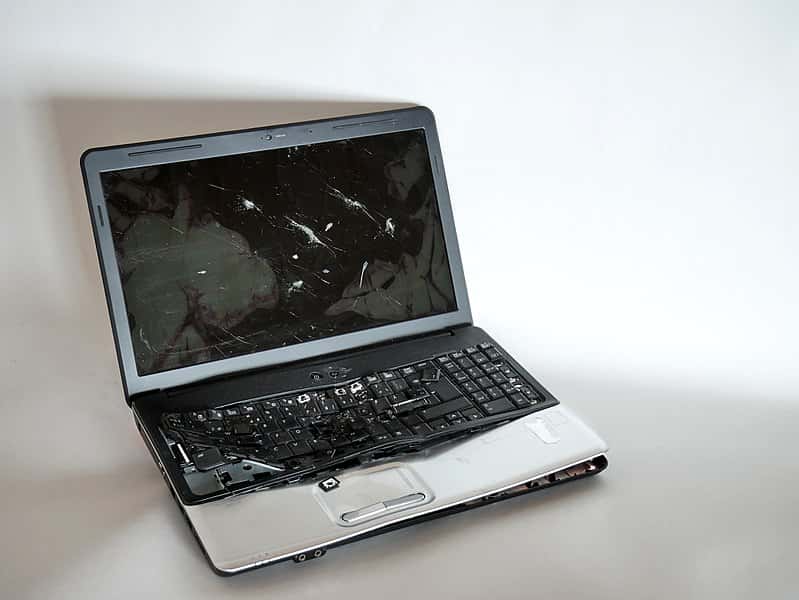
71. A Bunch Of Morons
I own a small IT company in Georgia. At one point in my life, I was a pretty decent technician but these days my job is mostly shaking hands. I try to work a ticket or two every day though just to keep in shape so I can talk intelligently.
Today one of our system monitors alerted us to excessive login failures at one of our largest customers. This is an alert that is set up to let us know if someone has failed to log in successfully several times and is designed to give us a heads-up if there is a brute-force attack happening.
We have the threshold set pretty low and we get one alert a week just on the shared computers usually. But this one was different. This alert was on a fax server at one of their smaller remote locations. No users typically are at the fax servers, so I decided to go ahead and investigate. I fired up screenconnect and was greeted by the Windows login welcome screen just spinning.
After a few seconds it hit the password authentication window but almost instantly blinked out of it and was trying to log in again. RED FLAGS immediately! I watched for another 30 seconds or so and saw it hit the login screen again and fail the password check three more times again almost instantly.
Clearly this was some sort of bot trying to brute force its way into the system. This is a pretty secure system as things go and we take things like this incredibly seriously. I am trying to rack my brain and figure out where an attack like this would even come from and why it would be hitting this server, which is much less exposed than a lot of other things on the network.
I grabbed two of my senior techs real quick and put them on the case to try and figure out what was happening and where this was coming from. We didn't want to log into the system because it might have a keylogger going and we didn't know what the situation was, so we were pushing out commands on the backend. Everything kept getting weirder and weirder.
We couldn't find an outside source hitting this machine in the firewall or through the switch. So one of my techs said, "Maybe it has something already on it trying to brute force itself that will phone home once it gets a domain login???" So we decided to isolate the machine on the network to test this theory.
Sure enough, the attack continued even with no communication from the outside. It didn't make a lot of sense though. If the machine was already compromised, there are better ways to get passwords? Maybe this is an amateur attempt? So we start looking for rogue processes. Not much is really running on it and everything looks pretty standard.
Regardless though something is causing this, so we start terminating whatever looks like the most likely offenders. No luck, every 30 seconds three failed login attempts about as fast as you can blink. Eventually we are digging deep. Nothing is working. We deploy a tech to go pick up the server and bring it back to the shop and get it off their network.
In the meantime, I call management and let them know we are seeing an attack on their network and we are investigating. This place is only a few minutes away, but as the tech is driving over the attacks suddenly stop. One of the processes we had deleted stopped it.
But the last thing my tech deleted was a HUGE server process on the machine. Panic sets in. I play through in my head the thousand machines we have running on this same process that might also be compromised. I am pretty close to a full-on freak out at this point. My tech goes ahead and reboots the server to see if the assault continues.
After the reboot though, it was quiet. We pushed out a temporary admin account and new password and went ahead and logged into the box to start poking around. We dug into the event viewer security logs to see what was going on and started to see all of the audit failures. Weird thing though, they were all trying our admin account and they were all coming from the local machine???
If you have ever seen this kind of attack normally what you find here is a bunch of common names and account names being tried from various overseas IP addresses. You will see several logins under "john" and "chris" and "root" and "admin" and "local" etc and normally it would not come from the local machine. If you already have malware running on the local machine, there are a million better and less obvious ways to collect passwords.
The server had just come back up when my technician got into the remote office. That’s when we finally figured it out. As he walked in, the front desk receptionist said: "Hey when you get done with whatever you are here, for this machine next to me keeps beeping at me". She waves at the fax server. My technician walked up to the fax server, picked up a catalog off of the enter key, and then promptly called back to let us know that we are all a bunch of morons.

72. The Harpy Rises, The Harpy Falls
I have been working my way up the food chain at the little IT company I'm with. The clients I deal with, I treat much like I did customers at Starbucks. Compassionate, caring, empathetic, blah blah good customer service, blah blah. And this has put me in good favor with all of our clients that I've dealt with.
One in particular is a mid-size, regional company that specializes in giving sociopaths a lucrative opportunity to exploit people less strong-willed than them. I'll let you determine the field. They are not my primary "station," but I help out there when the ticket queue gets overloaded. We can call them SlimeCo.
Most of the folks there that I deal with, while slimy in general, are quite pleasant towards me. I'm the cheerful guy with the laptop who doesn't make promises and just does what needs to be done, unlike the three other burnt-out techs stationed there who make hard deadlines they never meet. But there is one woman here who is beyond help.
Ever see that episode of Kitchen Nightmares that had the husband and wife pair where the wife was just completely convinced she could do no wrong and that everyone was out to get her? That's this woman. Not literally, but a bit-for-bit duplicate. She is a problem for everyone, and my pleasant demeanor doesn't mean anything to her because I'm just trying to ruin her life.
I avoid her like the plague because I have more important things to deal with than her 15 tickets about the same goddarn stuff that has been resolved over and over again. We'll just call her The Harpy from here on out.
It’s the fourth of July, and I'm up at my friends' cottage for the long weekend, and it’s 2 am. It happened so quick. I get a call from a number I don't recognize. I answer, because at 2 am it could be important. Something could be wrong at home, or with my family or what have you.
Me (groggily): "Uh...hello?"
The Harpy: "Finally someone answers. Aren't you guys on call or whatever?"
Me: "I'm sorry, who is this?"
Harpy: "Who do you think it is? It's The Harpy from SlimeCo. My goddarn laptop keeps restarting”.
Me: "How did you get this number?"
Harpy: "Why does that matter? You're IT. You're on call. That's how it works. Fix my laptop or I'll have your job”.
Me: "This is a personal cell phone and I'm not on call, ever. We don't have 'On-Call Support'“.
Harpy: "If I can get a hold of you, you're on call. And this laptop you gave me isn't working. It keeps restarting and I need it to do my job”.
Me "I'm 200 miles away, I have no internet access so I couldn't remote in if I wanted to, and it's a holiday weekend. SlimeCo is closed until Tuesday”.
Harpy: "WELL I WORK OFF HOURS AND I HAVE WORK THAT NEEDS TO GET DONE SO GET IN YOUR CAR AND FIND SOME INTERNET AND FIX MY LAPTOP".
Me: "I'm sorry. There's nothing I can do. I'm not going out looking for an internet connection at two in the morning on a holiday weekend just because you decided you need to work right this second. I'm not even a dedicated SlimeCo technician. I'm only there when support is needed, and I haven't been in the branch since last week”.
Harpy: I DON’T CARE, YOU WORK FOR US AND YOU WILL FIX MY LAPTOP RIGHT NOW. I DON'T CARE IF YOU HAVE TO DRIVE ALL THE WAY HERE TO DO IT”.
Me: "You know what? You're right. I just need you to submit a ticket so I can get to it in the system and I'll head right over to the nearest Starbucks”.
Harpy: "THAT'S WHAT I THOUGHT. YOU KNOW I SHOULDN'T HAVE TO JUMP THROUGH THESE KIND OF HOOPS TO GET STUFF DONE AROUND HERE. YOU SHOULD JUST BE GRATEFUL YOU HAVE A JOB AT ALL YOU DIMWIT”.
Me: "Yep. You're right. Go ahead and place the ticket and I'll head right on over to Starbucks and remote in and get this all taken care of for you right away”.
Harpy: "GOOD”.
She hangs up. I immediately put my phone on silent. My laptop is sitting comfortably in its docking station back at the main office, 200 miles away, the nearest Starbucks is about 40 miles away, and I go back to bed, about ten feet away. I check my phone in the morning.
61 missed calls.
14 voicemails.
Two hundred and thirty-nine emails.
Alternating between personal attacks fired off like text messages and submitted tickets. Funny how her laptop was stable long enough to submit around 50 tickets and another 180-ish emails.
I blocked her number after that. I got into work today, and my boss had a similar situation. She kept calling his phone, long into the night.
Boss: "You're nicer than I was. I just told her to enjoy her holiday weekend and hung up”. But here’s the best part. My boss spoke with upper management after, and when I came into that office (as I normally do on Wednesday), I was immediately escorted to the board room by two security guards. The President, CFO, Chairman of the Board, SlimeCo's lawyer, our IT firm's lawyer, and my boss were all at the table.
I found out my boss had threatened to file a proper suit as a result of The Harpy’s behavior, on my behalf. It was explained to my boss and I that The Harpy, while an obvious problem, is a high-earner for the company and they would not fire her. However, it was discovered through an internal investigation that she had, in fact, gotten the numbers of all of the techs out of the CFO's Blackberry.
We don't know how she got into the Blackberry, but what we do know is that the CFO left his Blackberry unattended, which is a serious security compromise and also a breach of the contract between the company and my IT firm. Some very strong words were exchanged between SlimeCo's officials and my boss.
The lawyers agreed that it was, in fact, a serious breach of contract leaving any data available to unauthorized users, and it was made clear that the contract in place would be terminated at the end of the meeting. It was later explained to me that, given the nature of the breach, we'd basically have an "all hands on deck" situation where every available tech would report to SlimeCo and start pulling servers, switches, and any other leased equipment.
Estimated time of dismantlement was about two and a half hours. There was also the phrase "wood chipper for hard drives" thrown in there. I don't know if this was literal or a figure of speech. For the next two hours I was not allowed to leave the room.
My boss, his lawyer, and SlimeCo renegotiated the contract on the spot. A 36% price hike, increased security improvements, and a couple of other things that went right over my head. The lawyer then pointed out that I was still well within my rights to, and asked if I would be, seeking court action. I asked what my options were. Before he even got it out of his mouth, SlimeCo started talking about a "settlement" to keep me from going any further.
Without going into too many specifics there, a check was cut (and immediately cashed because they ain't gonna play me for no fool). The Harpy was put on actual probation, my boss gave me the rest of the week off—billed to SlimeCo—so I can have an actual vacation, and I'm no longer going to do any service at SlimeCo. Not the outcome I expected, at all.

73. I Want University
I work as a student IT for my university (for obvious reasons I won't name the institution). Part of what I do is watch over the computer labs that are open for students to use. As it is summer when I’m writing this, there are not too many students that come through, but a couple of weeks ago I dealt with the most incompetent, contradictory, and confusing person I have ever had the displeasure to come across.
One day while I am sitting at the lab’s help counter, a blonde woman walks in. She has on lots of make-up and looks to be in her mid-20s. I could tell she was going to be an issue the moment she sat down at a computer and immediately looked towards me with what I can only describe as a look of fear.
Sure enough, within a few minutes she shouts out in my general direction, "HI I AM HAVING SOME PROBLEMS". I try to get her to explain but, getting annoyed, she insists that I come over and help her. I really wish I hadn't. She was staring at the log-in screen just saying, "What’s this?! What am I supposed to do with this??!!" all while flicking the mouse around uncontrollably.
Not wanting to be rude, and just assuming she may not be that familiar with computers, I explain that the login screen for these labs simply wants your university username and password, the same for the Wi-Fi and every other service. She responds with, "Ok, yeah, but why does it look like this?!"
At first, I thought she was referring to the way the log-in screen looked—we had just upgraded all the lab computers to Windows 10, so she may just have not been used to it. I explained to her it’s the same as other labs, we've just updated to Windows 10. She responds, saying, "Ok ok but I want the university, not this". Starting to get weird but ok, I manage to get her to log in all the while she is sighing and huffing and puffing.
What I noticed was how fluent she was with the keyboard, which contradicted my initial thought that she was just not accustomed to computers. So we finally log in and...she’s even angrier, clicking like crazy on random icons and getting quite upset, saying this isn’t working why is this like this.
Our computers have a lot of science and math software on them and she hovers over a random icon and clicks it, starting the application. When it (obviously) didn’t open up "the university," she started to freak out asking what the heck this is. I explained that it was graphing software used mostly for physics students...she promptly yells at me "WHY THE HECK WOULD I WANT THAT".
How should I know…you're the one who opened it! At this point my co-workers are getting interested and I can see them laughing as I try to help this woman. She kept saying "I DONT WANT THIS, I WANT UNIVERSITY!" Which did not make any sense. I tried to get her to open the browser. She said "WHAT?!" “Ok open up Google Chrome?” "WHAAT???" “...Uh, the internet. Open up the internet”. "SIGH I DONT WANT THAT, I JUST WANT UNIVERSITY". So I open it for her and sure enough when the default university page opens up, she starts typing away and everything seems fine.
Cut to 10 minutes later and she’s back complaining that it isn't what she wants, "Can I just have a guest account?". At this point I noticed she was completely ignoring my two other female co-workers and kept asking me (am male). I explained to her we don't give out guest accounts, and that also a guest account is kind of pointless because she has her own account.
"But I don’t want other people to get my stuff!" “Ma’am, nobody but you can access your account. Your files are saved to the account”. This is when the problem becomes obvious. "Yes, but if someone goes on this computer they are going to get my phone number and other info!!"
I then try to explain to her that our files are saved on a server and not on any individual computer in the lab. This seems to be the most complex and foreign concept she has ever heard, and she’s arguing with us every step of the way. Again, completely ignoring most of my co-workers. She keeps asking for a guest account and I tell her for the 10th time "WE DON"T GIVE OUT GUEST ACCOUNTS IN THIS LAB".
She then plops her chest on the counter, trying to show some cleavage. "Please…can I just have a guest account". I tell her no we cannot give her one, and that it wouldn’t help! (Whatever help means in this case, I do not know). At this point a more senior staff member walks in and asks her what the problem is.
Upon getting a deluge of nonsensical ranting, he says, "Well if you do not feel comfortable with Windows 10, the other labs on campus still have windows 7". Her response, "I DONT WANT WINDOWS, I WANT UNIVERSITY". I snap telling her that WINDOWS IS AN OPERATING SYSTEM, UNIVERSITY DOESNT MAKE ANY SENSE.
She gets extremely angry and then leaves. To this day I still have no idea what she wanted, or how someone who seemed to be able to use a computer and yet was also so computer illiterate at the same time could exist. My only semi-plausible explanation: Mac user?

74. Some People Can’t Be Helped
So among the literally thousands of calls I've had in my four years in tech support, this guy really took the cake. It was the apotheosis of all those calls. It was the most infuriating yet (in hindsight) hilarious call I'd ever had in my life.
He came in on a fairly quiet Saturday morning, and the conversation started quite normally.
Me: "Good morning. How may I help you?"
C (Customer): "Yes, hello. I just woke up to my wife and kids complaining there's no internet and the television isn't working either”.
Me: "Oof, that's quite inconvenient. I'm going to have to check where the issue might be and try and fix it”.
C: "Thank you”.
He gave me his postal code and house number, I confirmed his details and ran a scan on his address. There was absolutely no signal. I needed to do a basic troubleshoot with him first.
Me: "Do you know where your modem is, sir?"
C: "Yes, it's next to my front door”.
Me: "Good. Could you please tell me which lights are on or blinking on it?"
C: "There are a couple of lights on...not as many as usual, though”.
Me: "Is the 'online' light on?"
C: "No”.
Me: "Ok, your modem is not receiving any signal, then. I'm going to have to test if the problem is in the modem or the signal towards your house. For that, I need you to turn off your modem for about 30 seconds. Could you please do that?"
C: "Umm, no?"
Me: "....... I'm sorry?"
C: "That sort of thing is YOUR job. I'm not touching that modem”.
Me: "You only need to pull out the power cable, wait 30 seconds, and plug it back in”.
C: "Like I said, that's YOUR job. Send someone over to fix it”.
I was not sure if he was joking or not. I was just baffled at the hard turn this conversation had just taken.
Me: "Sir, there is a basic troubleshoot we need to run with all our customers that solves like 90% of all—"
C: "I don't care! I'm not getting paid for this, so I'm not doing your job! Now send someone over!"
Me: "I can't very well send our technicians over, just to restart your modem, sir”.
C: "You can, and you will, and you'll compensate me for the time I haven't received any of your services!"
Me: "I don't care much for your tone, sir. Either you cooperate with our standard troubleshoot, or I cannot help you”.
C: "You've got a pretty big mouth there, missy! What's your name? I'll issue a complaint against you!"
I gave him my first name, and he demanded to know my last name.
C: "Scared to give me your last name, hm?"
Me: "No, just not obligated to give it to you. You've been very rude to me, so I won't give it to you”.
C: "You think you're so high and mighty because you're on the phone! I know where your HQ is! I'm driving over there right now, and you'd better make sure you have your eyes open when you come out, [my first name in a mocking tone]”.
I snickered at the thought. He lived about 175 miles from our HQ. Plus, he only had my first name and he had, of course, no idea what I looked like.
Me: "If you would rather take three hours to get here and then another three to get back home, rather than taking 30 seconds to restart your modem, you're welcome to do so. I'm now terminating the call and issuing a threat warning. Have a lovely day”.
I hung up before he could respond and reported the threat to my manager. He made note of it and put it through to our second line to pick this further up. I wish I could say the story ended there. Unfortunately, it continued as soon as I resumed taking calls. Not five minutes after I got back to work, I got him on the phone AGAIN.
Me: "Good morning, this is [name] from—"
C: "HA! There you are! You think you can just hang up on me!? I'm taking this to court! I'm cancelling our services as of RIGHT NOW!"
Me: "I've issued your violent threat, which we've recorded, by the way, to our second line, sir. I'll add that you wish to end your contract. They'll call you back within two hours. Goodbye”.
I hung up again and he thankfully didn't try to reach me again after that. I did learn afterward that he had, in fact, taken this case to court...and lost. His services were cancelled five months before the end date of the contract, and he had to pay for the remaining five months. I hope it was worth it to him.
I did not press charges for the threat since I never took it seriously. I mean, I literally laughed it off. Thinking back on it still makes me snicker. I'm imagining him driving for three hours, arriving at our HQ, asking all the women who left the building their names in the hopes he could do God knows what to one of them, then driving back home for three hours (not to mention having to stop for gas, which costs a lot here) and still have his wife and children complaining they have no internet or television. Idiot.

75. Don’t Cut Out The Middleman
This happened at a university in Germany, around the turn of the century. The physics department had quite a nice setup for the students. At the beginning of term the new students had their accounts created by one of the student supervisors. I was the middleman between the student supervisors and the real techs who kept the system running.
So I somehow got stuck with the support when the supervisors didn't know what to do. One day a student, Samantha Melina Butler, was sent to me. She was quite into computing but had no idea why she had problems with her account. She was able to access her account, but she couldn't write to some files. On the other hand, she had discovered that she could read nearly all the files in other people’s accounts—even in the accounts of some professors.
I asked her to log into her account and opened a terminal. I looked at her files, but everything seemed in order. She shouldn't be able to access this stuff. Suddenly I looked at her username. She had asked for her initials: Samantha Melinda Butler: smb. When I looked that up, I saw the student supervisor had made a big mistake.
Samantha and had all the rights of the “ServerMessageBlock” (smb). And every user was a member of the group smb. The student supervisor who had created Samantha's account didn't even get why this was his fault.

76. A Long Drive For A Short Day At The Beach
I work for a company where employees handle enough sensitive information that even a simple search could expose material with serious legal consequences. Because of that, the company has a lot of security policies that feel excessive. I understand why they exist, but the way they’re enforced sometimes feels completely unreasonable. The intentions aren’t all bad, but the execution can be a mess.
Because of those rules, every computer has an “internal” USB port inside the case, while all the external USB ports are physically blocked and glued shut. So on Friday at 8:00 a.m., I’m sitting around waiting for a ticket or anything to do when I get a call that someone can’t log in. There’s no ticket yet because, of course, they can’t log in to submit one. Fair enough.
Since it’s a network login issue, there are a thousand possible causes. It could be anything from a network failure to the machine not being powered on at all. We all know how unpredictable user reports can be. I head over to her cubicle and start checking. Everything is plugged in, the computer powers on, but there’s no internet. I swap her network cable with her neighbor’s just to test it.
Her neighbor’s computer connects fine using her wall jack. I log into the local admin account, and there’s still no network connection at all. I open Device Manager and find the problem: the onboard network driver is corrupted or something close to it, and I can’t roll it back.
Great. That means I need authorization from cybersecurity to use a flash drive, and then I have to open the computer case to reach the hidden internal USB port that isn’t glued shut. To open the case, I need my supervisor to approve it and hand over the case key. I also have to document the whole thing and enter the ticket into the system.
I run down to the office, download the correct driver for her computer, and email it to my boss with a note asking him to put it on a thumb drive. Then I walk to his desk.
“Hey, I emailed you the network driver I need on a flash drive. I also need you to submit my authorization form to cybersecurity so I can use portable storage.”
Yes, that really was two separate forms.
So we send the request to cybersecurity and wait. Half an hour later, still no response. The head of IT calls them for an update. Ten minutes later, the request comes back denied.
It turns out the request landed with the least capable reviewer possible. She had a reputation for mishandling things, and before moving into cybersecurity she had no real background in security or even much understanding of basic IT. Still, she was somehow in a position to enforce rules she didn’t fully understand, while spending most of her day helping people reset passwords.
So my boss calls her and explains the situation. After five minutes on the phone, he has to go upstairs and explain everything again to the head of cybersecurity. About half an hour later, the approval finally lands in my inbox, and my boss texts me to come get the signed form, his spare keys, and the USB drive.
Now I have both authorization forms, and I head back to the user’s desk. She’s left me a note saying she stepped out for Starbucks and will be back soon. I shut down her computer and lay it on its side so I can open the case and plug in the flash drive. I’m standing there working with the USB drive when everything suddenly goes sideways. Someone grabs it out of my hand, throws it on the floor, and starts stomping on it.
“What are you doing?” I ask.
“USB devices are banned,” he says.
“Hold on. First, I have written authorization from cybersecurity. Second, that’s company property. Third, you just destroyed evidence,” I tell him. I call my boss, who is still in the cybersecurity office, and explain what just happened.
Cybersecurity overhears the conversation and immediately opens a case for mishandling possible data. Around 11:00 a.m., my boss comes back to the desk with another flash drive, the network drivers again, and yet another pile of paperwork so I can finish the repair.
I then spend an hour with cybersecurity filling out forms about the destruction of a five-dollar flash drive, giving a statement about possible data mishandling, and responding to concerns about my use of a USB storage device. In total, it took three hours and fifteen minutes of work from two technicians—including the head of IT—to reinstall one network driver.
And now the company has to pay a data recovery specialist who knows how much to recover exactly nothing useful from a five-dollar flash drive, just to prove there was nothing malicious on it. It somehow gets even more absurd: I’m placed on paid leave because they can’t say for certain what was on the damaged drive.
Cybersecurity tells me that if the recovery team finds exactly what I said was on it—or nothing at all—then I’m fine. If the flash drive hadn’t been destroyed, they could have plugged it in and checked the contents in about eight seconds.
Instead, I get to collect paychecks while data recovery experts make several attempts to recover the contents of a smashed USB drive. On the bright side, I did get to go home early on a Friday.
77. iDiot
My company has a summer internship program for high school students. Each intern gets an old desktop computer and access to one folder on the company drive. One day, a student calls because he can’t find his folder. That happens now and then, so I tell him to restart the computer—the usual fix—and call me back if it still isn’t there. Apparently he clicked shut down instead, because five minutes later he calls back to say the computer won’t start.
Long story short, after a few minutes of trying to help over the phone, I walk down there and realize he thinks the monitor is the computer. I press the power button on the actual desktop. It starts up, but he still says he can’t find the folder. He’s looking on the desktop. I open File Explorer. I can clearly see the folder.
The kid says, “I don’t see it.”
I click the folder.
Kid: “Okay, now I see it.”
So I create a shortcut on his desktop. Then I ask what he uses at home. An iPad. What does he use at school? iPads. To be clear, I don’t blame the kid. I blame the adults who never taught him basic computer skills, because that should be part of a well-rounded education.

78. Everyone’s Buzzing About It
Sometimes people dig through my spreadsheets, tools, or code for one reason or another. When they do, they often find a hidden line of text. I put it in almost everything as a kind of signature. People ask what it means, and then I get to tell this story.
I used to work in remote support. It was one of my first real IT jobs, and I was young, eager, and convinced I was ready to save the day with my modest coding knowledge and my slightly better than average success rate at installing Java.
The phone rang, and I sat up a little straighter. Another customer in trouble needed my help, and I was ready to solve their problem and leave them completely satisfied—as long as the issue happened to fall into the very narrow range of things I’d actually been trained to handle.
“Thanks for calling Tech Support. Can I have your name and client number, please?”
There was a long pause, and then the caller slowly gave me the information. I entered it into the system and immediately saw they were located in Washington State, at a very remote office several hours away from the nearest deskside support person. If I couldn’t fix this remotely, they might be stuck for days.
I was their best shot.
“So our computer’s been running really slow,” the caller says, and I jump right in.
“I see. Let’s check for any hung processes. Do you know what version of Java you’re running? Have you recently installed or removed any programs?”
No to all of it. Our remote session was definitely lagging, but I couldn’t figure out why.
“See, it started after this storm…” the caller continues, drifting into a long explanation about weather, landslides, and other things that didn’t seem relevant. Meanwhile I keep digging through the system. The processor is crawling.
“…and it’s been hot, and the computer smells kind of strange.”
I stop. “Smells strange? Have you cleaned it out recently to remove dust?”
There’s a long pause while, I assume, the caller opens the case. I am absolutely not prepared for what happens next.
Then I hear shouting. “Ah! Oh no! Ahhh!” Then banging. More shouting. Then silence.
“Sir?” I say carefully. “Are you still there? Is everything all right?”
“No!” he yells back. “There’s a hole in the wall, and it looks like they got in after the storm… they built a hive.”
“What?”
He repeats himself. “So… can you send someone out here with a new PC or something? I know it’s hard to get support out this far.”
I tell him I’ll get someone there as soon as possible. I write up the ticket and send it along, and I never hear how it was resolved. But I will never forget what I typed into that ticket:
Computer completely filled with bees. Sending to deskside support.
I learned something important that day. Never assume you know the whole problem just because it looks familiar. Listen when the customer gives background information, because some of it may matter more than you think. And never, ever choose to do deskside support in the mountains.
That’s why somewhere in every spreadsheet or script I write, you’ll find the phrase “Computer completely filled with bees.” It reminds me that no matter how confident I feel, there is always room to be completely wrong and completely surprised.
79. You Can’t Cure Stupid
Have you ever tried to help someone with tech support while their equally confused spouse stands behind them giving bad advice?
Me: Okay, click the email I just sent you. Then click the link inside it to reset your password.
Customer: Okay… let me see.
Wife, in the background: Wait! Stop! Go back!
Customer: What?
Wife: A free iPad!
So now we’re looking at a scam email. Annoying, but still manageable.
Me: That’s not real. It’s almost certainly malicious.
Wife: No, let’s just look at it.
Please don’t.
Me: I really wouldn’t do that.
Customer: It’s okay. We’re only looking. We’re not downloading anything.
Wife: Maybe it’s from the mall!
No, it absolutely is not.
Customer: Okay, we’re just going to take a quick look.
Wife: Wow, a free iPad! I can’t believe it! We won!
No, you did not.
Wife: Click it!
Please don’t.
Customer: Okay, let’s see how to claim our iPad from Apple.
It’s not from Apple. You are not getting an iPad. You are getting malware.
About fifteen seconds later, I hear the classic “your computer has a virus” message blasting from their speakers.
Customer: Our computer just got a virus. Can you fix it? Can you remote in and clean it up?
No.
Wife: I can’t believe people would do that!
And I can’t believe people still fall for it.
So now I spend two hours slowly walking them through running Malwarebytes because we’re not allowed to hang up on people for making bad decisions.

80. Should Have Kept Your Mouth Shut
This was the day I used the nuclear option.
User: Hi, I need your help.
Me: Okay, what’s the problem?
User: I need you to incubate something on my computer.
What does that even mean?
Me: What do you mean?
User: If you can’t help, can you transfer me to a senior tech?
Wonderful.
Me: It’s not that I can’t help. I need more information before I can do anything.
User: It’s simple. There’s something on my computer, and you need to put it in incubation for me.
Me: What kind of file is it?
User: I don’t know. I can’t do anything because the program needs admin rights. That’s why I called you.
Me: Did you download something or visit an unsafe website?
User: I don’t need an interrogation. I just need this incubated so we can both move on.
Me: If you right-click the green W in the bottom-right corner and choose “Scan Now,” it will check for anything suspicious and we can go from there.
At this point I’ve already opened the antivirus console on my side to take a look.
User: I can’t do anything with that. When I click it, it says I need to contact the network administrator.
Me: I need you to right-click it, not left-click.
User: I KNOW WHAT I’M DOING. IT SAYS I CAN’T.
Clearly, this call is going downhill.
Me: There’s no need to raise your voice. I’m trying to help.
User: It’s simple. I need your admin rights so I can move something into incubation. It’s not difficult.
Me: Okay, I’ll remote into your machine and take a look. Please click the Rescue Me icon on your desktop.
User: FINALLY. You’re doing what I asked from the beginning.
At that point, I was done being patient.
Me: There is no feature called incubation on your computer. You mean quarantine. You appear to have downloaded malware or picked it up from an unsafe website. That does not happen by itself. You already had the tools needed to check for and remove the issue, but you refused to follow basic instructions, including using the correct mouse button. I’ve now taken control of your machine and started the scan. I can also see from your open browser windows that you’ve been visiting a number of inappropriate and risky sites. That violates company policy and will be documented. The scan has already found and removed five infections, and my console shows your system has blocked dozens of threats today alone, so this is clearly an ongoing problem.
User: What…
Me: I’m now escalating this to the IT manager, who has been monitoring the call and wants to speak with you.
Click.
The user was quickly called into a meeting with HR and management. As far as I know, they were asked to leave the company after the IT manager reviewed their activity more carefully, including their browsing history on the company network and VPN.
The user later tried to sue for unfair dismissal, claiming it was an invasion of privacy.
The IT manager reportedly laughed when he heard that argument.

81. Not Your Average Joe
A few years ago, I worked for a company that had been around a long time. I was still fairly new, but there were a couple of “old guard” senior engineers who had been there since the beginning. They were the kind of people who knew all the weird, undocumented internal details and could solve in seconds what the rest of us might spend hours trying to figure out.
One of them in particular, who I’ll call Joe, was a bearded, cheerful guy with a real Steve Wozniak kind of vibe. He was always happy to answer questions and encouraged us to make use of his huge knowledge of the company’s sprawling IT systems so we could survive the constant unrealistic demands from upper management.
He was a true old-school engineer—someone who loved the work and had the respect of everyone in the department. So when his friend, the current department head, retired and was replaced by an outsider—a young, confident manager with a business degree, very little technical knowledge, and also named Joe—it was a major shift for everyone. At first, we were relieved that he didn’t interfere much with the technical side of our day-to-day work. But that didn’t last.
Back when the company started, nobody cared much about formal email address policy. As the company grew, they tightened things up and gave new staff longer, more formal addresses. But people from the early days kept their original short addresses as aliases.
Having one of those old addresses had become a bit of a status symbol. People who had them used them as their main sending address, put them in their signatures, and printed them on business cards. The retired department head had one, and so did old Joe: joe@company.com.
Whenever an email came in from one of those short addresses, you knew it was from someone important who’d been around for a long time. Most department heads were long-term employees who had them, and it didn’t take long for the new IT head to notice this part of the company culture and clearly wish he had one too.
But since he was a new employee, he only had the standard formal address. The company wasn’t handing out new legacy-style addresses unless someone was very high up the chain. Even as head of IT, he didn’t have the authority to just claim one. So when he saw an email from Joe using his old address, he came up with a plan.
According to the story, he called Joe into his office and the conversation went something like this:
IT Head: “Hey Joe, great work on the capacity report and for getting it to me so quickly. We should be able to get finance approval to expand our storage much sooner than I expected.”
Joe: “No problem. Is there anything else you need for it?”
IT Head: “No, everything’s there, thanks. But I noticed you sent it from a different email address—one that’s a little different from everyone else’s.”
Joe: “Yes, that’s the one I’ve used since I started, and everyone here knows how to reach me on it. Some of our older systems and scripts from the early days are still hard-coded to use it too, so I still get critical alerts through that address.”
IT Head: “That’s fine, but I was wondering about getting one of those addresses for myself. It would make it easier for people to recognize that I’m the head of the department, not just another employee. My predecessor had one, so it shouldn’t be a problem for me to have one too, right? Can you arrange that?”
Joe: “I’m sorry, I wish I could, but HR controls that. Their policy now is that only C-level hires and their immediate assistants get personal addresses at the top corporate domain.”
IT Head: “You’ve been here a long time. Surely there’s some way, or someone you know, who could make it happen?”
Joe: “I’m sorry, that decision is well above my pay grade. I’d be happy to submit a request to the head of HR as a favor, but I’m pretty sure I know what the answer will be.”
IT Head: “Fine. Do it, and let’s see what happens.”
Joe submitted the request, but of course HR rejected it, citing policy and not wanting to make an exception, even as a favor to Joe. So Joe had to go back and deliver the news:
Joe: “Hey, about that request for a top-level email address—it was denied. I did what I could, but HR was firm about the current policy. They’re not issuing new ones unless it’s for people at the very top.”
IT Head: “Are you sure you did everything you could?”
Joe: “Yes. Unfortunately, it’s out of both our hands.”
IT Head: “Fine.”
And Joe was right: there was no chance the IT Head was getting a brand-new personal address. But that wasn’t the end of it. His role did give him authority to reassign existing email addresses, which was normally used to redirect mail and alerts meant for employees who had left the company.
Once he realized that, he came up with a second plan and called Joe back into his office.
IT Head: “Hey Joe, you know how we can’t create new personal addresses, but we can still reassign an existing one to me, right?”
Joe: “We can do that, yes. You have authority to reassign the email address of someone who has left the company. Did you want your predecessor’s address? We could do it, but it would confuse a lot of people if your email started coming from someone who’s gone.”
IT Head: “What about the email address of a current employee?”
Joe: “You do technically have that authority, but it would still confuse people. And you’d also start getting all the legacy alerts and notifications, which means you’d be responsible for making sure they reached the right people.”
IT Head: “I think I can manage forwarding a few emails. I need the visibility more than you need that address. There’s no business reason for you to keep it, so start the process of transferring joe@company.com to me right away. Let me know when it’s done so I can notify everyone.”
So poor Joe had to give up the email address he’d had since day one. He was clearly unhappy about it, but he followed the order. Using his regular corporate address, he emailed the team and his contacts to let them know about the change and asked them to use his full address going forward.
At the same time, the IT Head proudly sent a company-wide message announcing that his email had been updated and that, as Head of IT, he could now be reached at joe@company.com.
Over the next few weeks, he used that address every chance he got. New stationery was printed. New business cards were made with his title and the short email address on them. He was obviously enjoying the prestige and instant recognition that came with it, especially when dealing with other offices and people who didn’t realize he was still relatively new.
Everything was going great for him until one unfortunate morning.
He had forgotten about his responsibility to forward important alerts that were now coming to him. He had set up a rule, yes—but not one that actually forwarded them the way he had promised.
Instead, he simply deleted them from his inbox. One of those alerts concerned backup failures on a very important long-term defense contract. Part of our team’s job was to ensure that daily incremental backups and weekly full backups were running on one of those old legacy systems Joe had warned him about, both in person and in writing.
The media in an old backup unit had failed and was repeatedly sending alerts. Normally this would have been an easy fix, but because those alerts weren’t being passed along, nobody knew there was a problem. Then a client asked for a restore of the previous week’s data after an accidental deletion, and the backup team discovered, to their horror, that backups had not run for several weeks. The data was gone.
The client was furious. The CEO, who had a close relationship with them, was even more upset. And then the IT Head showed exactly what kind of person he was: he tried to blame Joe when it became clear the company was facing a huge penalty for the failure.
Unfortunately for him, Joe had already protected himself. When he handed over the email address, he had made sure there was a full paper trail, including emails clearly explaining how important those alerts were and how they needed to be forwarded to the right people.
He had even included detailed instructions for setting up the forwarding rules and where each alert should go. All of it had been ignored. HR policy was very clear: the recipient of important emails was responsible for making sure they were handled properly. The IT Head had accepted that responsibility and failed.
He didn’t make it through probation. He was gone within a month.
After that, everyone wondered who would take over. HR and upper management stayed quiet, and there was a lot of speculation around the department. Then we got a great surprise. On Monday morning, everyone came in smiling when they saw Joe sitting in the IT Head’s office. After everything that had happened, management had finally decided the IT department should be led by someone who actually understood IT, and they gave Joe the role.
He stayed in the job for a few more years before retiring or moving on, and he was one of the best IT managers I ever worked with. The position never changed him—he stayed the same friendly, helpful, supportive mentor he had always been. I was sad when he eventually left, but while he was still there, I always smiled when I saw emails from the old familiar address, joe@company.com, back where it belonged.

82. Calling In A Favor
My home phone, which I still keep because the security system uses it, started ringing at 5:45 a.m. Yes, I was asleep. I didn’t get there in time, so the answering machine picked up. The caller hung up. Then my mobile phone started ringing downstairs. At that point I figured it had to be some kind of family emergency, so I rushed down just in time to hear the home phone start ringing again.
I answered, half asleep and half worried that something serious had happened.
Me: “Hello?”
It was a friend of a friend, someone I barely knew.
Caller: “Hi, do you have a second? I can’t get my laptop onto my home Wi-Fi, and I really need to check whether my flight is on time.”
Me: “Who is this again?”
Caller: “I’m a friend of James. We met at a bar a couple of weeks ago. My internet is down, and I remembered you work in IT, so I looked up your number and gave you a call. Can you help me real quick?”
I hung up, after loudly making it clear this was not okay.

83. A Backdoor Solution
There was a website used by a few thousand paying customers—around $200 a year each. Pastors used it to download material for church services. At the time, we officially supported Internet Explorer for Windows and Mac. This was probably around 2006, and if you never had to deal with Internet Explorer for Mac, consider yourself lucky.
Chrome didn’t exist yet, and Firefox was either brand new or not yet widely used. Then Microsoft dropped IE for Mac completely. They didn’t just stop developing it—they removed the download links and acted like it had never existed. If you didn’t already have it installed, there was no practical way to get it.
And yet our Mac browser support policy still said: Internet Explorer only.
Customer: “Hi, I’m having trouble with your website.”
Me: “What browser are you using?”
Customer: “Safari.”
Me, trying to stay calm: “Unfortunately, we don’t support Safari. You’ll need to use Internet Explorer.”
Customer: “Okay, how do I get that?”
Me: “You can’t.”
Customer: “…what?”
Me: “We only support Internet Explorer on Macs. If you have a Windows computer, you can use that. If not, you’d need Internet Explorer.”
Customer: “This is my only computer. So how do I get it?”
Me: “You can’t. It’s no longer made, and it isn’t available.”
Customer: “So how do I use the website I’m paying for?”
Me: “You can’t.”
Customer: “Do you not see the problem here?”
Me: “Okay, maybe we can help each other here. We really should support Safari, but we don’t. There’s no other option. If you can, please send me an email and be as upset as possible—say you’ll cancel, complain strongly, whatever it takes. I’ll bring it to the people making the decisions and try to get this fixed.”
Customer: “You want me to use harsh language? I’m a pastor.”
Me: “I know. But it’s Thursday afternoon, and getting this fixed before Sunday won’t be easy.”
Customer: “I’m sure God will understand.”
So he emailed me exactly what I needed: a passionate complaint about how we were preventing him from doing his work. Thankfully, he never blamed me personally. I took it straight to the web development team.
Dev: “What exactly isn’t working?”
Me: [explains]
Dev: “I’m pretty sure it works.”
[He opens Safari and tests it successfully.]
Me: “Wait, we don’t support Safari.”
Dev, rolling his eyes: “I know. It works fine. It’s what I use all the time—it’s faster than Internet Explorer. But the Vice President won’t approve the 30 minutes it would take me to fix it for newer versions of Safari. I just don’t update mine.”
Luckily, I had recently helped that Vice President with a strange computer issue, and he was very appreciative. I went to his office, and he happened to be free. It was about 3 p.m. on a Thursday, and we closed at 4.
Me: “Sorry to bother you, but you should read this.”
He read the email, and his eyes got wide.
VP: “This is from one of our customers?”
Me: “Yeah, he was trying to finish his sermon for Sunday and—”
I didn’t even finish before he was on the phone with the developer’s manager. By 4:45, the website officially supported Safari, and I was calling the original customer to tell him the good news. I’d like to think God understood.

84. I Won’t, And I Shan’t
I do user training and support for a web application developed by my firm. Many of our clients are older.
Client: “I can’t get into my account. My login isn’t working. This is ridiculous. I’ve been trying for hours and now I’m locked out.”
Me: “I’m sorry for the trouble. I’ve reset your password, and you should receive an email in a moment with a link to create and save a new one.”
Client: “I don’t want a new password. I liked my old one. It’s the same password I use for everything, and it’s easy to remember.”
Me: “I’m sorry, but you’ll need to set a new password before you can get back into the account.”
Client: “Can’t I just use the old one?”
Me: “No, our security standards don’t allow that. But if the reset link gives you any trouble, I can generate a random password and give it to you over the phone.”
Client: “Fine. Do that, then email it to me.”
Me: “I’m sorry, but our security policy doesn’t allow us to email passwords in plain text. I’d be happy to call and share it with you directly.”
Client: “Why are you making this so difficult? I just want my old password back.”
Me: “I understand this is frustrating, and I do want to help. Have you clicked the reset link in the email?”
Client: “No. It looks like a virus. I’m not clicking it.”
Me: “I can assure you it isn’t a virus. It’s just a hyperlink that opens a page where you can reset your password.”
Client: “That’s ridiculous. That’s way too much work. Why do you make it so hard? I want to speak to your manager.”
Me: “No problem. My manager is copied on this and can help.”
Manager: “How can I assist?”
Client: “Your employee is rude, incompetent, and unhelpful. I just want to log in. I don’t want to reset my password, I don’t want to click this virus she sent, and this is taking forever.”
Manager: “Sir, respectfully, we’re going to need you to meet us halfway and change your password.”
Client: “THIS IS RIDICULOUS. I DON’T WANT TO CHANGE MY PASSWORD. YOU ARE IDIOTS.”
Manager: “Again, we’re sorry this has been frustrating. Please let us know what we can do to help.”
Then my manager copied the client’s boss—the director of their organization, whose signature was on the contract. My manager does not tolerate abuse from clients.
Client’s Boss: “Are you serious? These people are doing everything they can to help you, and you are insulting them. This is embarrassing for our organization. You owe them both an apology, and you need to reset your password, stop complaining, and log in so you can get me the report that should have been on my desk yesterday. The fact that you’ve wasted an entire day on this will absolutely be part of your performance review.”
My manager and I were in tears laughing. The client’s boss did not hold back at all. The client did reset his password in the end, though he never apologized. The last time I sent out an email to clients, though, his bounced back. He had been fired. I laughed all over again.

85. Boss Of The Year
I used to work tech support for a very large company. One day, the guy next to me was dealing with an especially rude business customer. Business customers usually got treated extremely well, but this caller was so difficult that my coworker could barely get a word in.
Eventually, he raised his hand to signal for a supervisor. Right then, the owner of the company happened to be walking by with another executive. I’d met him a few times at company social events, and he was a genuinely down-to-earth, employee-friendly boss. He asked what was going on, and after hearing the situation, he took the headset and got on the call.
After listening for four or five minutes, he said in a very flat voice, “That’s not going to happen, especially not with the way you’re speaking.”
Then he added, “I don’t have a manager. I own this company, and I’m not going to let you talk to my employees like that. We’re closing your account.”
He hung up, disabled the customer’s account himself, and added a note to the file:
“Customer was abusive. Do not reinstate account. – Boss”
Then he handed the headset back and went on with his day.

86. The Boat Must Go On
This one goes back about six years, to a time when I was in a completely different career and stationed halfway around the world. On a certain kind of military ship, there’s a place that matters a lot. The bridge decides where the ship goes, but Damage Control Central decides how fast it gets there and whether it makes it in one piece.
It was run by a senior officer from Reactor Department, Earl, plus his two sidekicks: one person tracking the ship’s water use, and one tracking electrical use—me. The three of us had the power to bring 97,000-plus tons of steel and misery to a stop. Behind us sat a small cluster of engineering people, basically the ship’s technical support team.
People could call us with any kind of problem, from a burned-out light to an actual fire, and between everyone in that room we had the knowledge, authority, skill, and enough influence to get a response team moving. A lot of people didn’t really understand how much authority we had, or even who they were talking to when they called. That led to some very memorable conversations.
One evening, the engineering team gets a call. A female sailor answers it, and naturally we all listen, because if it’s a fire or something urgent, everyone needs to react immediately. From our side of the room, this is what the conversation sounded like:
Engineer: Damage Control Center.
Engineer: The heater doesn’t work?
Engineer: Oh, yeah, that’s normal.
Engineer: No, we can’t turn it up.
Engineer: What? No, we can’t replace it. We’re in the middle of the Persian Gulf—where exactly would we get another one?
Engineer: Look, it works fine. Take shorter showers.
Engineer: Your division can submit a request for a bigger one when we get back to home port, but you’re not getting one now.
Engineer: No, I’m not ordering one. Replacing those is outside what we’re allowed to do while underway.
Engineer: Because policy.
Engineer: Okay. You do that. We’ll be waiting. Just make sure you request permission to enter.
She hangs up. Naturally, we’re all staring at her. She just grins.
Engineer: Everybody look sharp, this is going to be good. Sir, apologies in advance.
So we settle in, put on our best professional expressions, and wait.
Less than fifteen minutes later, the door swings open. In comes the star of the story: a very junior sailor who thinks he’s impressive because he works on aircraft instead of steam pipes. With him are his direct supervisor, a man around my rank, and their division officer, a very young lieutenant.
The lieutenant is worked up because, in his view, engineering has refused to fix his sailor’s problem. He heads straight for the engineering desk. On the way, though, he briefly steps between my boss and a panel that, by orders from people ranked far beyond anything I’d ever reach, my boss was never allowed to lose sight of. Ever.
I wait until they’re almost in front of him, then speak up.
Me: Sir, please go around. He needs to be able to see that panel.
Divisional Officer: I will walk wherever I—
Then he stops. Because someone with about twice his rank, four times his time in service, and a much lower tolerance for nonsense is staring directly at him. Every bit of his anger disappears instantly. Honestly, that was exactly what I wanted. When senior officers get angry, it’s usually for a real reason. When very new division officers get angry, everyone nearby just loses brain cells watching the outburst. They accomplish much more when they calm down.
The junior sailor notices there’s a Commander in the room and looks like he’s about to panic. His supervisor, meanwhile, seems completely unaware. They circle around our desks—much less grudgingly than they might have—and take the slightly longer route to the engineering section. The engineers are loving every second of this. The show is already in progress and they haven’t even had to do anything yet.
The engineer they’d spoken to turns around, resting her hands on the arms of her chair, wearing a perfectly pleasant, completely blank smile.
Officer: Are you the one who won’t fix my sailor’s showers?
Engineer: The showers aren’t broken, sir. Did he explain what the problem was?
The junior sailor looks like he wants to disappear.
Punk: Well, the hot water heater in the shower can’t keep up with the whole division when we all shower in the morning.
Engineer: Does it provide hot water at all?
Punk: Well, yes. When everybody starts, it works fine. But as more people shower, it gets colder.
Engineer: Does it ever go completely cold?
Punk: No, but with a bigger heater, we could all take as long of showers as we want without it running out.
Water Control Guy: Showers are supposed to be limited to five minutes. You’re wasting water.
Punk: Well, yeah, the morning showers are short—who wants to get up early to shower? But when I take my second, longer shower in the evening, to relax after a long day of work—
At that point, some very small survival instinct finally kicks in. He stops talking and looks around. He is standing in a room full of people who live by the unofficial rule of “eat, shower, sleep—pick two.” Every person in there, including the people who came with him, is staring at him with either open contempt or outright hostility.
Everyone except the engineer. She still has the same calm, polite, emotionally unavailable customer-service smile. It was impressive.
Engineer: Sir, I believe you can see why I denied the request. Supervisor, you may want to remind your sailors that even though we’re surrounded by water, there’s a limit to how much fresh water we can produce each day, and long showers are something to save for when we’re in port. Is there anything else I can help you with?
Officer: No, I think I’ve heard enough. You two, my office. Now.
They leave. The junior sailor looks close to tears. The officer now has a very justified reason to be angry. The door closes, and every single one of us immediately drops our heads onto our desks laughing. Someone promised the engineer drinks at the next port.
Later, the engineer’s supervisor sent out an email to the ship’s mid-level leadership explaining that not waking up early enough to get the hottest shower was not a valid reason to request a new water heater, and reminding everyone that fresh water on board is limited. No details were included, which only made everyone more excited to hear whatever rumors would come out of it.
The engines kept turning. The ship kept moving.

87. It’s Hard To Ask For Help
My mom is a lovely person, but she has this idea that she shouldn’t “bother” me unless something is important. My phone rang last week while I was at home on my day off.
Mom: “Do you have a minute, honey? My internet isn’t working—neither computer nor tablet. I thought maybe you could come by for dinner later and take a look? I bought chicken, soft cheese, and I’m baking a—”
Before she even got through the full menu, I had already fixed it. I work for a large company and have remote access to my tools. I checked her connection and saw her computer didn’t have a valid IP address, so I reset the modem and router we provide her. Just a simple lease renewal issue. It happens. Everything else looked fine.
Me: “Boom. Magic. You’re back online, Mom.”
Mom: “Whaaat? ...Oh. You’re right.” She sounded almost disappointed. “Thank you, that was really fast. I guess I won’t trouble you to come over then.”
Clearly she had been more excited about the dinner than the free tech support, but in her mind, something has to be broken—or it has to be a holiday—before she can justify inviting me over.
Me: “Hold on now, I was promised a home-cooked meal. I’m happy to come anyway.”
Mom: “Haha, that’s sweet of you to say. But I know you’re busy, you don’t have to. We can do it another time.”
All right then. We’re doing this the hard way.
I opened my tools again and deprovisioned the router.
Me: “There. It’s broken again, Mom. And it’s staying that way until dessert.”
Mom: “Oh! Lovely. Shall we say six o’clock?”

88. You Can’t Print That
I currently work in managed print services. A customer logged a call saying none of the printers in one building were working, so it was clearly something on the server or software side. I connected with their IT guy, and we found the server was freezing when logging in with a new account, plus there was a disk space error. I told him he needed to free up some space first, and then we could troubleshoot further if anything was still wrong afterward.
Then I called the user who had reported the issue to explain what was happening. Unfortunately, she wasn’t very comfortable with computers, and my explanation didn’t really land. What followed was a pretty discouraging conversation:
Me: Good morning, I’m calling about your printing issue. It’s being caused by a server problem that your IT team is currently investigating. Hopefully they’ll have it resolved soon, which should also fix the printing issue.
User: Oh, well the printer still isn’t working. None of them are. This is URGENT.
Me: I understand, but your IT team is already working on it because of the server issue, and they should have it sorted as soon as possible.
User: Okay, so when are you coming out to fix it?
Me: I wouldn’t be able to fix this on site. It’s a server issue because the disk is full. Your IT team is handling it.
User: This is urgent. The ENTIRE site can’t print. What’s the ETA?
Me: I’m not part of your IT department, so I can’t give you an ETA. You’d need to ask them directly.
User: I need something to tell the users and management.
Me: I understand, but unfortunately I can’t give you a timeline because I’m not your IT team.
At that point she handed me over to her manager.
Manager: We need an ETA for the fix, or you need to send someone on site. I want this handled immediately.
Me: I’m not your IT department. I’m with the managed print support company. The issue is on your server, and your IT team is already working on it. Sending one of our engineers wouldn’t help.
Manager: So you are clearly saying your print engineer can’t fix the printer? What kind of support is this?
Me: The issue is not with the printer. It’s with the server that the print software runs on, and your IT team is trying to fix it urgently.
Manager: No, the PRINTER is not PRINTING, so it is a PRINTER problem. We do not have servers.
Me: You do have servers.
Manager: Why are you refusing to fix this? You can’t just say no. We have a support contract.
Me: Your IT team handles your servers. We handle the printers and the print software running on the server. You need to speak to your IT department.
Manager: I’m escalating this to my director. Expect a call back shortly.
Click.

89. Can’t Hack It
This happened a while ago, but it’s still the funniest thing that’s ever happened to me at work. True story. I had been hired by a large defense company with over 3,500 employees. It was a huge place. We were in Building 34, and if you needed to get somewhere quickly, you took a bike or a little electric cart.
I normally worked second-line support, but a few people had called in sick, so I was asked to cover first-line support for the day. It was a Friday, pretty quiet except for the usual email problems. Then the phone rang.
Her: Hello, this is the CEO’s secretary. We need you here NOW. We have a serious problem.
Me: What seems to be wrong?
Her: The CEO is trying to open a file in Word, and every time he does, scrambled text appears. I THINK WE ARE BEING HACKED.
To be fair, everyone was a little on edge. A few weeks earlier, a group of activists had actually gotten onto the property and climbed the radar tower.
Me: I’ll take a look remotely and take over your screen. One moment.
I connected and saw this:
File > Open: JKAHSFHJKHJHJJJJJJFJJJJJSAKKKALALLLALLALLALALLAL*UUU**JJJDKJKJASLKLKSSSSSSSSSSSSSS
Her: I don’t know what this is. See? This is so strange...
At that point I knew exactly what the problem was, but honestly, I wanted to see this one in person. It’s not every day you get called into the executive offices.
Me: Uh-huh. I’ll be there as quickly as I can.
I grabbed one of the electric carts and drove over. Five minutes later, I walked into the executive building—a much nicer place than the regular offices. They even had their own dining room and bar. Security waved me through right away; they’d already been told I was coming and understood the “urgency.”
When I got off the elevator on the top floor, I was met by the secretary, a manager, and another assistant. All of them looked worried.
“Come here, take a look at this,” the CEO said.
He showed me:
File > Open: JKAHSFHJKHJHJJJJJJFJJJJJSAKKKALALLLALLALLALALLAL*UUU**JJJDKJKJASLKLKSSSSSSSSSSSSSS
I looked at him. Then at everyone else in the room. You could feel the tension. Then I looked back at the computer, picked up the newspaper resting on the keyboard, and said:
“Could you try again now?”
The expressions on their faces were unforgettable.
I also got a free lunch with the CEO.

90. Mother Doesn’t Always Know Best
I work for a small IT company that provides websites, email servers, and web software. After we’d been working with one client for a few years, our accountant came to me and said they hadn’t paid the monthly fee for their website and mail server. Sometimes this happens because people change banks and forget to update the payment, or their accountant goes on vacation and no one else handles it—normal enough.
So I called them to find out what was going on. One complication was that our main contact was one of the company’s co-owners, who was also the mother of the other owner.
Me: Hi, we haven’t received your payment from last month. Is there a problem?
Mom: I don’t know what those fees are. I’m not paying them.
Me: Those charges are for your website and your mail server.
Mom: We don’t use it. I don’t want it. I’m not paying for it. *Click.*
All right then. No need to be rude.
So we sent a registered letter stating that if payment wasn’t received by the end of the next month, we would have to suspend all services. Another month passed, plus a little extra, and still no payment—so we shut everything down.
Sure enough, about thirty minutes later we got a call from the other owner, the son of the woman I’d spoken to earlier.
Boss: My email has stopped working. You need to fix this, please.
Me: Yes, we shut down your server because the monthly fees haven’t been paid for the last two months.
Boss: What? But my mom handles all the suppliers. She should have paid you.
Me: No, she told us you didn’t need our services and didn’t want to pay for them.
Boss: She is out of her mind. We handle all our invoices and contracts by email. Without that, we might as well close the company. I’ll take care of paying you personally from now on. But please turn the server back on.
So we did. And twenty minutes later, one of his employees showed up at our office with a check covering the last two months plus the upcoming one. After that, he paid on time every month.

91. User Loser
One of our customers uses us for all of their server and network equipment support, but they get help desk support from another company. I was on-site looking into a network problem when one of their employees suddenly interrupted me. She was clearly upset and insisted that I come fix an issue on her workstation immediately.
I explained that I couldn’t help with that because we don’t handle their desktop support. Then this happened:
**Me:** “I’m sorry, but I don’t handle user cases.”
**Her:** “WHAT did you just call me?!”
**Me:** “A user?”
**Her:** “IS THAT SUPPOSED TO BE SOME KIND OF INSULT?”
After that, there was no calming her down. She kept going on about being insulted and wouldn’t listen to anything I said. In the end, I just ignored it and finished my work. The next day, my boss came to me because he’d received a complaint about my behavior. He said he was surprised, since I’m usually calm and professional.
I explained what had happened, and he burst out laughing and walked away.

92. Everything AND The Kitchen Sink
This happened about a minute ago. One of the team leads in my department was having trouble getting something to work in Excel and messaged me for help. I asked her to email me the spreadsheet so I could take a look, and instead she sent me a link... to the spreadsheet on her desktop.
I rubbed my temples because I know this person well enough to realize that a simple explanation usually doesn’t get heard, processed, or followed. Still, I had to try. I replied and explained that I can’t access files stored on her hard drive, and that she needed to send it as an attachment.
She wrote back, “It’s on the desktop. If the link won’t work, just open it.” I explained again that her desktop and my desktop are not the same thing, and that I can’t open things on her desktop any more than she could open things on mine. Then it got truly ridiculous. She responded by saying that she has a recycle bin, and I have a recycle bin, so since we both have recycle bins, I should be able to open things on her desktop.
At that point, I decided to relax the professionalism a little and let my years on the job absorb the consequences if she got upset. I said “Excuse me,” stood up, and turned on my kitchen faucet. I work from home, and from experience I know it can be heard from my office. I sat back down and said, “I just turned on my kitchen faucet. Do you have water running in your sink?”
There was about ten seconds of silence, and I could practically hear the gears turning. Then she finally said, very quietly and trying hard to sound calm, “Okay, that makes sense. I’ll send it as an attachment.”
93. Making Mountains Out Of Mole Hills
This just happened. I had a laptop system board fail. It was under warranty, so no big deal.
An engineer came on-site, replaced it, and everything was fine. About ten minutes later, a manager called me back to the room where he’d been working. They said he must have been using illegal substances in there because there was a syringe in the trash can. About ten staff members were standing around panicking.
It was thermal compound — basically paste used with CPUs.

94. You Need A Time Out
I was working the service desk, and it was getting close to the end of the day. We were winding down before leaving at five when I got a call from a very angry man who ran a small business.
He had logged a ticket the day before because he couldn’t print to one specific printer, even though he could walk another twenty meters and pick up his documents from a different printer that was working perfectly.
The issue had been with the senior engineers all day because, understandably, this was not the highest-priority problem we were dealing with. I stayed polite and offered to speak with the team leader, but he lost his temper. “I DON’T WANT YOU TO SPEAK WITH A MANAGER, I WANT YOU TO FIX IT.”
My boss is very good about not expecting us to put up with abuse from customers, so I sent him a message right away to say the call was going badly. I told the caller that I was sorry I couldn’t fix it immediately, but I would arrange for an engineer to call him the next day and I would speak with my team leader. He did not take that well and immediately shouted, “I WANT TO SPEAK WITH YOUR MANAGER.”
I said of course and went to transfer the call. My boss answered, and I said completely straight-faced, “I’ve got a gentleman who wants to speak with my manager.” He grinned and told me to put the call through. He stayed on the phone for about five seconds before telling the customer to stop swearing. I didn’t hear that part myself, but apparently the customer kept going.
My boss immediately hung up on him, spoke with the director, and had all services for that customer cancelled. Then he told me I had handled it exactly right and said that if the customer ever called back, we should put him straight through and never help him directly with anything.

95. Not A One Size Fits All Solution
This story is from my first few months at a medium-sized company. I was a tier 1 phone support person, and it was my first real office job after college, so you can imagine how nervous I was when I got an email with the subject line: **“FWD: DISABLE FACEBOOK NOW”**
It was written exactly like that: all caps, multiple exclamation marks. Inside was a long email chain containing a rant from our marketing executive. It had been sent to the CEO, replied to, forwarded to the CIO, replied to again, forwarded to my manager, and then passed down to me with no explanation.
My manager did this all the time. Instead of opening a ticket in the system he insisted we use, or even explaining what he wanted in his email, he would just forward a whole chain of messages with some store manager, department manager, executive, or vendor, and we’d have to read through all of it to figure out what he wanted us to do.
This email was one of those. But the worst part was that because it had come from people above him, I had to read through all of his painfully deferential replies before finally reaching the section where he made very specific promises about what I would do and how quickly I would do it.
Eventually, I figured out what was going on: our marketing executive was upset that his employees were spending work time on social media. He had decided this was somehow IT’s fault. He wanted social media “disabled on ALL computers.” Instead of just contacting IT and opening a ticket, he had gone straight to the CEO, apparently hoping to make it someone else’s problem.
Fine. We had Websense, so I wrote up a ticket, opened the admin console, and added Facebook’s URL to the blacklist. Done. I hit reply-all and let everyone know it was taken care of.
That had an immediate and unexpected result. I was flooded with replies from the CEO, my manager, and the marketing executive himself. They all wanted to know why I had disabled Facebook on *their* computers.
Using every bit of patience I had, I apologized and explained that when they said “disable Facebook on ALL computers,” I hadn’t realized they wanted exceptions. I asked one of our Tier 3 technicians for help, and together we set up MAC filtering in Websense. We created a group for executives and managers who were supposed to be exempt from the social media block, and while we were at it, we blocked Twitter, Instagram, and the other common social platforms too.
Thinking the issue was now properly resolved, I updated the executives, who seemed satisfied, updated the ticket, and closed it. About fifteen minutes later, a young woman from marketing came into the IT office looking upset. She said she couldn’t access Facebook or Twitter.
I gently explained that those sites had just been blocked at the request of her department’s executive.
**Her:** “But you’re NOT supposed to block ME! I’m a social media manager! It’s my job to be on Facebook. Now I can’t work.”
**Me:** “Oh. One moment.”
I put a quick speakerphone call through to the marketing executive and reached his assistant.
**Me:** “Can I speak with the marketing executive? It’s about the Facebook block he requested.”
**Assistant:** “Oh yes, he’s pretty upset about that.”
Of course he is.
**Me:** “Can I talk to him?”
A minute later, she put him on the line.
**Exec:** “Hi! Glad you finally got it right.”
**Me:** “Sir, the social media manager is standing in my office right now.”
**Exec:** “So? Tell her to get back to work.”
**Me:** “Sir, she can’t. She says her job is to manage the company’s social media pages, and she can’t do that because of the block. Do I have your permission to unblock her?”
**Exec:** “...”
**Me:** “...”
**Exec:** “You mean we’re paying someone to be on Facebook?”
**Me:** “...She works in your department, sir.”
**Exec:** “Unblock her for now, and tell her to come see me in my office.”
**Me:** “Okay.”
Okay, then.
I turned to look at her, and she was already heading for the door.
**Me:** “Hey — are you okay?”
She turned back.
**Her:** “I’m fine. This is the third time this month that man has forgotten I work here. I’m used to having to explain my job to him.”

96. Clean and Clear and Out of Control
In the late 90s, I had a co-worker who said her computer was running really slowly. I checked it out and found the hard drive was completely full. The biggest folder on it was the Recycle Bin. She had apparently never emptied it, not once, in years. I cleared out the Recycle Bin, deleted the Temp files, and the PC started running normally again. She was thrilled until...her giant Excel tracking sheet was missing. Oh no.
She didn’t know where the file was in File Explorer, so I asked her to show me how she usually opened it. She clicked the little trash can icon on her desktop called...Recycle Bin. It was usually at the top, but now it wasn’t there. No backup either. Oops. She went crying to management saying I had “destroyed her computer.” The manager laughed after I explained what had really happened.
MrRGG

97. No Connection
A very grumpy, wealthy woman came into the store saying the brand-new $3,000 Microsoft Surface her husband bought her was defective because she couldn’t get internet while she was out and about. I quickly realized she meant Wi-Fi, so I tried to explain how Wi-Fi actually works. That turned out to be a big mistake.
I told her she couldn’t use her home Wi-Fi when she was away from the house, but she could share her smartphone’s internet connection instead. She refused to believe it. She said I was lying and making fun of her. She even demanded to speak to my manager, who then told her the exact same thing, almost word for word. She stormed out yelling.

98. What An Icon
Last night I did a scheduled QuickBooks upgrade for a client: one server, 10 desktops, and three databases. Everything went smoothly. As usual after an upgrade like that, I was scheduled to be on site the next day for a couple of hours to answer questions and help with the new version. In this case, that meant Monday morning, since like most offices, they’re closed on weekends.
Then my cell phone rang this morning at 7:30 a.m. on the weekend. I didn’t recognize the number, so I ignored it. I regretted that almost immediately. They kept calling over and over for the next 10 minutes, not leaving a message until the last call. I listened to it. It was a staff member from the client’s office, absolutely furious and shouting, “QUICKBOOKS IS BROKEN! I CAN’T DO MY JOB! THIS IS GOING TO COST THE COMPANY TENS OF THOUSANDS OF DOLLARS! YOU BETTER FIX THIS! GET OVER HERE! CALL ME BACK RIGHT NOW!”
So I remotely logged into the server, checked everything, confirmed it was all fine, took a deep breath, and called her back. She started tearing into me again, without ever actually explaining the problem. Instead, she went on and on about how not entering a few transactions she missed on Friday was somehow going to destroy the company. After several minutes, I finally got her to tell me what was happening when she tried to open the program.
“IT WON’T START!”
“Do you get an error message when you try to open it? What do you see?”
“I CAN’T RUN IT! THERE’S NO ICON ON THE DESKTOP! YOU NEED TO COME FIX THIS NOW! YOU’RE MESSING WITH THE COMPANY!”
I remote into her computer. The icon is right there, exactly where it always was, just with a slightly different look. It still said “QuickBooks,” of course, but the color had changed. I told her to watch the screen, double-clicked it, and naturally QuickBooks opened right up.
I reminded her that this was a new version, so some buttons and screens might look a little different. She accused me of changing things just to make her job harder. I told her that wasn’t the case and asked if there was anything else I could help with. After a few more rude comments, we ended the call.
My phone system sends voicemails to email as MP3 attachments. I forwarded the message to the company owner and told him I expected to be treated more professionally in the future. Honestly, I hope it cost her the job.

99. You Don’t Know Jack
I had been working as the systems administrator for a small office for a little over two months when Jack was hired. Jack was a paid intern whose mother was friends with my boss’s wife. Jack had grown up in the wealthiest county in the state, where my boss also lived, and he had clearly always gotten what he wanted.
The first thing I noticed when I met him was the entitlement that seemed to follow him around like a bad smell. My boss introduced me in that awkward way older bosses sometimes do when they don’t really use computers much. “Jack, this is our, um...uh...tech...guy...”
Jack shook my hand. “Oh, cool. Nice to meet ya.”
“Welcome aboard,” I said.
Jack seemed very excited to get started doing...whatever it was he thought he’d be doing. “Will I get a business email?” he asked, like it was the greatest thing in the world.
“Eventually, yes. For now, we use a shared email account for interns. I’ll get you the login details soon.”
Most interns started that way before getting their own accounts. Totally normal.
“You run the firewall, right?”
“Yes.”
“So you can block and unblock websites?”
“Yes.”
Jack grinned. “Cool! Nice to meet you.”
Then my boss and Jack moved on so he could meet the rest of the office. At that point, you might wonder why I’d call Jack the worst user ever. He seemed polite, cheerful, and had at least some idea of what I did. That already put him above average. But Jack was just getting started.
The first thing he did, once I was out of earshot, was complain. Apparently he told my boss that it would be much more professional for him to have his own email account because of his experience and because he was really more than “just an intern.” Jack knew his stuff, after all, and if he complained to his mother, she’d complain to my boss’s wife, who would complain to my boss.
My boss, deciding that an email account was a small thing, had a request on my desk within the hour to create Jack a personal email. It was not a great start to our relationship.
On day two, I got a ticket from the intern room. It was a big open office with computers and printers where interns spent all day printing things. Since the work was painfully boring, they usually played music from Pandora or Spotify. The ticket said:
“Hey, we’re having issues with Spotify. Not urgent, but please help if you have time! Thanks.”
Those interns were always nice to me. About an hour later, I had a few spare minutes, so I went down there. I checked Spotify, found the problem, and fixed it. Jack was there watching carefully.
“We can use Spotify here?” he asked.
“Yep,” I said.
“Pandora works too,” another intern added.
Everything was fine, so I left the now-happy music-listening interns, including Jack. A couple of hours later, I found a note on my desk that made my blood boil. My boss already knew I allowed people to listen to music at work. But now he suddenly believed Spotify was a massive security risk, opening holes in the firewall that could let in everything from viruses to malware to cybercriminals. He was upset that I had allowed such a danger into our system and ordered me to shut it down.
I called him and asked who had told him all that nonsense about Spotify. His answer: “Oh, Jack did, of course.”
I explained that Spotify wasn’t a threat and that Jack was simply wrong. But Jack was in my boss’s office, on speakerphone, and jumped in with, “Dude, it’s okay if you didn’t know about the security issue. But don’t try to make me look bad for your mistake.”
I was speechless as my boss hung up after demanding I fix it.

100. They Are Out To Get You
Yesterday was strange, to say the least. We had a meeting scheduled for noon, so the start of my day was pretty normal. At noon, I walked into the conference room for a video review. The head of IT was there, along with the executive vice president of IT and technology. The meeting started off almost comically because none of them could get the head of HR’s video working.
I walked her through the fix since it was simple.
Me: Have you tried unplugging it and plugging it back in?
HR Lady: Oh, right. Should’ve guessed it was something simple like that.
Then the meeting started, and wow, it became obvious very quickly what was happening. She was coming after me hard.
Her: So I have 19 complaints against you this year. Can you explain them?
Me: That’s all?
Her: Clearly not expecting that. Uh, yes. How do you explain it?
Me: As you know, every complaint is different, and most of them don’t really hold up.
Her: So you’re saying these complaints were made...incorrectly?
Me: Yes, that’s exactly what I’m saying.
I pulled out the same folder she had.
Me: On February 12th, this man complained that I refused his request.
Her: Good place to start. Explain it.
Me: He wanted me to put a folder on his desktop that would let him transfer files between his local machine and another server. It wasn’t allowed. I gave him several alternatives, but he rejected every one of them.
Her: So this was impossible?
Me: Technically? No. But there was zero chance it would ever get approved.
Her: Let’s move to the next one. A different user said you were rude to her on the phone and hung up on her.
Me: Let’s play the call recording.
The recording was me staying professional while she politely complained at first...then started cursing at me. I ended the call and sent it to HR.
Me: Your predecessor said I handled it appropriately.
Her: Fine. Next, a woman says she had to wait several extra days to get her laptop back. She says you helped her for three straight days and then kept it another four days.
Me: You mean the woman who yelled in my face? Yes, I remember her. I ended up going to the hospital that Friday, so none of my work got finished.
Her: I see the note here. You thought you had a hernia, but it turned out to be a UTI?
Me: Thanks for repeating that out loud...yes. Anyway, her laptop was finished within two hours of me coming back. The “four days” she’s talking about included a three-day weekend.
The meeting continued like that for over half an hour. We went through every complaint, and only one was actually legitimate. That one was when I misread a technical error and had to correct it 30 minutes later. Fair enough. Then came the real surprise.
Her: Let’s talk about the fire you started.
Me: I STARTED?
My Head of IT: HE STARTED? (at the same time)
Vice President: Wait, what?
Her: According to your report, the fuse box overloaded when the third rack of servers was plugged in and a fire started inside the wall, which damaged most of the building.
Me: Yes, that part is true. What you’re leaving out is that the circuit breaker wasn’t actually a circuit breaker. It was a bypass installed to make the building appear up to code. The fuse box had cabinets built over it so the owner could hide it. That’s why it caught fire.
Her: How was this missed?
Me: I don’t know. I’m not an electrician, I’m not a building inspector, I’m not all-knowing, and I’m definitely not all-powerful. I was there to set up an office.
Her: You seem to have an excuse for everything.
Me: Yes, it’s called covering yourself. You literally have that on a poster in your office.
And then things somehow got even more tense.
Vice President: (to me) Okay, that’s enough. You’ve made your point. Remember, she has your job in her hands.
Head of IT: Like a small bird. (Yes, he really said that.)
Vice President: Thank you. So yes, you do need to show her some respect. That said... (turning to HR Lady) he is right. (turning back to me) Do you want to keep your job?
Me: Yes.
Vice President: Then never take a disrespectful tone with a member of senior management again. I expect a written apology to her by the end of the day. No further action needs to be taken. (turning to HR Lady) As for you...
HR Lady: Yes?
Vice President: You will apologize to both of them by the end of the day. While he was disrespectful, he is not wrong.
Then he stood up and gathered his things.
Vice President: Hopefully this is the last I hear of any hostility toward upper management, or from upper management. Good day, everyone.
He left, and I went back to my desk, where I wrote an apology for my tone toward the head of HR. At 4:55 p.m., an email came in from her apologizing for her part in it too.